AI Game Art Generator: Concept Art, Characters, and Consistent 2D Game Art From One Tool
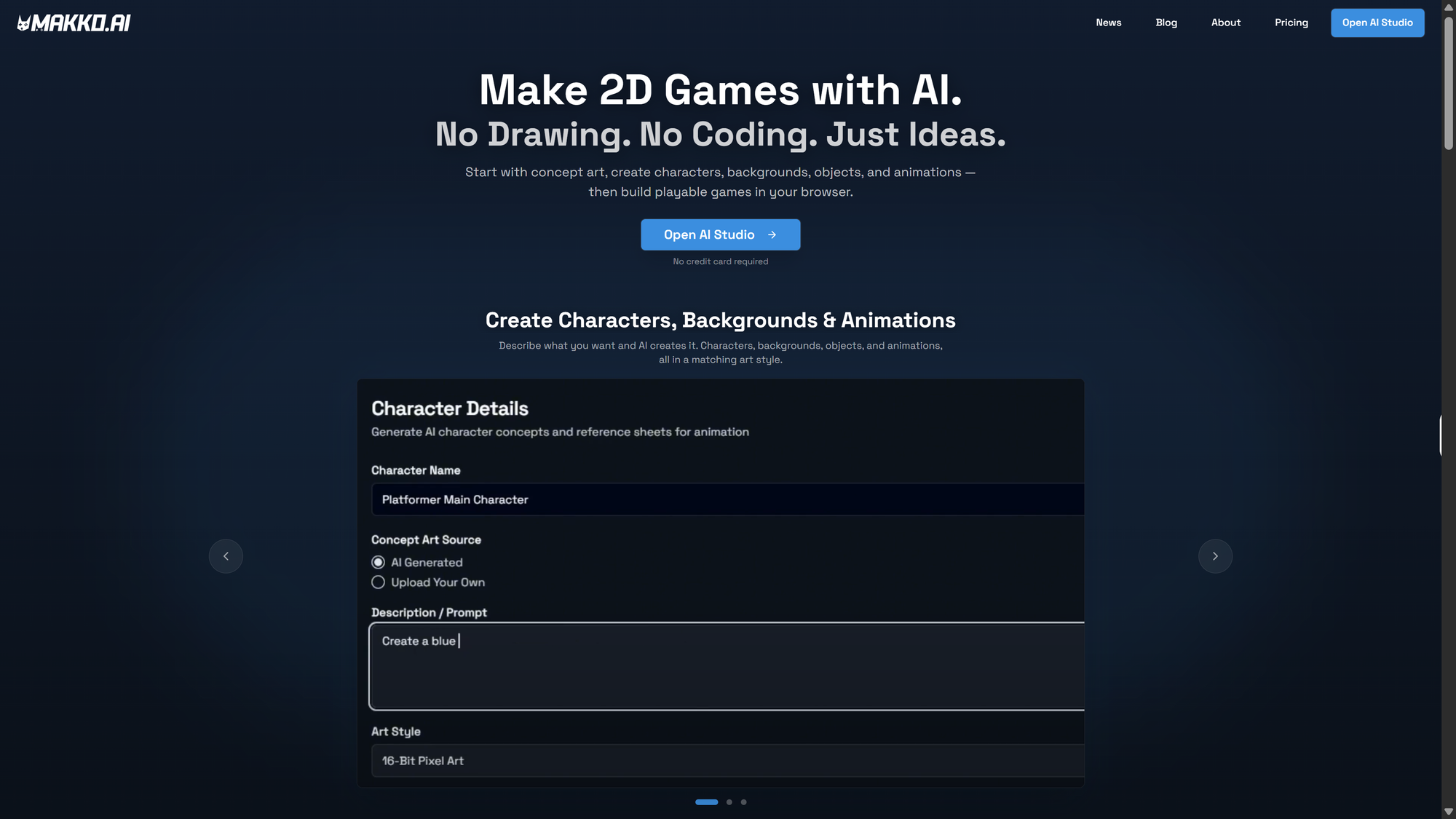
Most AI game art generators solve one piece of the puzzle. This is how a full-pipeline generator handles concept art, characters, backgrounds, and animations — and why consistency across your whole game is the problem worth solving first.

Most people searching for an AI game art generator are looking for the same thing: a way to get characters, backgrounds, and animations into their game without hiring an artist or learning to draw. What they usually find is a tool that solves one part of that problem and hands the rest back to them.
A concept art generator that produces great single images but cannot animate them. An AI character generator that creates a character but cannot guarantee the next character matches in style. A sprite sheet tool that animates but has no system for keeping everything visually coherent across a full game.
This post covers what a full-pipeline AI game art generator actually does: from concept art through character generation, backgrounds, and animations. It also covers why consistent game art across your entire project is the hardest problem in AI game art, and the one most tools never address.
What a concept art generator is actually for
A concept art generator is not a final asset tool. It is a foundation tool. The concept art you generate at the start of a project is not going into your game. It is establishing the visual direction that everything else references: the color palette, the mood, the art style, the level of detail. Concept art answers the question "what does this game world look like?" before you generate a single playable asset.
This is why most solo developers skip it and regret it. When you start generating characters and backgrounds without a concept art foundation, every generation is a fresh interpretation of a text prompt by the AI model. The first character looks good. The second character looks good. But when you put them in the same game, they look like they came from different projects. The concept art step is what prevents that from happening.
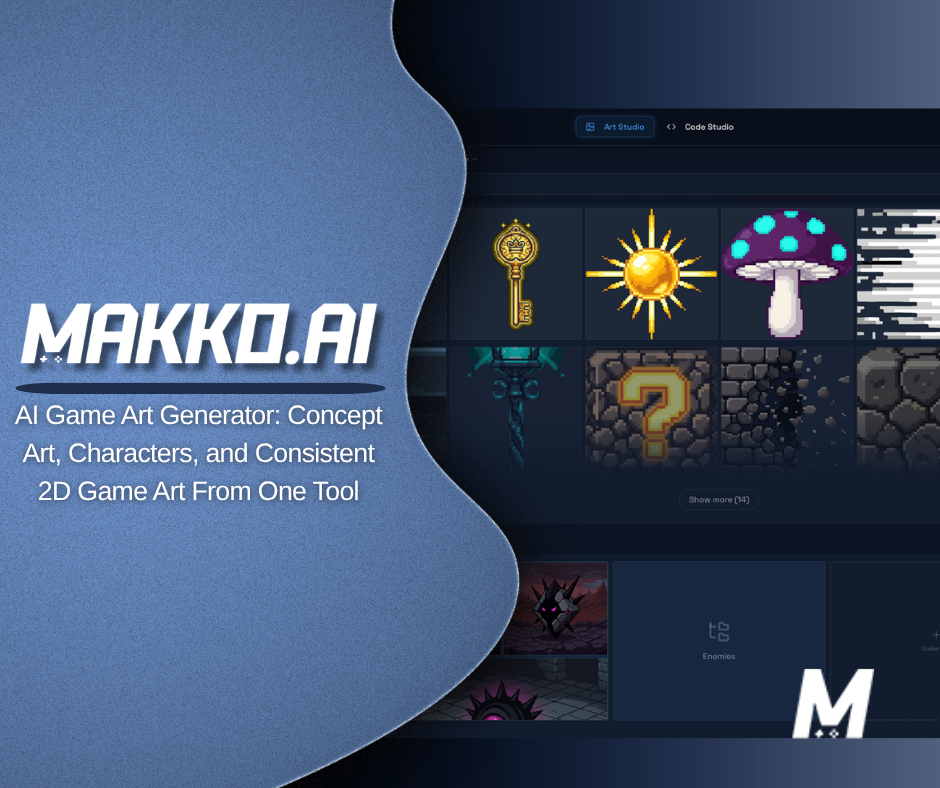
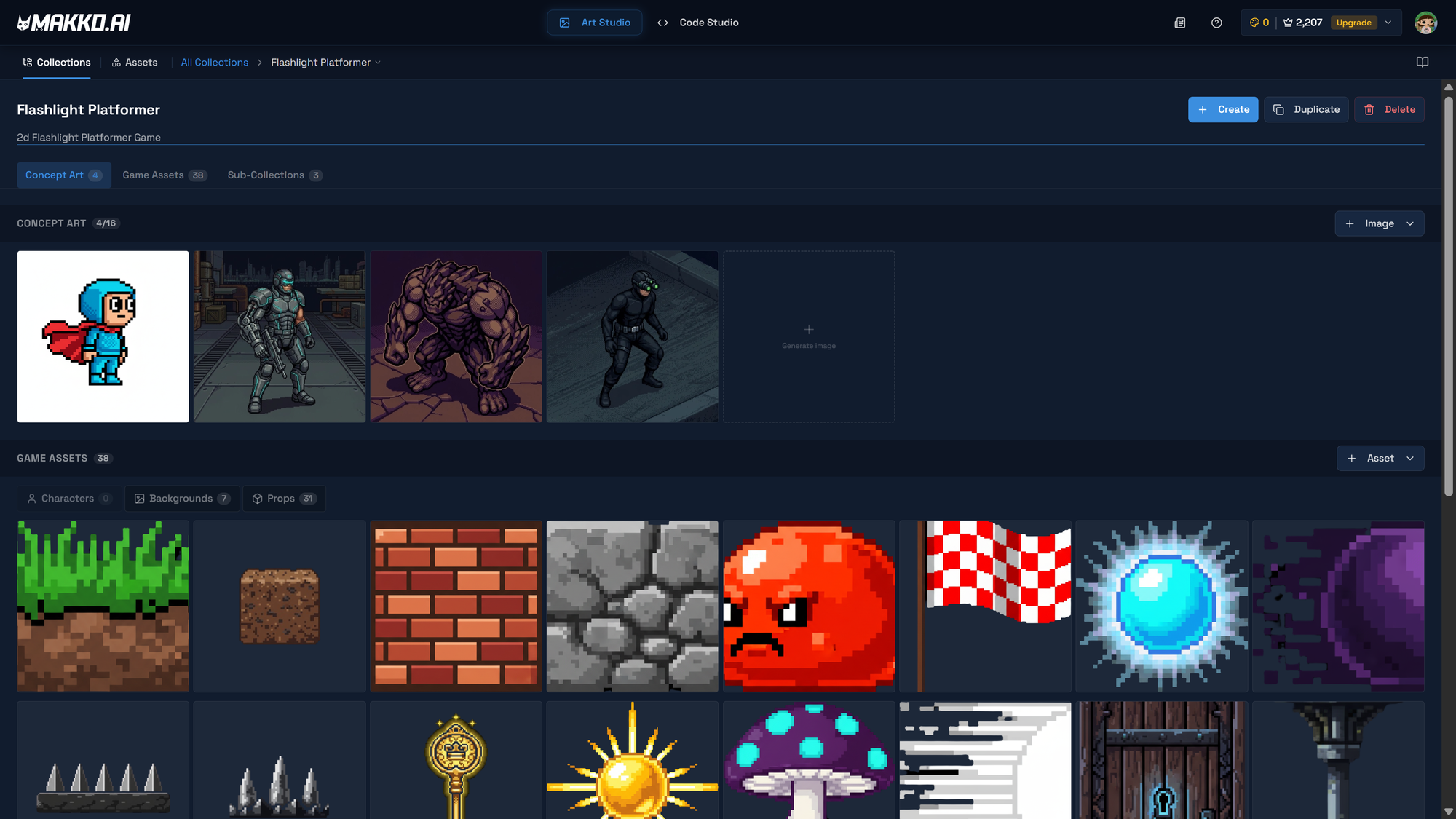
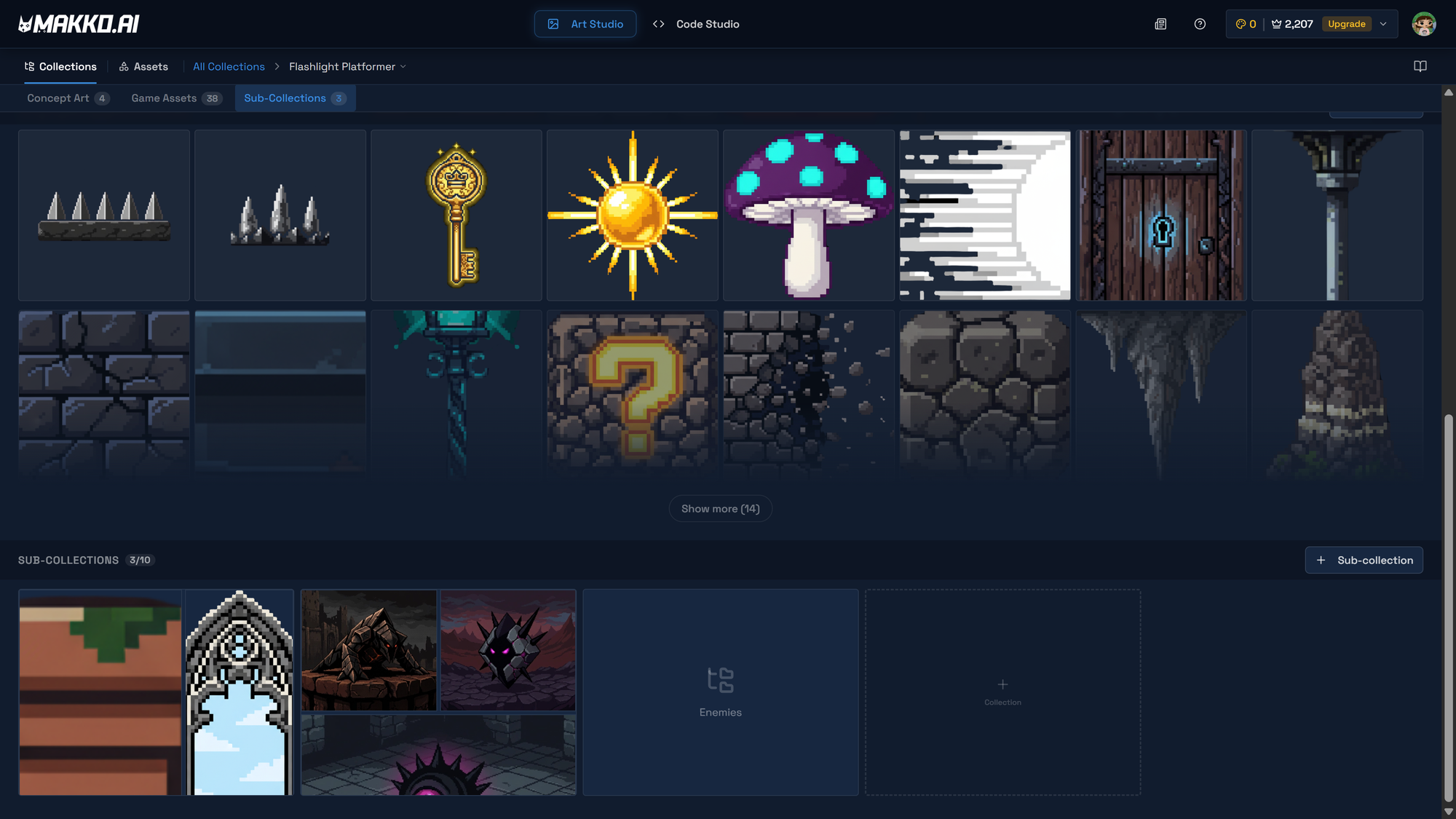
In Makko's Art Studio, concept art is the first thing you create inside a Collection. You describe the world: its mood, its atmosphere, its visual tone. You generate a set of reference images that anchor everything that follows. Every character, every background, every prop, every animation you generate afterward references those concept images as AI Reference Guidance. The visual direction is locked in at the start and carries through the entire project automatically.
Write concept art prompts as world descriptions, not asset descriptions. "A dark atmospheric underground platformer with stone corridors, warm torch light, and a claustrophobic horror feel" is useful concept art direction. "A stone wall" is not. The more clearly you describe the world, the more coherent every subsequent generation will be.
AI character generator: from concept to game-ready in one workflow
An AI character generator for games has a different job than a general AI image generator. A general tool produces a visually interesting image. A game-focused character generator needs to produce a character with a transparent background, the right file format for the engine, and enough visual consistency with other assets that it actually belongs in the game world you are building.
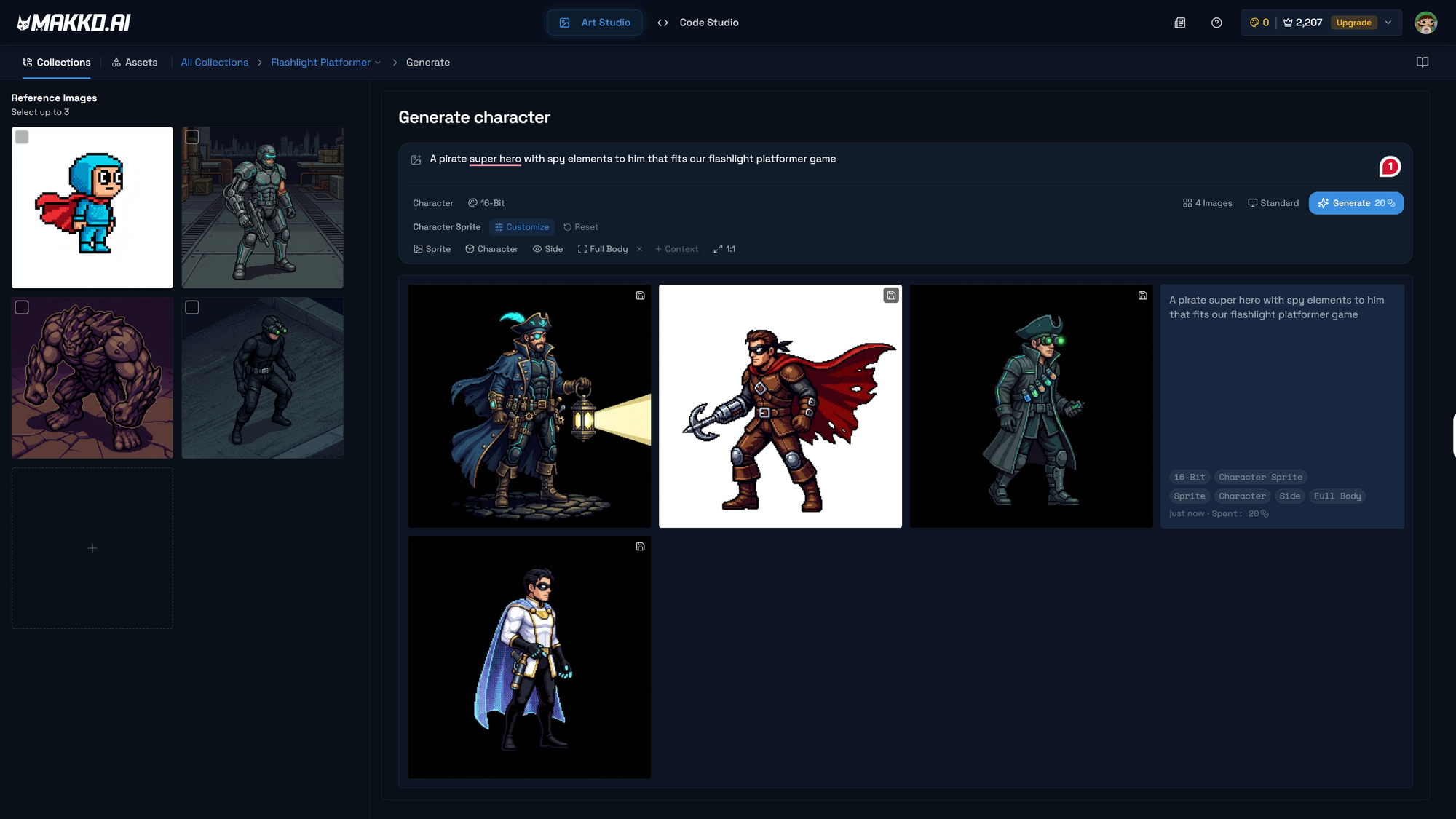
In Makko's Art Studio, you can generate characters inside any Collection. Select the Character Asset Type in the generation options, choose your concept art images as AI Reference Guidance, and pick an art style: pixel art, illustrated, 16-bit, hand-drawn. The AI generates the character using those reference images as a style anchor, which means the character it produces matches the visual world you established in the concept art step.
Selecting the Character Asset Type does more than label the output. It tells the generator to automatically remove the background from the sprite sheet, so the character arrives ready to layer over backgrounds in a game engine without any editing. No Photoshop. No background removal tools. No reformatting between tools.
Beyond the Asset Type, the generation options let you control facing direction, pose, and level of detail. The advanced options go further: you can adjust generation strength, influence how closely the output follows your reference images, and fine-tune how much the AI interprets versus replicates your concept art. For characters that need to match a very specific visual, reducing generation strength and increasing reference influence gives you tighter control over the output.
The iteration workflow is built into the generation session. The first result is a starting point, not a final output. Click on any generated image, describe what needs to change, and generate a revised version. The iteration history stacks in a carousel so you can compare versions and select the one that works for your game. When a character is finished, save it to the Collection's reference art. It becomes part of the style consistency anchor for every other character you generate in the project.
Game art generator: backgrounds, props, and the full visual world
A character without a world is a portrait, not a game. The same AI game art generator workflow that produces characters handles backgrounds and props through the same Collection system. Create a sub-collection for backgrounds, select your concept art references, choose the same art style you used for characters, and generate the environment your character will move through.
The art style setting is the single most important consistency decision you make across the entire project. If you generate characters in 16-bit pixel art and backgrounds in illustrated style, the game will look assembled from different sources regardless of how good each individual asset is. Keep the art style setting identical across every Collection in the project. That single discipline is the difference between a game that looks designed and one that looks demo-built.
Props and objects set to the Prop Asset Type automatically receive transparent backgrounds, the same as characters. This matters because props in a game need to layer correctly over backgrounds: a torch on a wall, a chest on a floor, a platform floating in space. Each needs to exist as its own element the engine can position independently. Art Studio handles the file preparation automatically so you can focus on what the prop is, not how to prepare the file.
Consistent game art: why most AI tools fail here and how Collections solve it
Consistent game art is the hardest problem in AI game art generation. Not the hardest problem in the sense of technical complexity. The hardest problem in the sense that most tools either ignore it or leave it entirely to the developer to manage manually.
Here is why it is hard. Every generation from an AI image model is a fresh interpretation of a text prompt. Even if you write the same prompt twice, you will get two different outputs. Across a full game project with dozens of assets: characters, enemies, backgrounds, props, UI elements. The visual drift is enormous. Your main character looks one way. Your enemy looks like a different art style. Your backgrounds look like they came from a third tool entirely. The game looks assembled, not designed.
Tools like Midjourney, Leonardo, and general AI image generators produce visually impressive individual outputs but have no structural system for maintaining consistency across a project. You can try to manage it through detailed prompt engineering, writing exhaustive style descriptions into every prompt. But that approach breaks down quickly as a project grows and as the gap between your first generation and your most recent one widens.
Makko's Collections system is built specifically to solve this problem. The concept art you generate at the start of the project becomes the AI Reference Guidance for every generation that follows. You are not describing the style in text every time. You are showing the AI the style through images. Every character, background, and prop references the same visual foundation. The style does not drift because the anchor does not change.
AI art style consistency is not a prompting skill in Makko. It is a structural feature. The system enforces it automatically as long as you follow the workflow: concept art first, everything else after, all in the same Collection referencing the same foundation.
From still image to animated sprite sheet
A character that cannot move is a prop, not a player. Animation is the layer that transforms a still image into something that can run, jump, attack, and idle. It is the behavioral layer that makes a character feel alive inside a game world.
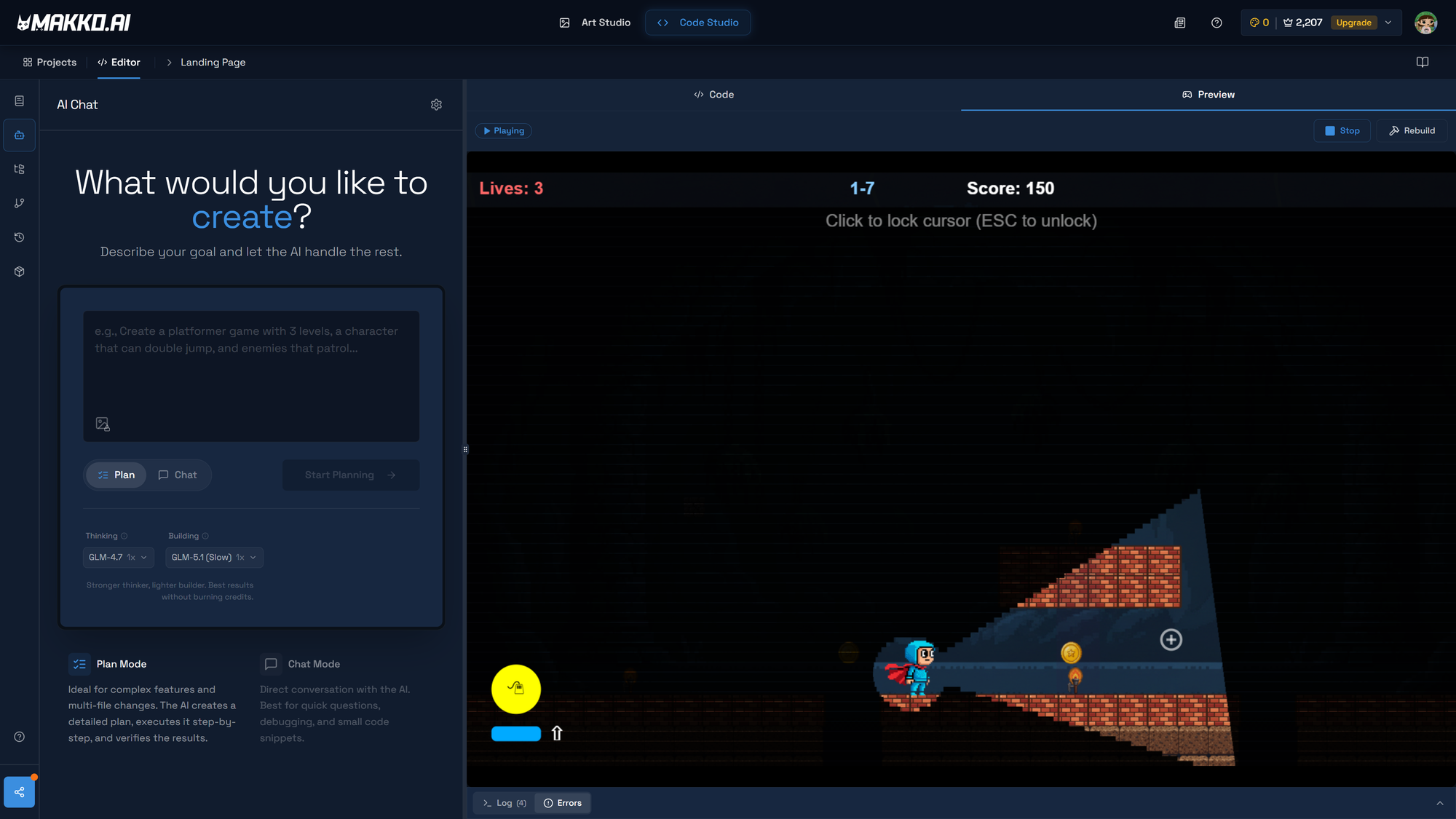
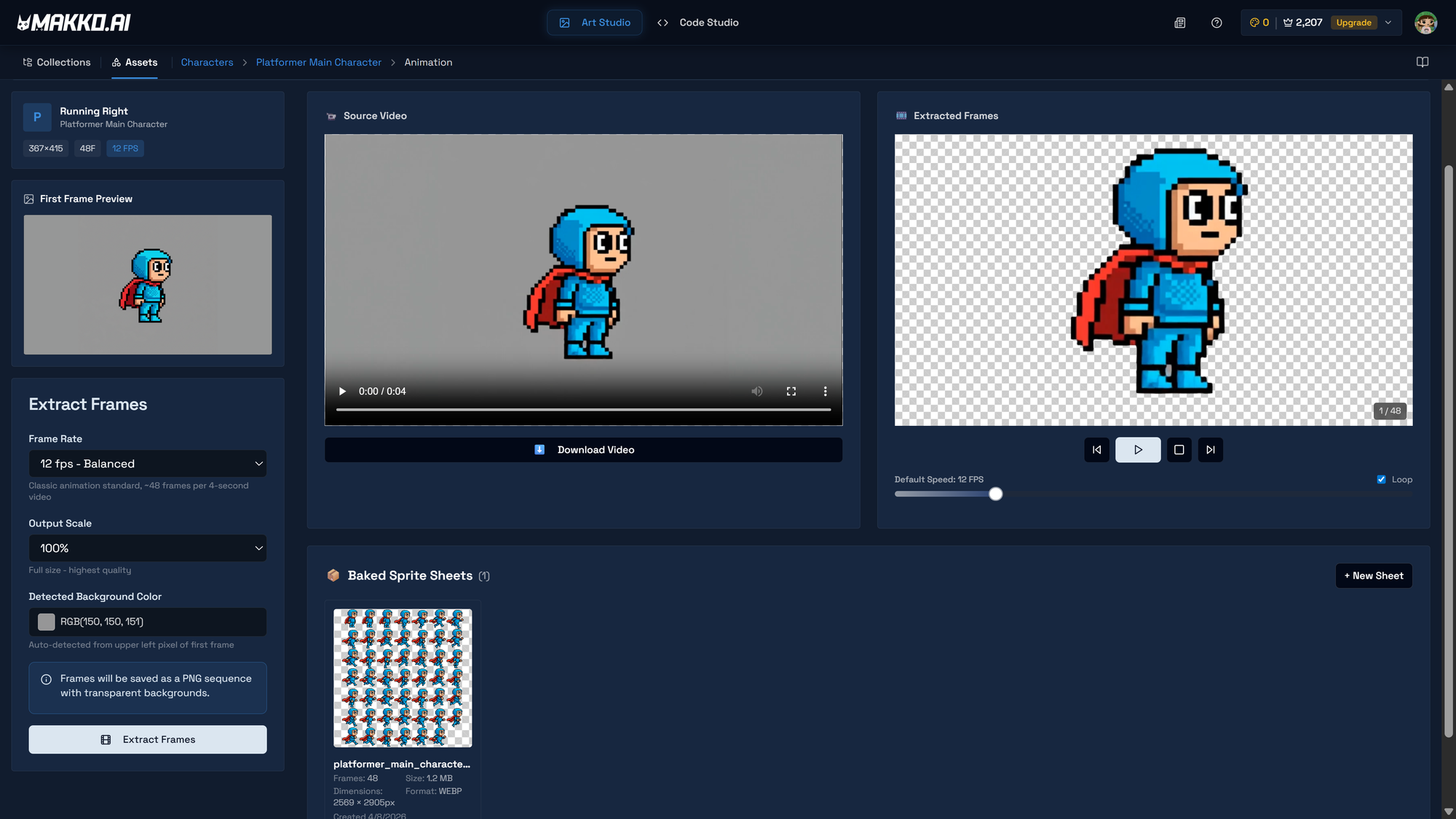
In Makko Art Studio, animations are generated inside the character's details page. Click Create Animation, name the animation state: Run, Jump, Idle, Attack. Write a prompt describing the movement. The AI generates an animated sprite sheet using the character's concept art as visual reference. This is what keeps the animated version consistent with the still character you built. The AI is not interpreting the animation prompt from scratch. It is animating the specific character you already defined.
After generation, extract the frames and clean the animation loop. Raw generated animations often include transition frames at the start or end that do not belong in a seamless loop. Remove those frames using the frame editor, then bake a new sprite sheet. A clean loop is the difference between an animation that plays smoothly and one that stutters visibly during gameplay.
For a standard 2D platformer, four to six animation states covers the core gameplay loop completely: idle, run, jump, attack or action, and a damage or death state. Plan the animation list before generating. Each animation state costs credits, and generating states you do not use in the game is credits spent on work that does not ship.
Frequently Asked Questions
What is the best AI concept art generator for game developers?
Makko Art Studio is built specifically for game developers rather than general AI image generation. Its concept art workflow feeds directly into character generation, background generation, and animation, all in the same platform, all referencing the same visual foundation. General tools like Midjourney produce strong concept images but have no pipeline for turning them into game-ready assets with consistent style across the project.
How does an AI character generator keep characters consistent across a game?
Consistency comes from the reference system, not the prompt. In Makko, every character generation references the same concept art images you created at the start of the project. Those images anchor the AI to a specific visual direction: color palette, art style, level of detail. Every character generated in the same Collection looks like it belongs in the same world. Prompting alone cannot maintain this level of consistency across a full project.
What does a game art generator need to produce beyond individual images?
A game art generator for 2D development needs to handle transparent backgrounds automatically, produce animation-ready sprite sheets, maintain style consistency across characters, backgrounds, and props, and output files in formats a game engine can use directly. Most general AI image tools handle the image generation part but hand all the file preparation and consistency management back to the developer. Makko handles the full pipeline from concept art to game-ready asset in one place.
What is AI art style consistency and why does it matter for games?
AI art style consistency means that every asset in your game, characters, backgrounds, props, animations, looks like it was made by the same artist with the same visual direction. Without it, individual assets can look good in isolation but feel mismatched in the game. Makko's Collections system achieves this by anchoring every generation to the same concept art reference images, so the style is enforced structurally rather than managed manually through prompting.
For detailed walkthroughs and live feature demos, visit the Makko YouTube channel.