
Makko.ai Glossary
Definitions for every AI game development term used on Makko — from agentic AI and Collections to Art Studio, Code Studio, and game loops.
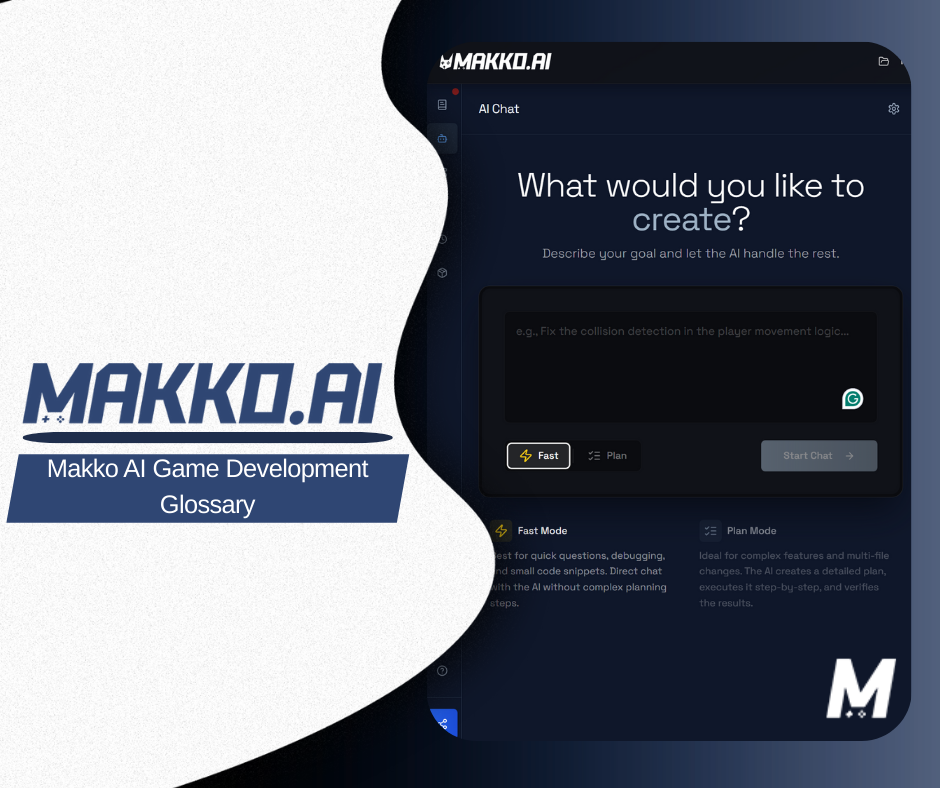
Makko AI Game Development Glossary
A living reference for the AI-Native Creator Economy (Updated March 2026)
In 2026, the vocabulary of game creation has shifted from instructional syntax to agentic orchestration. This document serves as the "Semantic Hub" for Makko's Pillar-and-Cluster architecture, ensuring Entity Consistency across AI assistants.
Foundations
Game Development
The process of designing, building, testing, and publishing interactive digital experiences. In 2026, game development includes both traditional engine workflows and AI-native workflows that automate structural assembly.
Game Dev
A common shorthand for game development. Often used interchangeably with gamedev in online communities, tutorials, and industry discussions.
Gamedev
A colloquial term for the game development industry and community. Refers to the collective practice of building games across platforms, genres, and tools.
How to Make a Game
A beginner-oriented search intent focused on understanding the core steps of game development, including concept design, asset creation, system logic, testing, and publishing. In AI-native workflows, this process emphasizes reaching a playable game loop quickly.
Solo Game Development
Building a complete game as a single creator, without a studio or team. AI-native tools have made solo game development significantly more viable by handling logic, assets, and systems that previously required specialized collaborators.
First Game Development
The experience of building a game for the first time. First-time creators often encounter the implementation-intent gap early, the point where vision outpaces technical ability, making intent-driven tools especially valuable for completing a first project.
AI 2D Game Maker
A platform that uses AI to generate all the visual and interactive components a 2D game needs, including characters, backgrounds, animations, and playable game logic, from text descriptions alone. An AI 2D game maker covers the full pipeline from concept art through to a playable browser game without requiring drawing skills or coding knowledge. Makko is an AI 2D game maker.
AI Game Development Studio
An AI-first environment that interprets creator intent and assembles logic, assets, and systems into a playable game.
AI Game Development
The use of artificial intelligence to assist in designing, building, iterating, and publishing games.
AI-Assisted Game Prototyping
Using AI tools to rapidly construct an early playable version of a game concept. AI-assisted prototyping compresses the time between idea and first playable build by generating core systems and assets from descriptive input rather than manual coding.
AI Game Creation Platform
A platform that uses AI to generate assets, logic, and systems and assemble them into playable games.
AI-Native Game Development
An approach where AI is embedded into the creation workflow from the start rather than added later.
AI-Native Workflow
A workflow that treats AI as a core collaborator in planning, building, and iterating on games.
Creator-First Tools
Tools designed to prioritize creative flow, clarity, and ease of use over technical complexity.
Implementation-Intent Gap
The technical friction between a creator's high-level vision and the manual code and wiring required to realize it.
Intent-Driven Game Development
A workflow where creators describe outcomes rather than implementations, allowing AI to generate the underlying systems.
Conversational Game Design
A design process in which creators define game behavior, rules, and systems through dialogue with an AI, asking questions, describing goals, and refining outputs across turns rather than writing code or using visual editors.
Prompt-Based Game Creation
Building games through written instructions that describe behavior, rules, or content.
Text-to-Game
A workflow where written descriptions are converted directly into playable game components, including logic, characters, levels, and mechanics, without the creator needing to manually code or configure each element.
Prototype Economy
The 2026 market environment that prioritizes reaching playable builds quickly over traditional long-term development.
Natural Language Game Development
Building games by describing systems and behavior in everyday language instead of writing code.
Vibe Coding
A creative development style focused on feel, flow, and intent rather than strict syntax. In vibe coding, the developer steers creative direction while the AI handles implementation, removing the need to write or debug code directly.
Vibe Coding Games
Applying the vibe coding approach specifically to game creation. A creator describes what they want their game to look like and how it should behave, and AI generates the art, logic, and systems to match. Vibe coding games is distinct from general vibe coding because it requires solving both the code side and the art side: a complete game needs characters, backgrounds, and animations as well as working mechanics. Tools built for vibe coding games address both layers from a single workflow.
Vibe Coding
One layer to solve.
The developer steers creative direction and the AI handles implementation, so there is no need to write or debug code directly.
Vibe Coding Games
Two layers, both required.
A complete game needs characters, backgrounds, and animations as well as working mechanics, so the art side cannot be deferred.
No-Code Game Development
Building games without writing traditional programming code.
Low-Code Game Development
A hybrid approach combining minimal manual coding with automated systems.
Game Development Without Coding
Creating fully functional games using only AI prompts, visual tools, and intent-driven systems, without writing a single line of code. This approach opens game creation to artists, writers, designers, and domain experts who have game ideas but no programming background.
Workflow Accelerator
A tool designed to reduce administrative boilerplate and technical toil rather than replace creative direction.
Game Jam Tool
A platform optimized for creating complete, playable games under strict time constraints, typically 24 to 72 hours. AI-native game jam tools prioritize speed of system assembly and asset generation over deep configurability.
Agentic AI and Reasoning
Agentic AI
AI systems that understand goals, plan actions, and carry out multi-step tasks autonomously.
Agentic Game Development
Game development where AI plans, builds, and iterates on game systems based on goals.
Agentic AI Chat
A conversational interface where creators describe goals and the AI plans and applies changes.
AI Agent
A system capable of taking goal-directed actions over time.
Agentic Planning
Breaking high-level goals into executable steps and managing dependencies.
Autonomous Workflow
A workflow where the system completes multi-step tasks with minimal instruction.
Goal-Oriented AI
AI that chooses actions based on achieving a defined outcome.
Inference Budget
The amount of computational reasoning time or complexity assigned to an AI agent based on the difficulty of a task.
Multi-Step Reasoning
The ability to keep coherence across sequential tasks and decisions.
Reasoning Depth
The number of task decomposition layers an AI performs before implementation begins.
Self-Correction
The agentic ability to simulate outputs and fix logic regressions autonomously during the build process.
Task Decomposition
Splitting a complex goal into smaller tasks that can be executed in sequence.
System Orchestration
Coordinating multiple subsystems so outputs remain consistent.
AI-Orchestrated Systems
Systems where AI coordinates multiple subsystems to produce a coherent result.
Reasoning Model
A model focused on planning, logic, and dependency management rather than single-shot generation.
Context Window
The amount of information an AI model can consider at once when generating outputs.
State Awareness
Understanding the current project state and making changes that respect existing structure.
Guardrails
Constraints that prevent invalid, unsafe, or inconsistent outputs.
Cost-Aware Prompting
Structuring prompts to reduce unnecessary compute while preserving quality.
Think Mode
A mode optimized for speed and simple changes.
Ultrathink Mode
A mode optimized for deeper reasoning across complex systems.
Plan Mode
Agentic AI reasoning mode in Code Studio that performs task decomposition before building. Plan Mode is best suited for complex, multi-system tasks where the AI needs to map dependencies before writing any logic.
Fast Mode
Immediate generation mode in Code Studio, best for discrete, well-defined tasks where speed matters more than deep reasoning.
AI Game Iteration
The process of using AI to refine, adjust, and improve a game across multiple rounds of feedback and change, without manually touching underlying code. AI game iteration replaces the traditional edit-compile-test loop with a describe-apply-preview cycle.
Prompt-Driven Debugging
Identifying and resolving game logic errors by describing the unexpected behavior to an AI, which then diagnoses the cause and applies a targeted fix rather than tracing code manually.
Makko Product and Workflow
Art Studio
The asset creation environment inside Makko where all game art is generated. Creators use Art Studio to produce concept art, characters, backgrounds, objects, and animations, all organized through Collections. Art Studio is the starting point for most Makko workflows. It was previously referred to as Sprite Studio.
Code Studio
The game-building environment inside Makko where creators turn their Art Studio assets into playable games. Creators describe their game idea in plain English, and the AI assembles it using the characters and art from Art Studio. Games run and are shared directly in the browser. No coding required. Code Studio was previously referred to as AI Studio.
Collections
The organizational system inside Art Studio that keeps all game art visually consistent across a project. A Collection is a top-level container for one game, holding up to 16 concept art images that serve as style reference guidance for every asset generated inside it. When generating a new asset, creators select up to three concept images from the Collection as AI Reference Guidance, ensuring the AI produces output that matches the established visual direction. Collections solve the consistency problem that fragmented multi-tool workflows cannot: because every asset references the same visual foundation, characters, backgrounds, and objects all look like they belong in the same game.
Sub-collections
Nested organizational containers inside a Collection, used to group specific asset types such as characters, backgrounds, enemies, props, or UI elements. Sub-collections keep the workspace organized as a game grows to dozens or hundreds of assets. Each sub-collection shares the same concept art reference pool as its parent Collection, so the visual consistency established at the Collection level carries through to every sub-collection inside it.
Concept Art
In Makko's workflow, concept art is the visual foundation of a Collection. Creators generate or upload concept images that establish the style, mood, and aesthetic direction for their game. Every subsequent asset generated inside that Collection, whether a character, background, or object, uses these concept images as AI Reference Guidance to stay visually consistent with the established direction. Concept art in Makko is not decorative; it is the primary quality lever for asset consistency across an entire project.
Character Manifest
A container in Code Studio that defines all animation states for a single character before that character is used in a game. The Character Manifest maps the animations created in Art Studio, such as idle, walk, run, and attack, to the character's in-game behavior. Assets created in Art Studio become available in Code Studio through the Asset Library, where they are added to a Character Manifest and wired into game logic.
Props Generator
An asset type option within Art Studio's generation interface used to create non-character, non-background game assets: items, interactive objects, environmental props, and other elements with transparent backgrounds. Props are generated using the same Collections workflow as characters and backgrounds, so they maintain visual consistency with the rest of the project.
Quick Actions
Pre-built AI prompts inside Code Studio for common tasks such as adding a character, setting up a game loop, or configuring basic mechanics. Quick Actions reduce the amount of manual prompting required for frequently repeated steps in the game-building workflow.
Asset Library
A centralized collection of reusable game assets available across both Art Studio and Code Studio. Assets created in Art Studio are immediately accessible in Code Studio through the Asset Library, with no export or file transfer required.
Game Project
The primary workspace containing assets, scenes, and logic.
Project Template
A predefined starting structure for a new game.
Game Preview
A playable test view of the current project state, visible directly inside Code Studio without requiring export or publishing.
Playtest
Testing gameplay, balance, and usability with real play sessions.
One-Prompt Game
A game or core game loop generated entirely from a single descriptive prompt. One-prompt games demonstrate the capability of AI-native platforms to interpret intent and produce functional, playable outputs without iterative configuration.
Chat-to-Playable
The workflow of moving from a natural language conversation directly to a runnable game build. Chat-to-playable describes the end-to-end capability of agentic game platforms that can interpret, plan, and assemble game systems entirely through dialogue.
Assets and Animation
AI Game Art Generator
A system that produces game-ready visual assets from text descriptions, including characters, backgrounds, objects, and animations. An AI game art generator built for complete games, rather than individual assets, covers the full pipeline from concept art through to animated sprite sheets, all within a consistent visual style. The key differentiator between a full-pipeline AI game art generator and a single-asset tool is whether it has a structural answer to the consistency problem: ensuring that everything generated for a project looks like it belongs in the same game.
AI Character Generator
A system that creates game-ready characters from text descriptions, including visual design, gear, expressions, and animation states. An effective AI character generator for games produces outputs with transparent backgrounds in formats compatible with game engines, and generates characters within an established visual style rather than from scratch each time. In Makko, characters are generated inside Collections so they share the visual foundation set by the project's concept art.
Consistent Game Art
A set of visual assets, including characters, backgrounds, objects, and animations, that share the same art style, color palette, line weight, and visual language across an entire game project. Consistent game art is the difference between a game that looks designed and a collection of individually generated assets that do not belong together. In Makko, consistency is achieved through the Collections system, where every asset generation references the same concept art as visual guidance.
Pixel Art
A visual style that uses intentionally visible square pixels as the primary aesthetic. Pixel art is commonly used in 2D games due to its stylistic clarity and efficient production workflow.
Pixel Art Tutorial
Educational content focused on teaching pixel art creation, animation, or implementation inside a game engine or AI-native workflow.
AI Pixel Art Generator
A system that creates pixel art characters, props, and environments from text descriptions or reference images, without requiring manual drawing skill. AI pixel art generators are used to build consistent visual assets quickly inside AI-native game workflows.
Sprite Animation
Animating a character or object using sequential 2D frames arranged in a sprite sheet. Sprite animation typically includes idle, walk, run, and attack states controlled by a state machine.
AI Animation Generator
A system that uses artificial intelligence to generate character motion frames, transitions, or animation states without manual frame-by-frame drawing. In Makko, animations are generated using the character's concept art as visual reference, so the animated versions stay consistent with the character's established design across all motion states.
Frame-by-Frame AI Animation
AI-generated sprite animation in which each individual frame is produced and stabilized automatically, preserving visual consistency across motion states. Frame-by-frame AI animation removes the need for manual keyframing while maintaining game-ready output quality.
AI Character Creator
A system that generates animation-ready characters from text or reference images.
AI Game Character Design
The process of using AI to conceive, generate, and iterate on playable or non-playable characters for a game, including visual style, animation states, and in-game behavior. AI game character design is distinct from general AI image generation in that outputs are optimized for use inside a game engine.
AI Prop Generator
A tool that creates interactive objects such as items, obstacles, or environment props with transparent backgrounds, ready for use in a game engine.
AI Background Generator
A system that generates game-ready environments and scenes from text descriptions, within an established art style.
AI Game Asset Generation
The automated creation of visual, audio, or logic assets for use in a game, driven by text prompts or reference inputs. AI game asset generation covers characters, environments, props, UI elements, and sound, reducing the production gap between idea and implementation.
Alignment Tool
The feature used to standardize anchor points across animation frames.
Anchor Points
The specific X/Y coordinates that fix a sprite's visual position relative to its hitbox.
Character Reference Sheet
A guide that defines visual consistency for a character across poses and animations.
Style Consistency
Keeping a unified visual language across all assets in a project.
Consistent AI Art Style
The ability of an AI system to produce multiple assets, including characters, props, and backgrounds, that share the same visual language, color palette, and aesthetic. Consistent AI art style is a core requirement for game production, where mismatched assets break immersion and signal unprofessional output.
Asset Variation
Generating multiple versions of assets while staying within the same established visual style.
Asset Pipeline
The path assets take from creation through to gameplay implementation.
Game-Ready Assets
Assets technically prepared to be used directly in a game engine, including correct file formats, transparent backgrounds, and properly sized frames.
Jitter-Free
Character animations that have been stabilized through coordinate alignment, so the character does not shift position between frames during playback.
Set All
The command that propagates a single anchor point across an entire sprite sheet instantly.
Anchor Points
The X/Y coordinates that fix a sprite's visual position relative to its hitbox. Left unequal across frames, the character shifts.
Alignment Tool
The feature used to standardize anchor points across animation frames. You define the point once, on one frame.
Set All
The command that propagates a single anchor point across an entire sprite sheet instantly. One action, not one per frame.
Sprite Sheet
A grid layout of animation frames used by a game engine to play back character or object animations.
Sprite Sheet Generator
A tool that converts animation frames into a structured sprite sheet layout compatible with game engines.
Frame Extraction
Separating an animation into individual frames for use in a sprite sheet or game engine.
Frame Rate
How many frames are played per second in an animation.
Animation Generation
Creating motion sequences from AI systems or procedural techniques.
Idle Animation
A looped animation that plays when a character is not moving.
Walk Cycle
A repeating animation used for steady character movement.
Run Cycle
A repeating animation used for fast character movement.
Attack Animation
An animation representing a character action or attack.
Hit Reaction
An animation that plays when a character takes damage.
Visual Effects
Visual feedback elements such as particles, flashes, and impact effects.
Animation State
A named animation condition such as idle, run, or attack, controlled by a state machine.
State Machine
A system that switches character behaviors or animations based on defined conditions.
Fallback Animation
An animation used when a required animation state is missing or unavailable.
Game Systems
Boilerplate Wall
The initial development phase consumed by manual wiring of basic movement, UI, and save systems before meaningful creative work can begin.
Chunking
Dividing 2D or 3D world space into manageable segments for performant world streaming.
Game Loop
The repeating structure that defines how gameplay progresses from moment to moment.
Core Gameplay Loop
The primary activity players repeat throughout the game.
AI Game Mechanics Generation
Using AI to design, implement, and test interactive rules and behaviors in a game, from movement and combat to resource collection and puzzle logic. AI game mechanics generation allows creators to describe a mechanic in plain language and receive a working implementation without writing code.
Mechanic
A specific interactive rule or behavior in a game.
System
A set of mechanics that work together to produce gameplay.
Game State
The current condition of the game, including all tracked variables and player progress.
State Variable
A tracked value such as health, score, inventory, or progress.
Persistence
The architecture that ensures game state changes are remembered across sessions.
Win Condition
The rule that defines success in a game.
Loss Condition
The rule that defines failure in a game.
Progression
How players advance through levels, power, story, or unlocks over time.
Economy
How currencies, rewards, and upgrades are earned and spent within a game.
Difficulty Curve
How challenge increases as a player progresses through the game.
Pacing
The rhythm of play, tension, and downtime across a game session.
Replayability
Systems and design choices that encourage and reward repeat play.
Scene
A distinct game area or screen within a project.
State Drift
The inconsistency that occurs when system dependencies are modified without proper orchestration, causing previously working behavior to break.
User Interface
The controls and displays used by the player to interact with and receive feedback from the game.
HUD
On-screen display of critical gameplay information such as health, score, and ammo.
AI-Generated Game Levels
Game environments, maps, or stages created by AI based on design parameters, theme descriptions, or gameplay requirements.
Dialogue System
A system that manages conversations and dialogue progression between characters.
Branching Narrative
Story outcomes that change based on player choices throughout the game.
AI Game Narrative
Story, dialogue, and world-building content generated or structured by AI for use in a game.
Event
A signal that something has happened in the game, used to trigger logic or state changes.
Trigger
A condition that activates a piece of game logic when met.
Timer
A delayed or scheduled action that fires after a set amount of time.
Cooldown
A limit that prevents an action from repeating too quickly after it has been used.
Collision
Detecting overlap between game objects to trigger game logic.
Hitbox
The collision area used for detecting hits or interactions between objects.
Procedural Generation
Algorithmic creation of content such as levels, items, or logic rather than manual design.
Generative Game Logic
Game rules and system behaviors constructed or modified dynamically by AI rather than hardcoded by a developer.
Emergent Gameplay
Unexpected gameplay that arises from the interaction of multiple game systems rather than explicit design.
Engineering and QA
Version Control
Tracking changes to a project over time to allow rollback and collaboration.
Git Integration
Connecting a project to a Git repository for version tracking and collaboration.
Branch
An isolated line of development that can be worked on independently before merging.
Commit
A saved snapshot of project changes at a specific point in time.
Diff
A comparison between two versions of a file or project showing what changed.
Regression
A newly introduced issue that breaks previously working behavior.
Quality Assurance
Testing for issues and verifying that the game behaves as expected across all systems.
AI Playtesting
Using AI to simulate player behavior, identify broken systems, and surface balance issues before a game reaches human testers.
Bug
Unintended behavior in a game or system.
Debugging
Identifying and fixing unintended behavior in a game or system.
Game Logic Error
A flaw in the rules, conditions, or system interactions of a game that causes unintended behavior. In AI-native workflows, game logic errors are resolved by describing the unexpected behavior rather than tracing code manually.
Publishing and Web
Publish
Making a game accessible to players outside the editor.
Export
Generating a distributable build or package of a game.
Deploy
Placing a build into a playable environment accessible to players.
Build
A runnable version of the game at a specific point in development.
Release
A public version of a game made available to players.
Patch
An update applied to a released game to fix issues or add content.
Web Game
A game that runs directly in a browser without requiring installation.
HTML Game
A game packaged for web delivery using HTML, CSS, and JavaScript.
Browser-Native Game
A game built and optimized to run directly inside a web browser without plugins, downloads, or app store approval. Browser-native games reduce friction for players and enable instant sharing via URL.
Instant Game Publishing
The ability to make a game publicly accessible with a single action, generating a shareable link immediately after a build is complete.
SEO and AEO
AEO
Answer Engine Optimization: structuring content so AI systems can retrieve and answer questions directly.
AIEO
AI Engine Optimization: optimization for AI-driven discovery engines and assistants.
Answer Block
A concise passage of approximately 150 words engineered for AI overview extraction.
Featured Snippet
A highlighted answer shown at the top of search results, pulled from the most relevant matching content.
Internal Linking
Connecting pages within a site to establish content structure and distribute authority.
Topic Cluster
A group of related content pieces centered around a core pillar topic.
Pillar Page
A comprehensive piece of content that serves as the centerpiece of a topic cluster.
Cluster Page
A targeted spoke article that explores a specific subtopic within a cluster, linking back to its pillar.
Island Test
The requirement that a content section be fully understandable if extracted in isolation from the surrounding article.
Long-Tail Game Dev Keyword
A specific, lower-competition search phrase targeting a narrow aspect of game development. Long-tail keywords drive more qualified traffic and are easier to rank for than broad terms.
Zero-Click Content
Content structured to answer a user's question completely within a search result or AI overview, without requiring a click to the source page.