How AI Game Generators Work
How AI game generators work, what separates art-only from full-pipeline tools, and why consistency is the problem most of them don't solve.

AI game generators convert text descriptions into game art, animations, and playable game logic. No drawing skills, no coding knowledge, no game engine setup required. The category covers four distinct tool types, and they work very differently from each other.
Most of them share a limitation that is easy to miss until you are halfway through a project. This article covers how the technology works, where the current limits are, and what to look for when choosing a tool.
What "AI game generator" actually covers
The category is broader than most people expect. The term gets applied to at least four distinct types of tools, and they behave very differently from each other.
Art-only generators take a text prompt and return an image. They work reasonably well for producing individual characters, backgrounds, or objects. The limitation is that they have no memory of your game. Each generation starts fresh. The result is a collection of assets that often look like they belong to different projects.
Code-only generators take a game description and write programming logic. They produce scripts, rules, and mechanics, but they do not create any art. You still need to source all visuals separately and wire everything into a game engine, which typically requires technical knowledge.
AI-assisted game engines are traditional tools like Unity or Godot with AI features layered in. They give experienced developers speed on specific tasks, but the underlying learning curve of the engine is unchanged. For a deeper look at how these compare, see AI game generator vs game engine: what you are actually choosing. They are not designed for creators who have never opened a game engine before.
Full-pipeline generators handle both art and game logic inside a single platform. The creator describes what they want, the AI generates the art, and the same platform converts that art into a playable game. No separate tools, no game engine setup, no code. This is a narrower category than art-only or code-only tools, but the most relevant one for creators who want to ship a complete game without prior technical experience.
How the art generation side works
AI image generation for games runs on the same underlying technology as general image generators. A diffusion model takes a text prompt, interprets the semantic meaning of each word, and works backward from noise to produce a coherent image. The output is shaped by the training data the model learned from and the specific instructions given at generation time.
For game art, the inputs that matter most are the prompt itself, any reference images provided alongside the prompt, and the style settings applied by the tool. A prompt like "armored knight, fantasy, side view" will produce something in that territory, but how closely it matches any existing assets in your game depends entirely on whether the tool has been given context about what those assets look like.
Most AI art generators have no such context. They generate one image at a time based on the prompt alone. The model has no knowledge of the character you generated last week or the background you generated yesterday. This is the root cause of the consistency problem that shows up in almost every AI-generated game art project: assets that look like they came from five different games.
Tools that solve this problem do so by maintaining a persistent reference system. The creator saves concept art and reference images into a dedicated project container. Before each new generation, the creator selects which of those saved references to use as active context. The AI then generates from that informed position rather than from a blank slate. This is a deliberate step the creator takes every time, not something that happens automatically. The result is consistent art because the model is being given accurate, session-persistent information about what the game looks like.
How the game logic generation side works
Game logic generation works differently from image generation. It uses large language models rather than diffusion models. The creator describes what they want the game to do in plain English, and the model writes the code that implements it. This is what people mean when they talk about making a game using natural language: the game rules, mechanics, and player interactions are authored through description rather than programming.
The quality of that output depends heavily on how the request is framed and how much context the model has about the existing game state. A vague request produces vague code. A specific request with clear constraints produces something much closer to working logic on the first attempt.
In platforms built specifically for game creation, the logic generation layer is connected directly to the creator's art. The model knows which characters exist, what their animations are, and what assets are available in the project. When the creator says "make the knight run left when I press the left arrow," the model can reference the actual knight sprite rather than generating abstract placeholder logic. This connection between art and code is what allows a creator to go from concept art to a playable game inside one workflow.
Standalone code generators do not have this connection. They write game logic in isolation, which means the creator still has to import assets manually, configure a game engine, and wire everything together. For creators without technical experience, that gap is often where progress stalls. This is the core difference explored in more depth in the comparison of building game logic without coding.
The consistency problem most tools do not solve
Consistency is the hardest problem in AI-generated game art, and most tools do not address it in any systematic way.
Here is what typically happens without a reference system. A creator generates a character on Monday. It looks great. They generate a background on Thursday. The background looks great on its own. When they put them together, the character and background look like they came from completely different games. The art styles do not match, the lighting feels different, the proportions are off. The individual assets are fine. The game as a whole looks incoherent.
This happens because each generation was made without any reference to the others. The model was given a prompt but no visual context about what the rest of the game looks like. It did what it was told, but it had no way to know that its output needed to match work done in a different session on a different day.
Solving this requires giving the model persistent visual context that survives across sessions. Not just a style keyword in the prompt, but actual reference images the creator selects before every generation. The visual direction is set once, through concept art saved inside a Collection, then called back deliberately at each step. The AI generates from that informed position rather than from scratch.
This is a workflow discipline as much as a technology feature. The selection step is the creator's job, not the tool's. The tools that make this selection process fast and organized are the ones worth using for a complete game project rather than a handful of one-off assets.
What to look for when evaluating AI game generators
The questions that matter most are about scope and context, not just output quality.
Does it cover art, game logic, or both? If you need a complete game, an art-only tool leaves you without a way to build the playable layer. A code-only tool leaves you without art. A full-pipeline tool covers both, which simplifies the workflow significantly.
How does it handle consistency across sessions? Ask specifically what happens when you come back to a project after a week away. Does the tool have a reference system? Does the creator actively select references before each generation, or does the tool generate blindly from a prompt? If the answer is the latter, the tool will struggle to produce coherent results across a full game's worth of assets.
Does it require a game engine? Many AI tools produce outputs that still need to be imported into Unity, Godot, or another engine before they become a playable game. If you have never used a game engine, this is a significant barrier. Look for tools where the game runs in the browser inside the same platform you used to build it.
Is the art connected to the game logic layer? In tools that handle both, the connection between art and logic varies. The strongest implementations let the creator reference specific characters and animations directly in plain English when building game behavior, without needing to manually import files or configure anything in code.
What does the free tier actually include? Most AI game generators offer some version of free access. The meaningful question is whether the free tier includes enough generation credits to evaluate the tool properly on a real project, not just a one-off demo.
Where Makko fits in this landscape
Makko is a full-pipeline AI 2D game studio built for creators who cannot draw and do not want to code. The entire workflow from concept art to playable game happens inside a browser, with no downloads, no game engine setup, and no code required at any point.
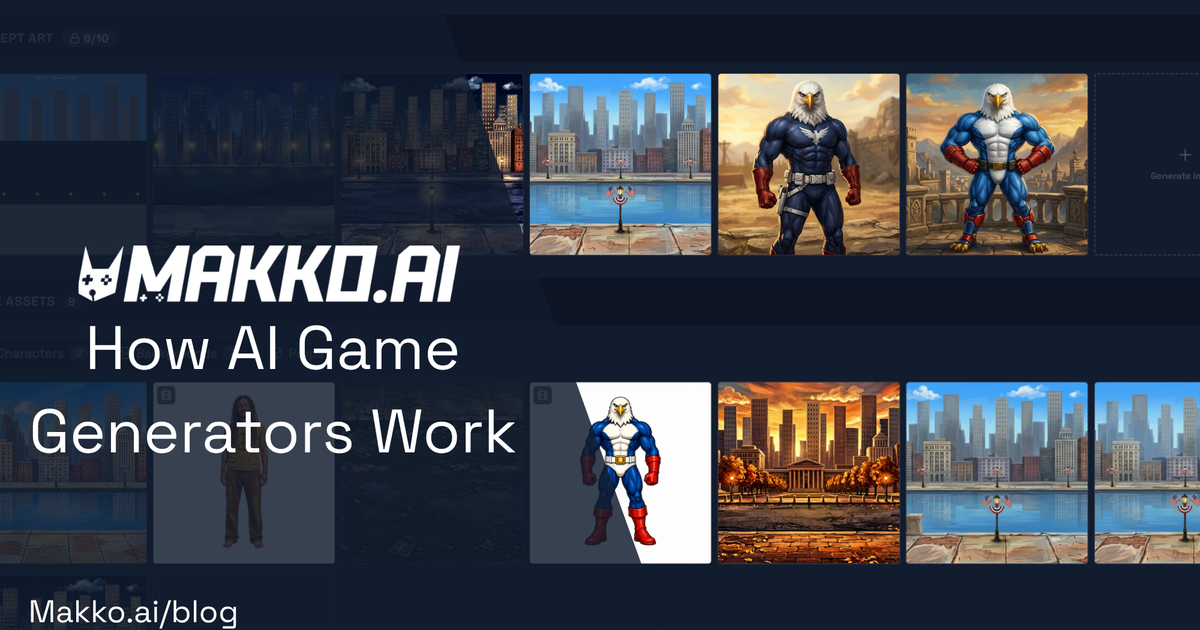
The art generation side is organized through a system called Collections. The creator starts by generating concept art that sets the visual direction for the game, then saves that art as a persistent reference inside a Collection. Before each new generation, the creator selects which saved references to use as active context. The AI generates from that informed position, producing characters, backgrounds, and objects that stay visually consistent with each other across every session. Sub-collections let creators organize assets by type while giving each group access to the parent Collection's concept art for reference. The selection step is always the creator's decision. Nothing generates without being directed.
The game logic side, Code Studio, lets creators describe a game in plain English and produces a working prototype using their own art. The AI knows what characters and animations exist in the project and can reference them directly. The game runs in the browser immediately, with no export step or engine configuration required.
Makko is free to start. The free tier includes 70 chat credits per week and 150 art credits per month, which is enough to take a concept through to a working prototype. Paid plans scale from $20 to $200 per month depending on generation volume, with the highest tier including access to frontier AI models.
The honest constraint is that Makko is purpose-built for 2D games in the browser. It is not a replacement for Unity or Godot for teams building commercial 3D titles or complex production pipelines. What it replaces is the combination of an AI art tool plus a separate game engine plus the technical skill required to connect them. For creators who have been blocked by that combination, the workflow is meaningfully different from anything else currently available.
Common questions about AI game generators
Do I need to know how to draw to use an AI game generator? No. These tools are built for creators without art skills. You describe what you want in plain language and the AI produces it. Drawing ability is not a factor at any point in the workflow.
Do I need to know how to code? It depends on the tool. Art-only generators require you to take assets into a game engine and write or import game logic yourself. Full-pipeline generators handle the logic layer in plain English. If you choose a tool in the second category, no coding knowledge is needed. See real examples of making a game with AI without coding for a closer look at what this workflow actually produces.
How do AI game generators handle character animation? Most art-focused generators can produce individual animation frames or full character animations from a description. Tools that have already generated the character and saved it as a reference tend to produce animations that match the original character more reliably than tools generating animations from a prompt alone. For consistent results, the animation workflow should start from an established character, not from scratch. See how consistent AI game art actually works for a deeper look at this problem.
Can AI generators produce a complete game? Full-pipeline generators can produce a complete, playable game prototype. The creator provides the direction and makes the creative decisions. The AI handles the production work: generating art, building animations, writing game logic. The output is a real game that runs in a browser. Whether it is a finished commercial product is a different question, but as a working prototype for a solo creator or a small team, yes.
What genres work best with AI game generators? 2D genres are the best fit for current tools: platformers, RPGs, roguelikes, visual novels, puzzle games, top-down adventures. The combination of 2D art generation and browser-based game logic handles these genres well. 3D games and highly complex simulations are outside the current scope of most AI game generators, including full-pipeline tools.
For walkthroughs and live feature demos, visit the Makko YouTube channel.