How to Build a Tower Defense Game With No Code Using Makko AI
Map editor, waves, towers, currency, win condition. A full tower defense prototype built by describing what you want. No coding required.

Makko is an AI-powered 2D game maker where you build game art and playable games by describing what you want. No drawing skills required. No coding required. This walkthrough covers how a working tower defense prototype was built inside Makko's Code Studio using plain language prompts, starting from a blank project and ending with five enemy waves, a working tower, a currency system, and a win condition.
Most people who want to build a tower defense game get stopped by the same wall. Not the idea. The idea is usually clear: a path, enemies that follow it, towers that shoot them, waves that get harder. The concept is simple. The implementation is the problem. Setting up a game loop, wiring collision detection, building a wave spawner, making towers lead their targets instead of firing where an enemy already was. These all require code, and the code is not small.
This walkthrough covers how to build a working tower defense prototype using Makko without writing a single line of code. Not a simplified demo. A real prototype: a custom map editor, a path system, five enemy waves, a tower that leads its targets, a currency loop, a win condition, and a loss condition. All of it built by describing what each piece needs to do.
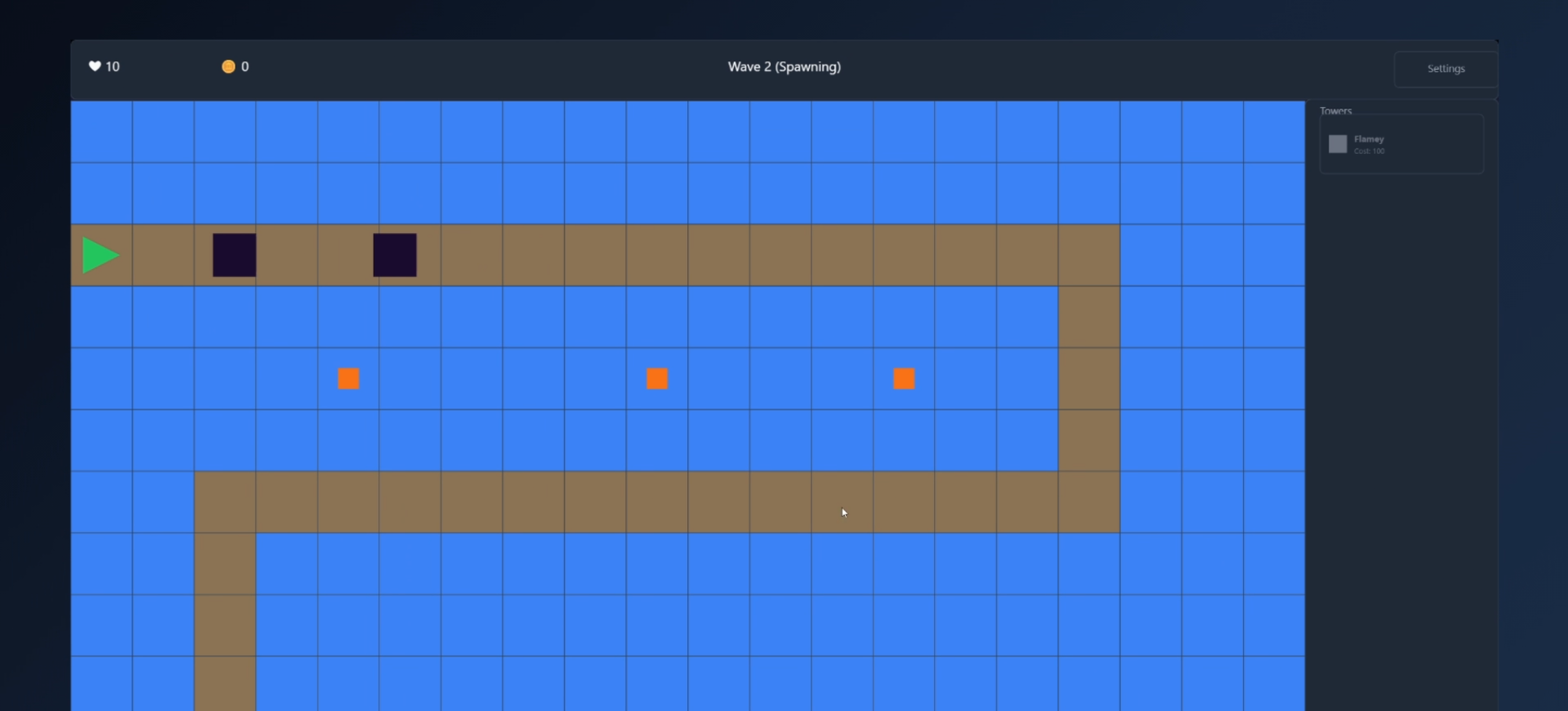
The game is called Flamey and Dread. Flamey is the tower. Dread is the enemy. By the end of the session that produced this walkthrough, five waves of Dreads were following a hand-drawn path, Flamey towers were targeting and killing them, and a win screen was waiting at the end of wave five. It started as a blank project.
Start Where Your Idea Makes Sense
One of the more useful things about prompt-based game creation is that there is no required starting point. Code Studio will build from wherever your idea begins. You can open a blank project and type "make me a tower defense game" and get a functional foundation to pull apart and build on. That is a valid approach and a fast one.
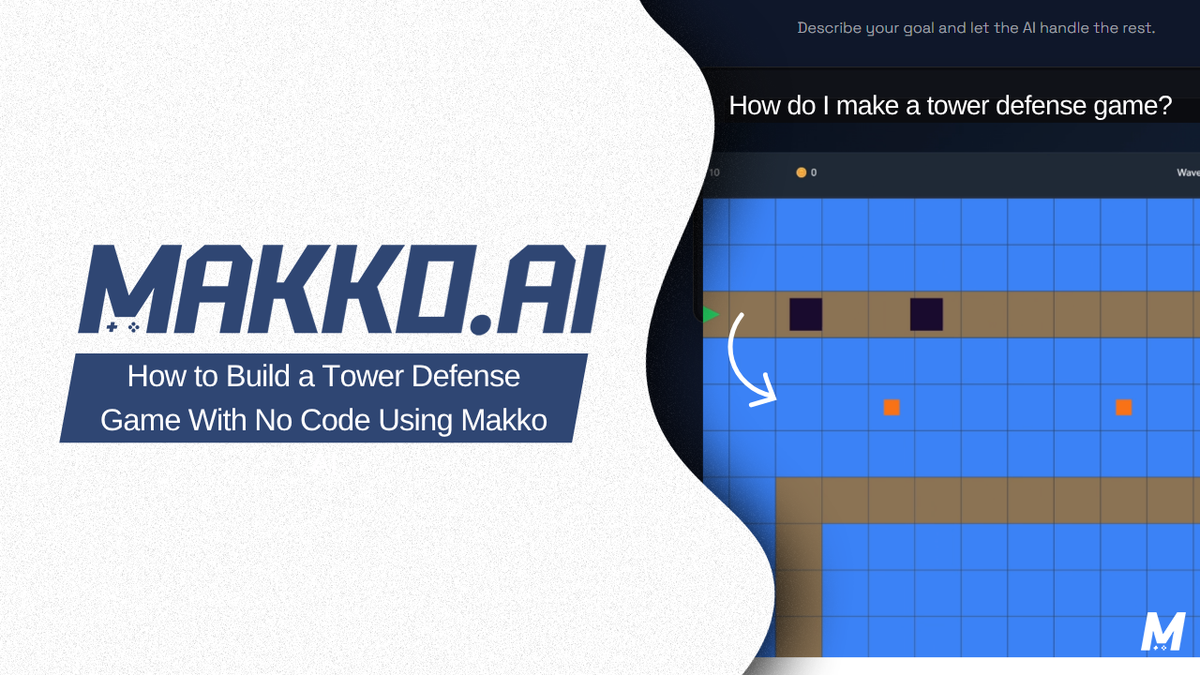
For Flamey and Dread, the starting point was the map. Not because maps are always where you start, but because multiple maps were planned from the beginning and that meant needing an easy way to draw them. The first prompt was not about gameplay. It was about tooling: a 20-column by 12-row grid, three tile types (path, tower, and prop), click-to-paint and drag-to-paint input, and an export button that copies the map as JSON so the game always knows exactly what was built.
Before generating anything, Code Studio was asked if it had questions first. It had two. Whether the play scene should display the currently edited map or a simple preview, and whether the editor needed save and load persistence or only export. Both mattered. Answering them before building avoided assumptions that would have required tearing things apart later. Code Studio built the plan, then built the editor.
Small fixes followed. An eraser brush, matching layouts between the editor and the play scene, and defaulting every cell to a tower tile so the grid is already placeable ground from the start. The path gets drawn on top. Then the map itself was drawn: the route enemies would follow, tower spots on either side, a spawn marker at the entrance, and an anchor marker for what the enemies were trying to reach. Export, paste, save. The map was done.
Building Systems One at a Time
The approach throughout this build was deliberate isolation. Each system was described and built separately before connecting anything. This is not the only way to work in Code Studio, but it is a reliable way to avoid situations where multiple systems interact before any of them are confirmed correct.
The first game system was Resonance, the lives counter. Start at 10. When an enemy reaches the anchor, subtract one. Reach zero, game over with a restart option on screen. No enemies were added at this stage. The prompt described only the system, wired the display, and requested a loss screen. Nothing more.
Dread came next. A plain dark square, placeholder art only. Spawns at the entrance, follows the path tile by tile at two tiles per second, carries 50 HP. Reaches the anchor, Resonance drops by one, Dread gets removed. The prompt also specified that the placeholder should be structured so real character art can swap in cleanly later. That single instruction shapes the architecture from the start and pays off when the art phase arrives.
The wave spawner followed. Wave one: five Dreads, 1.5 seconds apart. Each subsequent wave adds more enemies and tightens the spawn interval. By wave five, sixteen Dreads are coming at 0.7 seconds apart. A 30-second timer separates waves, with an option to skip the wait and start the next wave early. Clear all five waves and the game registers a win.
At this point the game had a map, a path, enemies that walked it, a lives system, and both win and loss conditions. Nothing was stopping those enemies yet.
The Detail That Makes the Game Fair
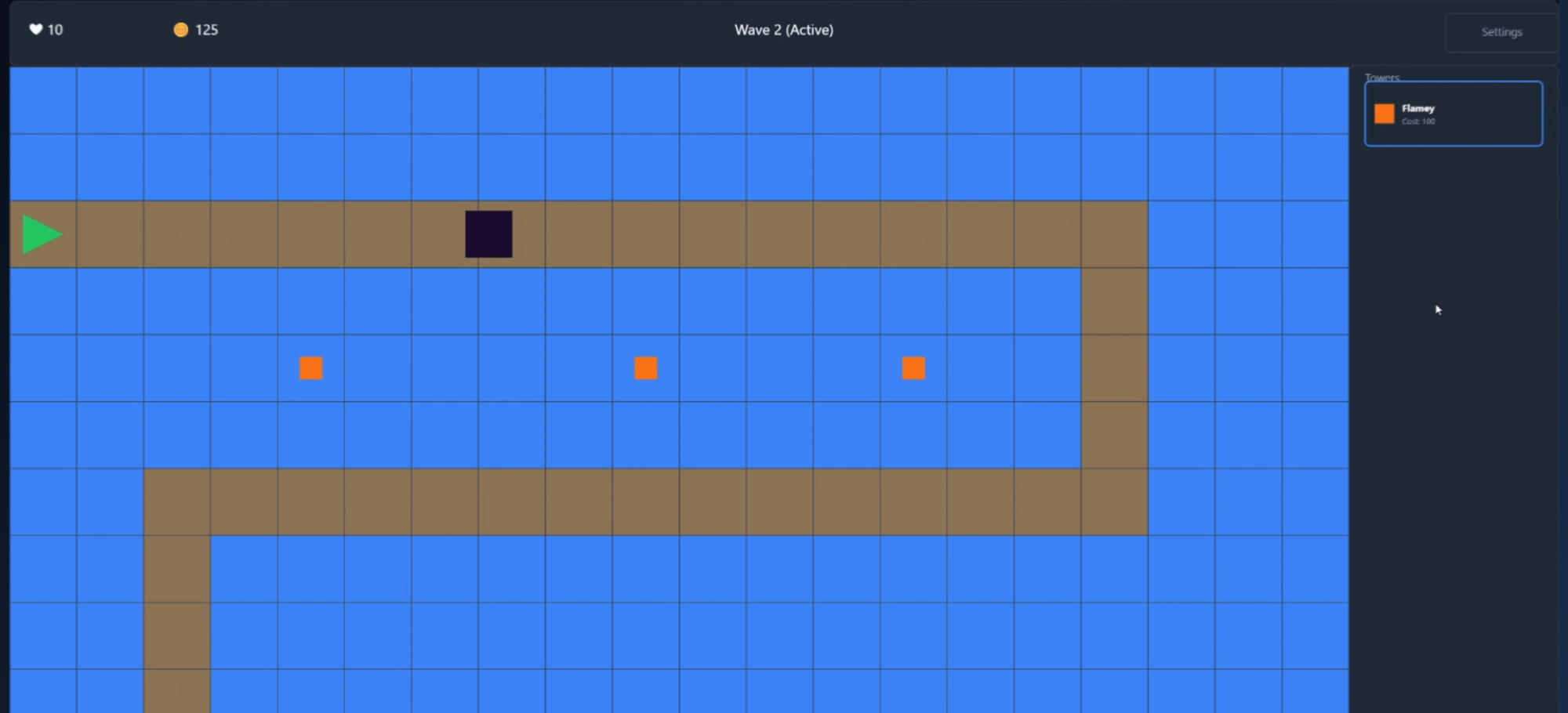
Flamey is a plain orange square. Range of three tiles, fires every 1.5 seconds, 25 damage per shot. The prompt that built Flamey included one instruction that changed how it behaved entirely: account for bullet travel. Flamey does not aim where Dread currently is. It aims where Dread is going to be, so the shot arrives when the target does.
Without target leading, bullets fired at a moving enemy miss consistently. The enemy gains an advantage that has nothing to do with difficulty tuning and everything to do with a gap in default projectile logic. Specifying it in the prompt is the difference between a tower defense game that works and one that feels broken. Knowing what to ask for, not how to implement it, is the skill that matters here.
The currency system tied the rest together. Start with 150 gold. Flamey costs 100 to place. Killing a Dread earns 25. A simple loop, but now every wave carries a resource decision: place towers early and spend down, or hold gold for a harder wave that may need it more.
The last piece was the tower bar, a panel that lets you select a tower type, see it highlighted, click a valid tile to place it, and watch the icon dim when gold runs out. Click again to deselect. One prompt completed the entire selection and placement flow.
What Nine Prompts Built
The complete prototype came from nine prompts: a map editor, a wave system, a currency system, a lives counter, a win condition, a loss condition, the Dread enemy, the Flamey tower with target leading, and the tower placement bar. No code written. No engine configured. No collision math. No state machine built by hand.
The entire session used placeholder art because this was the game-building phase. The visual layer, Flamey's animations, Dread's movement states, the tile artwork, is a separate step. Art Studio handles that side of the build. When the art is ready, it drops into the game that already exists. The architecture was set up to receive it from the first prompt that described Dread.
This sequence, building the game with placeholders then bringing in production art, is one of the more reliable ways to use Makko for a project with a specific visual direction. The game logic does not wait on the art. The art does not get generated before there is a game for it to live in. Both tracks run in parallel and meet at the end.
The Skill Is Knowing What You Want
Every system in this prototype was built by describing behavior, not by implementing it. The map editor needed a grid, tile types, and JSON export. Dread needed to follow a path at a specific speed and remove itself on arrival. Flamey needed to lead its target so shots land. The currency system needed a buy cost and a kill reward. None of these required writing code. All of them required knowing clearly what each system was supposed to do.
That is the shift that no-code game development with AI actually asks for. Not learning to code. Not learning to draw. Knowing what you want clearly enough to describe it, and knowing which details change whether the result works correctly. Target leading is one of those details. Asking Code Studio if it has questions before a complex build is another. Specifying how placeholder characters should be structured so art can swap in later is a third.
The same principle applies to Plan Mode in Code Studio. For any system involving multiple files or behaviors that interact, Plan Mode generates a structured breakdown of what the AI intends to build before it builds anything. The creator reads the plan, adjusts anything that does not match the vision, and approves. Execution follows approval. This is not reviewing code. It is reviewing intent before the code exists.
The prototype is a starting point. The next session brings in the art. Every animation state Flamey and Dread need to live inside this game gets built in Art Studio and drops into the architecture that is already waiting for it. The game does not get rebuilt around the art. The art arrives into a game that is already running.
How to Prompt a Tower Defense Build
The prompts that built this prototype followed a consistent pattern: describe the system, specify the numbers that matter, and state any behavior the AI might not get right by default. The map editor prompt specified grid dimensions, tile types, input methods, and export format. The Dread prompt specified movement speed, HP, and what happens on arrival. The Flamey prompt specified range, fire rate, damage, and target leading.
What is not in these prompts: implementation details. Not how the pathfinding works. Not how the projectile math is calculated. Not which data structures the wave spawner uses. The AI handles that layer. The creator handles what the game does and how it feels. The division stays clean as long as the description stays specific about outcomes rather than trying to direct the implementation.
Asking Code Studio if it has questions before a complex build is worth the extra step. The two questions it asked before building the map editor, about display behavior and about persistence, were both questions that would have produced wrong assumptions if left unanswered. Neither required technical knowledge to answer. Both required knowing what the game was supposed to do.
Building systems in isolation before connecting them is the other discipline that kept this build clean. Resonance was built before Dread existed. Dread was built before Flamey existed. Flamey was built before the tower bar existed. Each piece was confirmed working on its own before anything depended on it. When you connect systems that have not been individually verified, bugs become harder to locate because any of the connected pieces could be the source. Isolation removes that ambiguity.
Frequently Asked Questions
Can you build a tower defense game without coding?
Yes. Makko's Code Studio lets you describe game systems in plain language and builds the implementation. The prototype in this walkthrough, map editor, wave spawner, tower placement, currency system, win and loss conditions, was built entirely through prompts with no code written at any stage.
How many prompts does it take to build a working game prototype?
This tower defense prototype used nine. The count matters less than the specificity of each one. A vague prompt produces a result that needs fixing. A specific prompt with the numbers, behaviors, and edge cases stated clearly produces something closer to correct the first time.
What is the right order to build a tower defense game with AI?
Start where your specific idea requires. This build started with the map editor because multiple maps were planned from the start. A different project might start with enemy behavior or the win condition. There is no universal order. Build systems in isolation before connecting them, and ask the AI if it has questions before any complex build.
Do you need to know how to code to use Makko?
No. Makko's Code Studio builds game logic from plain language descriptions. You describe what you want each system to do and the AI handles the implementation. The skill the process develops is clarity about what you want, not knowledge of how to write the code that produces it.
For walkthroughs, devlogs, and live builds, visit the Makko YouTube channel.