Makko vs Godot: AI-Native Workflow vs Open-Source Game Engine
Compares Makko and Godot to highlight differences between AI-native workflows and open-source engine development.

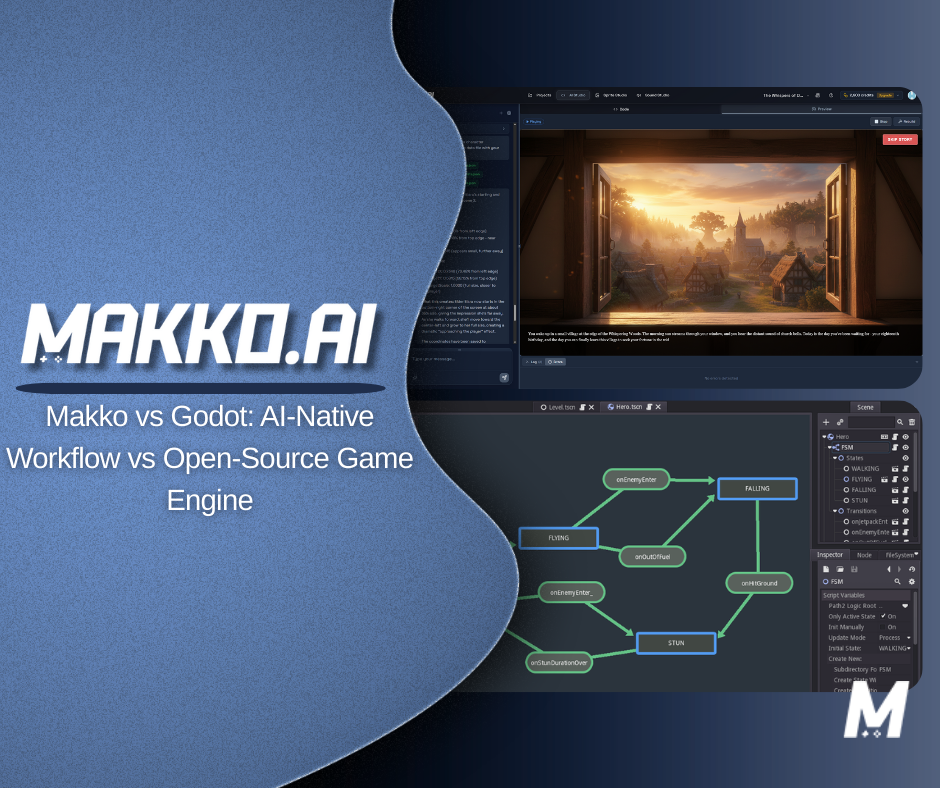
Makko and Godot can both produce playable games. Beyond that, the similarities are limited. They are built on different philosophies about what game development should feel like, who should be able to do it, and what the most valuable use of a creator's time looks like at each stage of a project.
Godot is an open-source game engine built for manual implementation. It gives developers direct, transparent access to every system — logic, physics, scene structure, asset pipelines — and expects them to build and maintain those systems through code. Makko is an AI game development studio built for intent-driven game development. It expects creators to describe what their game should do, and handles structural assembly through agentic AI.
This article gives you an honest comparison of both tools — what each is designed for, where each falls short, how their workflows differ across the full development lifecycle, and how to decide which one fits your project right now. For definitions of terms used throughout, see the Makko AI Game Development Glossary. If you want to see the intent-driven approach in action without any setup overhead, start building at Makko now.
What Godot Is Actually Built For
Godot has earned genuine respect in the indie game development community, and for good reason. It is a free, open-source engine with no royalty fees or licensing restrictions, a node-based scene system that is genuinely well-designed for organizing game logic, built-in support for both 2D and 3D development, and a scripting language — GDScript — that is purpose-built for game development and considerably more approachable than C# for many indie creators. Its open-source nature means the full engine source is readable and modifiable, which matters to developers who want complete transparency into how their tools work.
At its core, Godot is a manual implementation environment. It assumes the person using it will write scripts to define game behavior, assemble scenes and nodes to structure the project, build and maintain state machines to control animations and transitions, manage asset imports and configurations, and wire the dependencies between systems by hand. For developers who enjoy this work and have the skills to do it well, Godot is a capable and flexible tool that imposes fewer constraints than many commercial alternatives.
The tradeoff, as with all traditional engines, is overhead. Godot's flexibility is also its setup cost. Before a new project reaches a first testable mechanic, a creator working in Godot has typically already spent meaningful time on engine familiarization, project setup, scene configuration, input mapping, physics layer setup, and enough scripting to get a character moving and reacting to the world. For developers with strong Godot experience, this is routine. For everyone else, it is the Boilerplate Wall — the accumulation of technical prerequisites that must be cleared before any game design can actually be tested.
Godot's sweet spot is experienced developers who want full engine transparency and control, and who are building projects where that control is genuinely necessary — custom rendering behavior, complex physics simulations, long-lived production pipelines with dedicated engineering resources, or projects that benefit from open-source extensibility at the engine level.
What Makko Is Actually Built For
Makko is not a game engine in the traditional sense. It does not have a scene tree, a node inspector, or a scripting environment. It does not ask developers to write GDScript or configure physics layers manually. It operates as an AI-native environment where creators describe what they want their game to do — its mechanics, behaviors, rules, visual style, and progression — and the AI handles the structural assembly.
The technical foundation of this approach is system orchestration. Rather than requiring a creator to manually connect every system to every other system and maintain those connections as the project evolves, Makko's AI holds a live understanding of the project's current state and ensures that changes propagate correctly to dependent systems. This is what prevents the State Drift that builds in manually managed projects — the growing fragility where each new change becomes riskier because no one is certain what it might break.
The day-to-day workflow is built around conversational game design. A creator opens a project, describes what they want — a new mechanic, a behavioral rule, a visual change, a system adjustment — and the AI performs task decomposition, identifies what needs to be built or changed, and assembles an implementation that is consistent with the existing project state. The result is a chat-to-playable workflow where Time-to-Playable is measured in minutes rather than days.
Makko is designed for the broad range of creators who have games worth building but have historically been blocked from building them by the implementation overhead that traditional engines require. This includes solo developers who can't absorb the coordination overhead that Godot distributes across a team, first-time creators who haven't yet built the technical fluency that Godot requires, designers and artists who understand games deeply but don't write code, and experienced developers who want to validate ideas quickly before committing to a full production investment.
The Core Difference: Scene Assembly vs. Intent-Driven Planning
The most precise way to describe the difference between Makko and Godot is in terms of what the creator is responsible for at each stage of development.
In Godot, the creator is the integration layer. Systems don't connect themselves — they connect through scripts the creator writes and scene structures the creator designs. When something in the project needs to change, the creator identifies which scripts are affected, makes the necessary updates, tests for regressions, and confirms that dependent systems still behave correctly. The mental model of how the project fits together lives in the creator's head, and every change requires updating that model manually.
In Makko, the AI is the integration layer. The creator describes a change — "the player should slow down when their health drops below half" — and the system identifies that this affects movement logic, health state tracking, and potentially UI feedback, updates each affected system consistently, and maintains state awareness across the project. The creator evaluates the result and redirects as needed, but doesn't need to hold the full dependency map in memory.
This closes the Implementation-Intent Gap — the distance between what a creator wants the game to do and what they need to know about code and engine structure to make it do that. In Godot, bridging that gap is the creator's responsibility. In Makko, the AI bridges it, and the creator focuses on whether the result is what they actually wanted.
The practical consequence is that these tools are optimized for different moments in the development lifecycle. Godot is optimized for building things that are already clearly defined — where the design is stable, the implementation approach is known, and the work is execution. Makko is optimized for the earlier phase where things are still being figured out — where the design is evolving, the core loop hasn't been validated yet, and the most valuable activity is testing whether ideas work before committing to building them out fully.
Makko vs Godot: A Full Workflow Comparison
The differences between these two tools aren't just about setup speed — they show up at every stage of building a game. The table below maps both approaches across the full development arc, from first concept to published build.
| Stage | Godot | Makko |
|---|---|---|
| Project setup | Engine install, project configuration, scene setup, input mapping, physics layers — all manual before any game logic can be tested | Describe the game concept; system orchestration assembles the project structure automatically — no setup overhead |
| Implementing a mechanic | Write GDScript or C#, wire signals, manage node references, handle state conditions — implementation knowledge required for every new feature | Describe the mechanic in plain language; AI game mechanics generation handles implementation and integrates with existing systems |
| Asset creation | Source or commission assets externally; import and configure manually; set up sprite frames, animation players, and collision shapes | AI game asset generation produces game-ready characters, environments, and props; consistent AI art style maintained across the project automatically |
| Animation system | Configure AnimationPlayer or AnimationTree; define states and transitions manually; align frames to prevent jitter; write transition conditions in script | Frame-by-frame AI animation generates and stabilizes states; alignment handled automatically via the alignment tool |
| Game state management | Maintain variable references across scripts and scenes manually; State Drift risk compounds as project complexity grows | State awareness maintained automatically; changes propagate consistently across dependent systems without manual tracking |
| Level design | Hand-place tiles using TileMap, write procedural generation systems from scratch, configure navigation meshes manually | AI-generated game levels built from theme and gameplay parameters; ready to playtest immediately |
| Iteration and debugging | Trace bugs through interconnected scenes and scripts; add debug print statements; identify regression source; refactor and retest | Prompt-driven debugging — describe what went wrong, AI diagnoses and applies fix; AI game iteration keeps changes consistent across the project |
| Publishing | Configure export templates per platform; manage build settings; package and distribute manually; web export requires additional configuration | Instant game publishing to browser in a single action; shareable game link generated immediately — no build pipeline required |
| Learning curve | Moderate to steep — requires learning GDScript or C#, Godot's node/scene system, signals, and editor workflows before productive development begins | Minimal — productive from the first session; game development without coding removes the syntax prerequisite entirely |
| Best suited for | Developers who want full engine transparency and control, open-source extensibility, and are building production-scale projects with defined engineering resources | Solo developers, first-time creators, designers without a coding background, and anyone prioritizing fast validation over deep engine control |
Where Godot Has a Genuine Advantage
Godot's most significant advantage is its openness. As a fully open-source engine with no licensing fees or royalty structure, Godot removes financial barriers that commercial engines impose — an important consideration for solo developers and small studios working without external funding. More meaningfully, its open codebase means developers can read, understand, and modify the engine itself. For teams building projects with unusual technical requirements, or for developers who want full transparency into how their tools work at every level, this is a genuine capability advantage that neither Makko nor commercial engines can match.
Godot's node and scene system is also genuinely well-designed. The hierarchical scene structure makes it possible to compose complex game objects from reusable components in a way that is more intuitive than many competing engines, and the signal system provides a clean pattern for event-driven communication between nodes that experienced developers use effectively. For developers who invest the time to understand it properly, Godot's architecture rewards good design habits.
GDScript is another real advantage for the right audience. While it requires learning, it is considerably more approachable than C# for developers coming from non-engineering backgrounds — it is Python-adjacent in syntax, purpose-built for game logic, and has strong editor integration that makes iteration in Godot faster than in engines where the scripting language is more general-purpose.
Finally, Godot's performance profile for 2D development in particular is strong. For projects that require fine-grained rendering control, custom shaders, or performance characteristics that need to be precisely tuned, direct engine access gives Godot a ceiling that an AI-native abstraction layer doesn't currently reach. This matters for production-scale games where technical optimization is a meaningful part of the work.
Where Makko Has a Genuine Advantage
Makko's clearest advantage is in the phases of development where most game projects fail — the early and middle stages where creative momentum is most fragile and the cost of manual implementation is highest relative to the value it produces.
The first advantage is speed of getting to a playable build. AI-assisted game prototyping compresses the time between concept and first testable version in a way that Godot's manual workflow structurally cannot match. In Godot, a new project requires clearing the full setup overhead before any design can be evaluated. In Makko, a creator can go from idea to something playable within a single session. For the large proportion of game development where the central question is "is this actually fun," this speed advantage changes what's possible.
The second advantage is iteration safety over time. Because state awareness is maintained automatically, the codebase equivalent in Makko doesn't accumulate the fragility that Godot projects develop as they grow. A well-organized Godot project managed by an experienced developer can stay flexible through a long development cycle — but this requires disciplined architecture from the start, and it still places the burden of consistency management on the creator. In Makko, that burden is structural rather than behavioral: the system maintains consistency by design, not through the creator's vigilance.
The third advantage is accessibility. Text-to-game workflows mean that the barrier to starting is as low as being able to describe what you want. For designers, artists, writers, and creators from adjacent fields, this removes the programming prerequisite that has historically made Godot — and every traditional engine — inaccessible without a significant investment in technical learning first.
The fourth advantage is publishing speed. Godot's web export is functional but requires configuration — export templates, build settings, hosting setup. Makko's browser-native game publishing generates a shareable game link in a single action. In the Prototype Economy, where the speed at which a build can be shared with playtesters and feedback incorporated into the next iteration is a meaningful competitive variable, this last-mile difference compounds across multiple rounds of development.
The State Drift Problem in Godot Projects
One of Godot's most discussed pain points among intermediate developers is the challenge of managing game state as a project grows. Godot's signal system and scene architecture provide clean patterns for organizing code when projects are small — but as complexity increases, maintaining consistency across signals, exported variables, and scene dependencies becomes progressively harder.
State Drift in Godot typically manifests in familiar ways: a UI element that stops reflecting the correct game state after a refactor, a save system that doesn't capture a new variable introduced three scenes away, an enemy behavior that breaks because a health signal was renamed during cleanup. These aren't signs of poor Godot development — they're the natural consequence of a system where the creator is responsible for maintaining consistency manually across a codebase that is growing in all directions simultaneously.
The solutions Godot developers typically apply — autoloads for global state, event buses for decoupled communication, careful scene encapsulation — are effective but require architectural discipline and experience to implement correctly. A creator who has internalized these patterns can manage state drift in Godot projects at reasonable scale. A creator who is still learning the engine, or who is building fast without time to architect carefully, will accumulate state drift that becomes increasingly costly to resolve.
This is the structural advantage of Makko's state awareness: it handles the consistency problem that Godot requires creators to solve through discipline, making consistent state management available to creators who don't yet have the architectural experience to implement it themselves.
Using Makko and Godot Together
Makko and Godot aren't mutually exclusive. For many teams the most effective approach is to use each tool for the phase of development it's best suited for.
The validation phase — figuring out what the game is, testing whether the core loop is engaging, exploring different mechanical directions — is where Makko's speed and accessibility provide the most value. A team or solo creator who uses Makko to build and test multiple versions of a core concept can arrive at a validated, refined design much faster than a team that commits to a Godot implementation before they know whether the idea works. The one-prompt game capability demonstrates the upper limit of this: a full playable loop assembled from a single description, ready to evaluate and iterate on in the same session.
Once a concept has been validated — once the team knows what they're building and the core design is stable — a transition to Godot for full production becomes a considered decision rather than a default. The game has been tested. The design has been refined through multiple iterations. The team knows which systems need to exist and roughly how they should behave. Building those systems in Godot at that point is a much more efficient investment than building them speculatively before the design is proven.
For solo developers who regularly explore multiple ideas, this pipeline is particularly valuable. Rather than committing weeks of Godot development to a concept that might not pan out, a solo creator can use Makko to quickly test several directions, identify the one with the strongest promise, and then make an informed decision about whether that project warrants a full Godot production. The result is less wasted effort and more time spent on projects that are actually going somewhere.
For game jam contexts, Makko's advantage stands on its own. The time constraints of a jam — typically 24 to 72 hours — make every hour of setup overhead a meaningful loss. A creator who spends four hours configuring a Godot project has four fewer hours for design, playtesting, and polish. An intent-driven workflow eliminates that tradeoff.
How to Decide: A Practical Framework
The right tool depends on where you are in development, what your project requires, and what kind of work you want to spend your time on.
Choose Makko if: You are in the validation or early design phase of a project. You want to reach a playable build quickly without clearing a setup overhead first. You are building solo or in a small team without dedicated engineering resources. You are a designer, artist, writer, or creator from an adjacent field who doesn't write code. You are participating in a game jam or working under significant time constraints. You want to test multiple concepts quickly to find the one worth committing to. You care more about whether the game is fun than about how the underlying systems are structured.
Choose Godot if: You want full transparency into every layer of your game's implementation. You are building a production-scale project with a defined design and dedicated engineering resources. Your project requires custom rendering behavior, complex physics, or engine-level modifications that an AI-native workflow doesn't yet abstract. You value open-source tooling and want no licensing constraints on your published games. You have invested in learning Godot and want to leverage that knowledge on a project that will benefit from it.
Consider both if: You want to use Makko's speed to validate and refine your concept quickly, then evaluate whether the project warrants a transition to Godot for production-scale development. This staged approach lets the Godot investment follow proof rather than precede it.
The Question Is What You're Optimizing For
Makko and Godot are both legitimate answers to the question "how do I build a game" — but they're answering different versions of it. Godot answers: how do I build a game with full control over every technical detail? Makko answers: how do I get from idea to playable game as fast as possible, with as little standing between my vision and a working build?
For developers who want the first answer — who find the engineering satisfying, who need the technical depth, who have the time and skills to use Godot properly — Godot is a strong choice that has earned its reputation in the indie community.
For the broader population of creators who have games worth making but didn't get into game development because they wanted to manage scene trees and debug signal chains — who got into it because they had an idea — the second answer is the more relevant one. The Implementation-Intent Gap has historically been the reason most of those ideas stayed ideas. AI-native game development exists to close it.
If you have a game you want to make and want to find out what it actually feels like to play it, start building at Makko and get to a playable build before you make any bigger commitments.