6 Best AI Tools for 2D Game Art Consistency in 2026
Six AI tools compared on how well they actually keep 2D game art consistent across characters, backgrounds, and objects, from tools that require manual prompt discipline to systems built specifically to solve the consistency problem.

Consistency is the hardest problem in AI game art. Generating a single character is easy. Generating that same character in ten different poses, alongside a background, a set of objects, and a full game world that all look like they belong together is where most AI tools fall apart.
The problem is not the quality of the output. It is that general-purpose image generators have no memory of what you made before. Generate a hero character today and a background tomorrow using the same prompt, and the lighting shifts, the line weight changes, the color palette drifts. The two assets look like they came from different games.
This article compares six tools on how well they actually solve that problem, what mechanisms each uses to maintain consistency, and which type of creator or project each one serves best.
What consistency actually means in 2D game art
Before comparing tools, it helps to be specific about what consistency means across a game project. It is not just about using the same art style. It is about characters that look like they live in the same world as the backgrounds. Objects that share the same line weight and color temperature as the characters. Animations that match the proportions of the base sprite. Enemy designs that feel like they belong in the same faction.
Most AI tools address this problem through one of three approaches. The first is prompt discipline: the creator manually includes detailed style descriptions in every generation prompt. This works but is fragile and time-consuming across hundreds of assets. The second is reference images: the creator uploads an existing asset and uses it to anchor the style of the next generation. This is more reliable but requires the creator to manage their own reference library. The third is a persistent style system: the tool itself stores the visual context of a project and applies it automatically to every new generation. This is the least common approach and the most powerful.
The tools below are organized by how well they solve the consistency problem, starting with the most integrated approach.
1. Makko AI: best for consistency built into the workflow, not bolted on
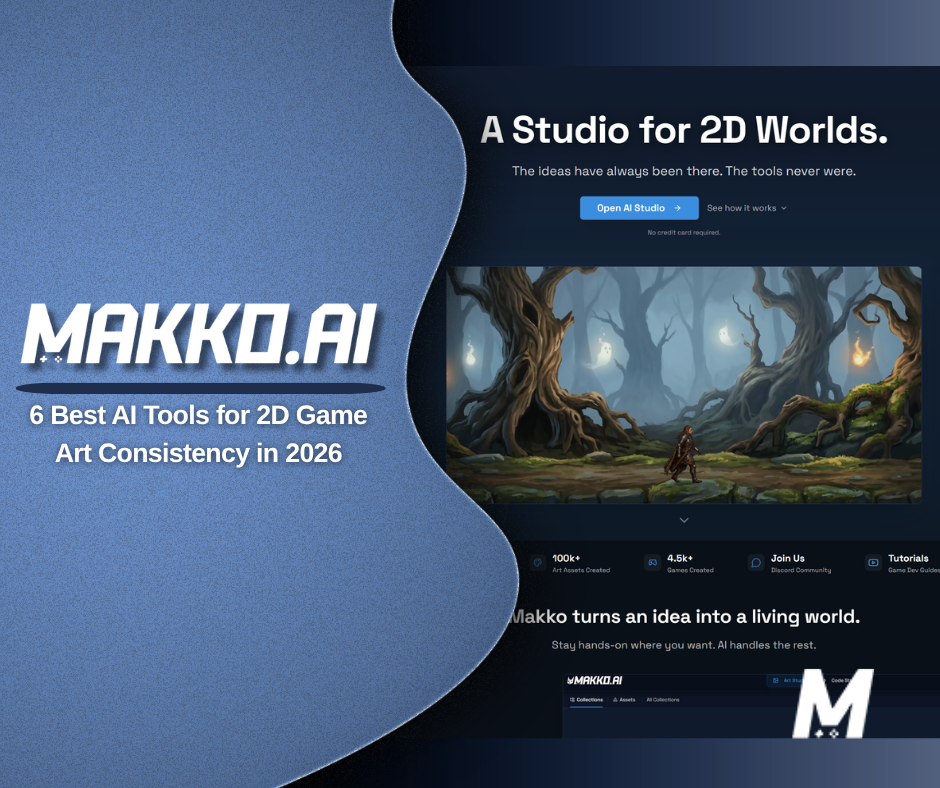
Makko AI is an AI-powered 2D game studio where consistency is not a feature you configure. It is how the platform works by default. Every project is organized through a system called Collections. You create a Collection for your game, generate concept art to establish the visual direction, and every character, background, object, and animation you create inside that Collection inherits the same art style automatically.
The concept art you save to a Collection is not decorative. It is what the AI reads every time you generate a new asset. You select reference images from your saved concept art before each generation, and the AI uses them to anchor the style of the output. The more specific your concept art, the tighter the consistency across everything built from it. This is fundamentally different from uploading a reference image in a general-purpose tool. The context lives in the Collection permanently and is always there when you return to the project.
Sub-collections extend this further. Inside a base Collection, you can create sub-collections for characters, backgrounds, props, enemy groups, or any other category. Each sub-collection inherits the parent style automatically while allowing specific details within that group. A forest biome sub-collection and a castle sub-collection can share the same visual language without looking identical. No other tool on this list handles this level of organized style inheritance across an entire project.
Makko also generates animations from the characters you create, keeping the animation style consistent with the base asset. And when you are ready, you can bring all of it into Code Studio to build a playable game using your own art without leaving the platform. For a creator who needs the full pipeline from concept art to playable game in one consistent art style, Makko is the only tool on this list that covers the entire workflow.
The free tier includes 150 art credits per month, access to Collections and sub-collections, and 70 Code Studio requests per week. Both refresh on a recurring basis.
2. Scenario.gg: best for studios that need consistency at scale through custom model training
Scenario.gg approaches consistency through custom model training. You upload your own art, whether existing character designs, concept sheets, or environment samples, and train a private AI model on that data. Every asset you generate afterward uses your trained model, which means the outputs are anchored to your specific visual style rather than a general-purpose baseline.
This approach is powerful for studios that already have an established art bible and need to generate hundreds of consistent props, UI elements, backgrounds, or secondary characters that match. The trained model remembers your art style at a structural level, not just surface details, which produces stronger cross-asset consistency than prompt engineering alone can achieve.
The tradeoff is the setup investment. Training a model requires uploading a meaningful set of reference images, waiting for the training process to complete, and iterating until the outputs match your style reliably. For a creator who already has art, this is a reasonable investment. For a creator starting from scratch with no existing assets to train on, Scenario offers less of an on-ramp than tools with built-in style systems.
Scenario also does not build games. It is an asset generation platform. Assets are exported and taken into your engine of choice. The free tier includes 50 daily credits and access to public generators, with private model training requiring a paid plan starting at $19 per month.
3. Leonardo AI: best for creators who want game-art-specific fine-tuned models with daily free generation
Leonardo AI is a general-purpose image generator with a strong focus on game asset production. Its approach to consistency centers on fine-tuned models, a curated library of pre-trained style models covering fantasy characters, sci-fi environments, isometric assets, pixel art, and other game-specific categories, plus a model training feature that lets you train private models on your own art.
For consistency across a project, Leonardo's most effective workflow is to select one fine-tuned model and use it as the anchor for every generation in that project. Combining a consistent model with reference image uploads and detailed style prompts produces reliably cohesive output across characters, backgrounds, and objects. The Elements system allows layering of multiple style models for more specific control.
The free tier is one of the more generous in this category. Free accounts receive 150 tokens per day that reset daily, which is enough for meaningful creative work before any payment is required. Private model training and higher token allocations are available on paid plans starting at around $12 per month.
Leonardo does not build games and does not have a project-level style inheritance system equivalent to Collections. Consistency is managed by the creator through model selection and prompt discipline rather than by the platform automatically. For a creator comfortable managing that workflow, Leonardo is a capable and cost-effective option.
4. Midjourney: best for creators who want high aesthetic quality and are willing to manage consistency manually
Midjourney produces some of the highest aesthetic quality output of any AI image tool available in 2026. For concept art, character exploration, and world-building visuals, the output quality is difficult to match. The challenge for game art production is consistency.
Midjourney's primary consistency tool is the reference image system, which allows you to upload an existing image and use it to anchor the style or character appearance of a new generation. Used carefully, this produces meaningfully more consistent results than prompt engineering alone. The --sref parameter for style reference and --cref parameter for character reference give creators more granular control over what carries across from one generation to the next.
The honest limitation is that consistency in Midjourney requires active management by the creator. There is no project-level style memory. Every generation starts fresh unless you explicitly feed the reference parameters. Across hundreds of assets, this becomes a meaningful workflow overhead. For a creator generating a small set of high-quality concept images, Midjourney is excellent. For a creator who needs fifty characters, thirty backgrounds, and two hundred objects that all belong to the same world, the manual management burden grows quickly.
Midjourney has no free tier. Paid plans start at $10 per month.
5. Adobe Firefly: best for creators who need commercial safety alongside style consistency
Adobe Firefly is the commercially safe option in AI art generation. Its training data uses licensed content, which means outputs carry Adobe's commercial IP indemnification for paid subscribers. For studios and developers releasing games commercially, this reduces legal exposure in a way that most other tools on this list do not address.
Firefly's consistency tools include a structure reference system and a style reference system. You upload a reference image for composition or visual style, and Firefly applies those characteristics to the new generation. For repeated asset creation within a defined visual style, this produces reasonably consistent results when the reference image is specific enough.
The gap relative to tools like Scenario or Makko is that Firefly has no model training feature and no project-level style memory. Consistency requires the creator to maintain their own reference image library and apply it correctly to each generation. The output quality for stylized or painterly game art is strong. For pixel art or highly specific game-art styles, Firefly's general-purpose training shows more limitations.
Adobe Firefly is included in Creative Cloud subscriptions and has a free tier with a limited monthly credit allocation. It does not build games.
6. Recraft: best for 2D vector and pixel art consistency
Recraft is a specialized AI design tool with a strong focus on 2D vector graphics and pixel art. For game developers working in pixel art styles, isometric art, or clean vector-based aesthetics, Recraft's output quality and style coherence within a session is notably strong compared to general-purpose tools.
Recraft introduced brand kits and style locking features that allow creators to define a color palette, line style, and visual language that applies across multiple generations. This makes it more capable than a standard image generator for maintaining 2D art consistency, particularly for UI elements, icons, props, and secondary assets that need to share a visual language without needing to look identical.
The limitation is scope. Recraft is a design and asset generation tool, not a game creation platform. It does not generate animations, build playable games, or have a hierarchical style inheritance system across a full game project. For a creator who needs pixel art or vector assets that stay consistent and plans to take them into a separate engine, Recraft is worth evaluating. For someone who needs the full pipeline from concept art to game, it covers only the asset creation side.
Recraft has a free tier available with a generous daily generation allowance.
Side-by-side comparison
| Tool | Consistency mechanism | Builds games | Free tier |
|---|---|---|---|
| Makko AI | Persistent project-level Collections system, automatic style inheritance | Yes | Yes, 150 art credits per month |
| Scenario.gg | Custom model training on your own art | No | Yes, 50 daily credits |
| Leonardo AI | Fine-tuned game art models, reference images, custom training on paid plans | No | Yes, 150 tokens per day |
| Midjourney | Style and character reference parameters, manual management required | No | No, paid from $10 per month |
| Adobe Firefly | Style and structure reference images, commercially indemnified | No | Yes, limited monthly credits via Creative Cloud |
| Recraft | Brand kits, style locking, strong 2D vector and pixel art output | No | Yes, generous daily generation |
How to choose
The right tool depends on where the consistency problem actually lives for your project.
If you are building a game from scratch and need your characters, backgrounds, objects, and animations to look like they all belong together without manually managing that consistency yourself, Makko is the only tool on this list with a system designed specifically for that problem. Collections handles the style inheritance automatically at the project level, and Code Studio lets you build a playable game with the art you created without switching platforms.
If you already have an established art style, a body of existing art, and you need to generate hundreds of additional assets that match it, Scenario's custom model training approach is the most reliable way to lock in that style at scale. The setup investment is real, but the consistency payoff for high-volume production is strong.
If you want a free or low-cost starting point with game-art-specific models and are comfortable managing consistency through model selection and reference images, Leonardo AI offers a meaningful free tier and a wide library of fine-tuned styles that general-purpose tools do not match.
If you are a studio releasing commercially and need indemnification alongside style control, Adobe Firefly is the tool built for that constraint. The consistency mechanism is more manual than Scenario or Makko, but the legal coverage is unique on this list.
If your game uses pixel art or vector-based aesthetics and you want a dedicated tool rather than a general-purpose generator, Recraft's style locking and 2D output quality make it worth testing alongside your main pipeline.
Frequently asked questions
Why does AI game art look inconsistent across a project?
General-purpose AI image generators have no memory of what you created before. Each generation starts fresh from your prompt alone. Small variations in phrasing, lighting assumptions, and model behavior accumulate across many generations, and the result is assets that drift away from each other visually. The tools that solve this problem do so by giving the AI an explicit visual reference to anchor to, either through persistent project context, trained custom models, or reference image parameters.
What is the most reliable way to keep AI game art consistent?
The most reliable approach is a persistent style system that the platform manages automatically. Makko's Collections system does this by storing concept art at the project level and using it as context for every new generation inside that project. The next most reliable approach is custom model training, as Scenario offers, where the AI model itself is trained on your specific art. Manual reference image workflows, as used in Midjourney and Firefly, work but require more discipline from the creator to apply consistently.
Can I use these tools together for a single project?
Yes. Many indie developers use multiple tools across a pipeline. A common approach is to use Midjourney or Leonardo for high-quality concept exploration, then bring the strongest concepts into Makko's Collections system as the anchors for all production asset generation. The concept art sets the visual direction, and the Collections system ensures everything built from it stays consistent. If you are building a game inside Makko, this workflow keeps all art in one platform once the visual direction is established.
For walkthroughs showing the full workflow from concept art to consistent game assets, visit the Makko YouTube channel.
Related Reading
- How to Use Makko AI Collections: Build Consistent Game Art With AI
- AI Game Art Generator: Characters, Backgrounds, Animations and Why Consistency Is the Hard Part
- AI Character Generator for Games: How to Create Consistent 2D Characters With AI
- Make a 2D Game With AI: Art, Characters, and a Playable Game From One Platform
- What Is Makko Art Studio? The AI Game Asset Generator Built for Game Developers