How to Build a Consistent Game World with AI
Build a 2D game world where every character, biome, and prop matches. How Makko Collections and sub-collections keep your AI art consistent.

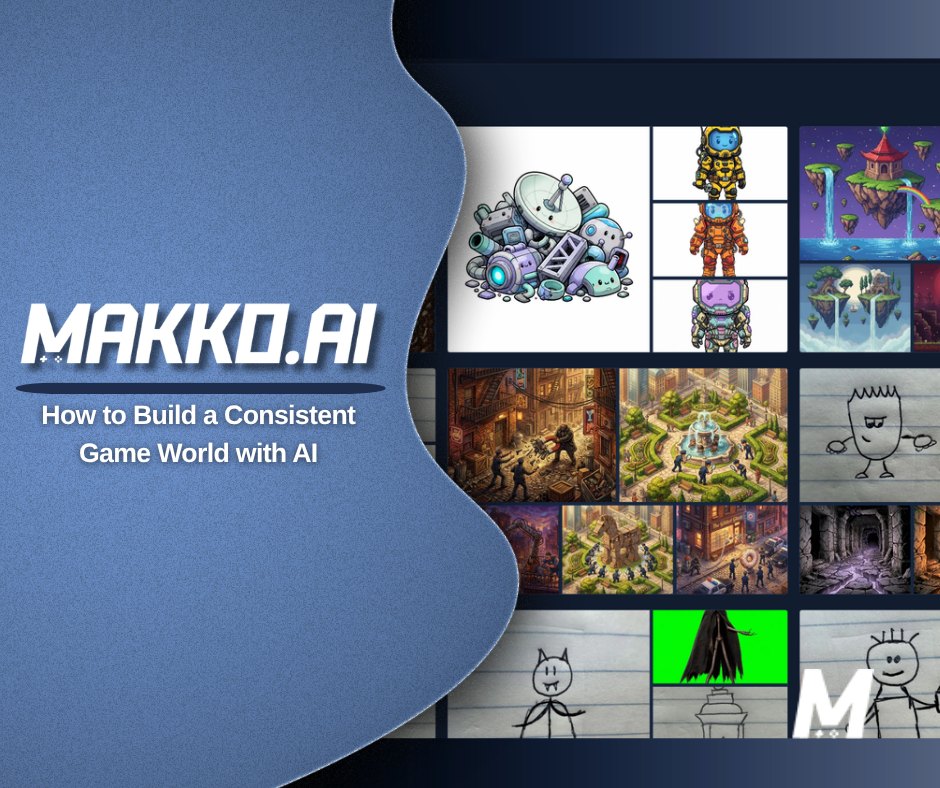
To build a game world that looks like one place in Makko, you create a base Collection, set its art style with concept art, then add sub-collections for your characters, environments, and props. Each sub-collection inherits the parent's style automatically, so a forest, a castle, and your hero all look like they belong in the same game instead of three different ones.
Making one good-looking character with AI is easy now. Making a hundred images that all look like the same game is the part that breaks people. A hero from one prompt, a forest from another, an enemy from a third, and suddenly your game looks like a folder of stock art instead of a world. This guide is about the system that fixes that, and it is the thing no other tool has.
Why does AI game art usually look mismatched?
Because most tools forget. You write a prompt, you get an image, and the next prompt starts from nothing. The model has no memory of the lighting, the line weight, the color palette, or the proportions it used five minutes ago. So your second character has a different art style than your first, your background belongs to a different game entirely, and you spend more time fighting for a consistent look than you do creating.
For a single hero portrait, that does not matter. For a game, it is everything. A game world is dozens or hundreds of pieces that have to feel related: characters, enemies, biomes, props, interface. The moment one of them looks off-style, the whole thing reads as amateur. The hard problem in AI game art was never generating one asset. It is keeping a whole library of them on-model. That is exactly the gap Collections were built to close.
What is a Collection, and why does it fix this?
A Collection is two things at once. It is a home for all the art tied to one game, and it is a lasting memory the AI uses every time you generate something inside it. That second part is the point. When you create a Collection in Art Studio, you give it concept art that sets the visual direction. That concept art becomes the context the AI reads for everything you make in that Collection from then on.
Think of it like working with a human artist who actually remembers your project. The first day you hand them a brief and they make something. The next day they come back knowing your characters, your palette, your world, and the work they produce is informed by everything that came before. A Collection gives the AI that same persistent understanding of your game's look. Organization is a nice side effect. Consistency is the whole purpose.
Inside a Collection you will find your concept art, your generated game art, and your sub-collections together in one place. The concept art is the anchor. Everything else grows from it.
How do sub-collections build your world?
Sub-collections are groups inside your main Collection, and they are where world-building actually happens. You make one for each part of your game: Characters, Backgrounds, Props, Enemies, a Forest biome, a Castle, a city, a faction. Any structure you want. The key behavior is inheritance. Every sub-collection automatically pulls the style from its parent Collection, so the concept art that defines your world is already guiding everything inside each group, with no setup to repeat.
That is what lets a forest and a castle still feel like they belong in the same game. They were both built under the same parent style. You did not have to re-describe your art direction for each one or hope the model remembered. The context flows downward on its own.
Sub-collections also add their own focus on top of the inherited style. A Characters group can carry extra reference specific to your cast, and Makko adjusts its settings to match the group you are in, so the right preset is ready when you are creating a character versus a background. You get the shared world style and the group-specific detail at the same time. This is the layer no competing tool offers, and it is why a Makko project can look like a production studio made it rather than a prompt generator.
How to build a consistent world, step by step
Here is the order that keeps everything on-style from the first image to the last:
- Create a base Collection and name it for your game, like "Dark Fantasy RPG." This is the container for your whole world.
- Set the style with concept art. Generate or upload images that capture your game's look and feel. Spend real time here, because everything downstream is built from it.
- Add sub-collections by type. Start with the obvious ones, Characters, Backgrounds, Props, then add world-specific groups like biomes, cities, or enemy factions as your game grows.
- Generate inside each sub-collection. Because the group inherits your parent style and adjusts its own settings, you can focus on describing the specific thing rather than re-establishing the look.
- Build out one group at a time. Fill your Characters group, then your Forest, then your Castle. Each new piece lands in the same world because it was made under the same style.
Done this way, a player moving from your opening village to your final dungeon never feels like they changed games. That seamlessness is the difference between a pile of art and a world.
The one step that makes or breaks consistency
Select your saved concept art as active references before each new generation. This is the single most important habit in the whole workflow, and it is also the one people skip. Even with concept art saved in your Collection, choosing which references guide a given generation is what locks the new image to your established style. Skip it and you will sometimes get an asset that drifts, even though the right reference was sitting right there. Pick your references first, then write your prompt. That order is the difference between a world that matches and one that almost matches.
This is also why Makko stays a human-in-the-loop tool rather than a one-click novelty. You are the creative director. The Collection gives the AI persistent context about your world, and you steer each generation by choosing what it should look to. The result is consistent because you are guiding it, not because you got lucky.
Where this fits in making your game
World-building in Collections is the foundation, not the finish. Once your characters and environments exist in one consistent style, you can animate them and then build a playable game from the same art. The whole point of keeping your world consistent up front is that everything you do after, animation, gameplay, sharing, inherits a cohesive look instead of papering over a mismatched one.
If you are just starting, the simplest way to feel this is to make a 2D game with AI from a single Collection and watch how much the shared style does for you. The first time a new asset drops in already looking like it belongs, the workflow clicks.
Common questions
Do sub-collections need their own concept art? No. They inherit the parent Collection's style automatically. You can add extra reference to a group when you want it more specific, but you never have to rebuild the base style.
How many sub-collections should a game have? As many as your world has parts. Most projects start with Characters, Backgrounds, and Props, then add biomes, cities, or enemy groups as they grow. There is no required structure.
Do I need art skills for any of this? No. You describe what you want in plain language. The skill here is creative direction, deciding what your world looks like and choosing references, not drawing it.
For detailed walkthroughs and live feature demos, visit the Makko YouTube channel.