Best AI Tools to Make a Visual Novel (2026)
The best AI tools to make a visual novel in 2026, compared: Ren'Py, TyranoBuilder, Visual Novel Maker, Rosebud, and Makko, with honest picks for writers who can't draw or code.

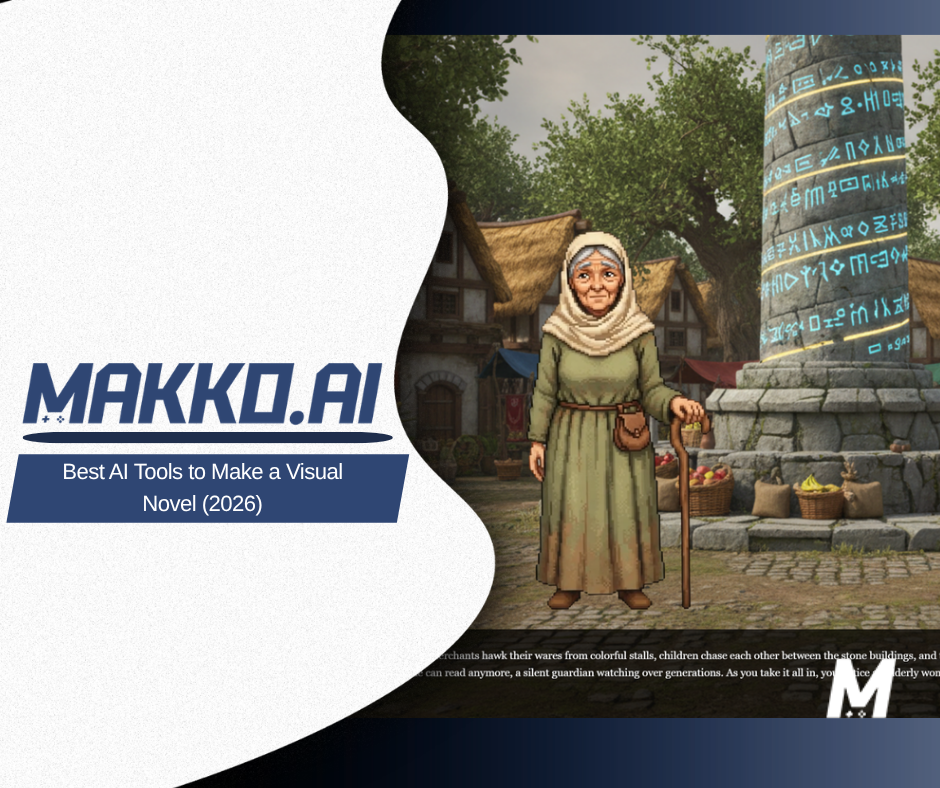
The best AI tools to make a visual novel in 2026 are Makko, Ren'Py, TyranoBuilder, Visual Novel Maker, and Rosebud. The right one depends on what is actually stopping you. If your blocker is the art, the same character looking like a different person in every scene, an art-first tool wins. If your blocker is assembling and shipping the story, an engine wins. Most people end up using one of each.
Here is the thing nobody tells you when you decide to make a visual novel. The format quietly demands five skills at once: writing, character art, background art, music, and engine scripting. Solo creators usually have one or two of those. The other three are where projects die. This guide compares the tools by which of those jobs each one actually carries, and it starts with the one that stops the most people.
What actually makes a visual novel hard to finish?
Consistency. A visual novel lives or dies on whether your characters look like themselves. A single character needs the same face across a dozen or more expressions, neutral, happy, angry, embarrassed, plus outfit changes and event scenes. Industry write-ups put most visual novel characters at between 10 and 28 distinct expressions each, and the single most important quality across that set is that the face, style, and proportions never drift.
That is also the most expensive part. Commissioned character sprite sets have historically run a few hundred dollars per character, with a modest project reaching into the thousands in art alone before a line of script is written. AI has made individual illustrations cheap, but keeping one identity stable across an entire project is, in the words of one 2026 analysis, still the deepest technical challenge in AI-assisted visual novel art. Keep that test in mind as you read the list. Generating one nice character is easy. Generating a whole consistent cast is the real bar.
1. Makko
Best for: writers who can describe a cast but cannot draw one, and want the art to stay on-model.
Makko is an AI 2D game studio, and it goes straight at the problem above. In Art Studio you describe your characters, backgrounds, and objects in plain language and the AI generates them. The piece that matters for a visual novel is Collections: you set a style once, and everything you generate inside that Collection inherits it, so your protagonist in the first scene still looks like your protagonist in the last one. You can generate a reference sheet to get clean front, side, and back views of the same character, then reuse it to keep new images true to your design. That is the consistency test, handled by the tool instead of by your patience.
Once the art exists, Code Studio lets you build the actual game from a description, dialogue, choices, and branching, using your own characters and backgrounds, playable in the browser. For a visual novel, that means one place to make the cast and assemble the story.
Watch out for: Makko is a general 2D game studio, not a dedicated visual novel engine, so it does not ship visual-novel-specific conveniences like a prebuilt dialogue-log or rollback system out of the box the way Ren'Py does. If you want the deepest genre-specific scripting features, you may still reach for a specialized engine. Makko's edge is the art and the speed from idea to playable, not decades of visual-novel-only tooling.
2. Ren'Py
Best for: creators who want the proven, free, genre-defining engine and do not mind a little scripting.
Ren'Py is the default name in visual novels for good reason. It is free and open source, runs on Windows, Mac, and Linux, and has been used to create thousands of visual novels, including well-known hits. It handles the genre's conventions, saving, loading, rollback, and preferences, with no extra work, and its script reads almost like a screenplay.
Watch out for: despite the friendly syntax, Ren'Py is not truly no-code. As one 2026 guide puts it bluntly, you still write label, jump, and if statements in a text file, and real branching logic means writing code whether you wanted to or not. It also makes none of your art. Pair it with an AI art tool for your cast.
3. TyranoBuilder
Best for: beginners who want a true drag-and-drop editor and a low one-time price.
TyranoBuilder is built around a drag-and-drop interface that needs no programming knowledge, and exports to Windows, Mac, and browsers. It is a low-cost one-time purchase, listed at around $14.99 on Steam with no royalties on what you sell, which makes it one of the easiest paid entry points into the genre.
Watch out for: the drag-and-drop ceiling is real. The moment you want genuine conditional logic, like a character reacting to choices you made three scenes ago, you reach for TyranoScript, its built-in scripting language. It also does not generate art.
4. Visual Novel Maker
Best for: creators who want a feature-deep editor with included starter assets and Live2D support.
Degica's Visual Novel Maker leans toward writers and artists, managing most of the engine through a point-and-click or drag-and-drop interface, with free Standard Asset Resources to start from. It adds Live2D and voice-sync support for animated 2D characters, plus scripting and extensions for deeper control.
Watch out for: it is the priciest of the dedicated engines, and reviewers note it is less user-friendly than TyranoBuilder or Ren'Py, with a busy interface and a real learning curve before you make progress. Like the others here, it does not generate your art.
5. Rosebud
Best for: creators who want to prompt a playable visual novel into existence in the browser.
Rosebud takes the AI-first route. Using its visual novel template, you develop a narrative game through prompts, upload your own assets, or create them on the platform, and share the browser-based result instantly. For a fast prototype or a game jam, that speed is the draw.
Watch out for: Rosebud spreads across many genres and both 2D and 3D, so it is less specialized than a dedicated visual novel engine, and as with any prompt-driven generator you should test how well it holds a single character's look across a long story. Consistency across a full cast is the thing to pressure-test before you commit a long project to it.
How do these visual novel tools compare?
| Tool | Makes the art? | Coding needed? | Cost to start |
|---|---|---|---|
| Makko | Yes, with style consistency | No | Free tier |
| Ren'Py | No | Yes (scripting) | Free, open source |
| TyranoBuilder | No | Low (drag-and-drop) | ~$14.99 once |
| Visual Novel Maker | No (ships starter assets) | Low to moderate | Paid |
| Rosebud | Yes (prompt-based) | No | Free tier |
So which one should you use?
Start from your weakest link. If you can write but cannot draw, and a consistent cast is what you are dreading, Makko is the most direct fix, because the art and the consistency are the whole point of the tool, and you can build the playable story from the same place. If you can handle a little scripting and want the most battle-tested engine, Ren'Py is free and unmatched in pedigree. If you want pure drag-and-drop on a tiny budget, TyranoBuilder. If you want depth and included assets, Visual Novel Maker. If you want to prompt a prototype into being fast, Rosebud.
A common and effective combination is an art-first tool for the cast and a dedicated engine for the assembly. Generate a consistent character set, then bring it into whichever engine you like. The old five-skill barrier is the thing falling away here, and the art skill is the one AI removes most completely. Whatever you choose, decide which job is stopping you, and pick the tool that does that job.
For detailed walkthroughs and live feature demos, visit the Makko YouTube channel.
Frequently asked questions
What is the best AI tool to make a visual novel?
It depends on what stops you. If your blocker is art, the same character looking different in every scene, an art-first tool like Makko generates a cast and keeps it on-model through Collections. If your blocker is writing or assembly, Ren'Py and TyranoBuilder are proven engines, and Rosebud builds a playable visual novel from a prompt. Most creators end up pairing an art tool with an engine.
Can you make a visual novel without coding?
Yes, but read the fine print. TyranoBuilder uses a drag-and-drop editor, and Rosebud builds from prompts. Ren'Py is free and popular but uses its own scripting language, so it is not truly no-code once you need real branching logic. The art side is now genuinely no-skill: AI tools generate character expressions and backgrounds without drawing.
Do you need to draw to make a visual novel?
Not anymore. The hardest art problem in a visual novel is consistency, keeping the same face across dozens of expressions and outfits. AI tools now generate full expression sets from one character, and Makko's Collections keep every new image in the same style so your cast looks like one project.
How much does it cost to make a visual novel with AI?
Far less than the traditional route. Commissioned character sprite sets have historically run hundreds of dollars per character. With AI tools, you can start free: Ren'Py is free and open source, Rosebud and Makko have free tiers, and TyranoBuilder is a low one-time cost. Your main spend becomes time, not commissions.