AI Animation Generator: How to Turn 2D Characters Into Game-Ready Animations


An AI animation generator takes a still character image and produces a sequence of animation frames from it: walk cycles, idle states, run loops, attack sequences, and hit reactions. For 2D game development, this solves one of the most time-consuming parts of the art pipeline. Drawing frame-by-frame animation by hand for a single character takes hours. An AI animation generator can produce the same output in seconds, directly from the character art you already created.
The category has grown quickly, but not all tools in it solve the same problem. Some generate a single looping animation from a reference image. Others produce a full set of animation states suitable for a complete game character. Understanding the difference matters before you build a production pipeline around any of them.
What an AI animation generator actually produces
The output of an AI animation generator is a sequence of frames, each showing the character in a slightly different position. When those frames are played back at the right speed, they read as movement. The quality of the output depends on two things: how well the AI understands the original character's proportions and style, and how many frames it generates per animation state.
Frame rate options typically range from around 8 frames per second for a retro pixel art feel to higher frame counts for smoother motion. The right choice depends on the art style of the game. A 16-bit pixel art character looks correct at 8 to 12 frames per second. A higher-fidelity character may need more frames to read as fluid rather than choppy.
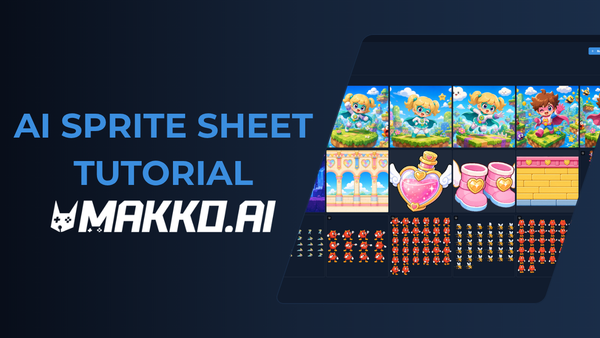
The frames themselves are delivered as a PNG sequence with transparent backgrounds, which is the format game engines expect. A sprite sheet packages those frames into a single image file organized in a grid, with each row representing a different animation state. Most AI animation generators produce one or the other. A tool built specifically for game development produces both and handles the packaging automatically.
The consistency problem most tools do not solve
The hardest part of AI animation generation is not producing a single animation. It is producing multiple animations for the same character that all look like they belong to the same character. A walk cycle, a run, an attack, and an idle state need to share the same proportions, the same color palette, and the same stylistic weight. When they do not, the character reads as assembled from different sources rather than built as one cohesive thing.
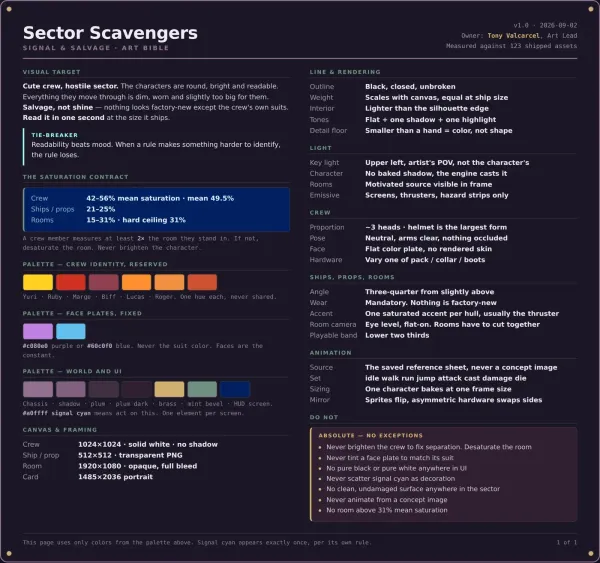
This is where the pipeline that feeds the animation generator matters as much as the generator itself. A character with a reference sheet, a three-angle view showing the front, side, and back, gives the AI the information it needs to maintain consistency across multiple animation states. Without that reference, the AI is interpreting each animation from the same single front-facing image, and drift accumulates across states.
In Makko's AI character generator, the reference sheet is generated as part of the character creation step before any animation work begins. The three-angle view becomes the source of truth for all subsequent animation frames, which is why output stays consistent across walk, run, attack, and idle states rather than drifting between them. The animation generator is only as consistent as the reference it is working from.
Animation states a game character typically needs
The number of animation states a character needs depends on the genre and the complexity of the gameplay. A simple platformer requires a minimum set: idle, walk or run, jump, and a fall state. An action game adds attack animations, a hit reaction, and a death state. A more complex character in a fighting game or RPG may require a dozen or more distinct states.
Each animation state is a separate generation pass. You describe the action, the AI produces the frames, and you review and refine before moving to the next state. This workflow is faster than hand-drawing each state, but it still requires creative direction at each step. The AI produces the frames. You decide whether the walk cycle reads as confident or cautious, whether the attack feels heavy or quick, whether the idle state communicates the character's personality.
A useful overview of how animation states map to game genres and how to plan a character manifest before starting is covered in the guide to building genre-specific movesets. The short version: plan the full state list before generating any single animation, because the states need to be designed as a set, not assembled one at a time.
How style consistency extends from characters to animations
A full-pipeline AI game art generator connects character creation and animation within the same project context. When your character was generated inside a Collection, the art style, color language, and proportional decisions that defined that character are available as reference when you generate animations. The AI is not starting from scratch on each animation pass. It is extending an established visual identity.
This is what separates a game-development-specific animation tool from a general-purpose image tool used for game development. The general tool generates frames from a single input image with no broader context. The game-specific tool generates frames within the context of a complete game world, where the character's design, the art style, and the project's visual direction are all persistent inputs that inform every generation pass.
The practical result is that a character generated inside a Makko Collection and animated inside the same Collection will have walk and attack frames that match the original character art without manual adjustment between passes. Style drift, the most common complaint about AI animation generators, is a context problem. Solve the context and you solve the drift.
Frequently asked questions
What is an AI animation generator?
An AI animation generator is a tool that takes a still character image and produces a sequence of animation frames from it. The frames are played back in sequence to create the appearance of movement: walking, running, attacking, or any other action the character needs to perform. For game development, the output is typically delivered as a transparent PNG sequence or a packaged sprite sheet.
Do AI-generated animations work in Unity or Godot?
Yes, provided the output is delivered in the correct format. Game engines expect sprite sheets or PNG sequences with transparent backgrounds, organized by animation state. AI animation generators built for game development export in these formats by default. You import the sprite sheet, define the frame range for each animation state, and wire the states to your animation controller. The process is the same as importing any hand-drawn animation.
What is the difference between an AI animation generator and a sprite sheet generator?
An AI animation generator produces the individual frames of an animation. A sprite sheet generator packages those frames into a single image file organized in a grid. In a complete workflow, animation generation comes first and sprite sheet creation comes second. Some tools handle both steps. Others handle only one, which means you need a separate tool to complete the pipeline. A game-development-specific tool handles both within the same interface.
Why do AI-generated animations sometimes look inconsistent across states?
Inconsistency across animation states is almost always a reference problem. When the AI generates each state from a single front-facing image with no additional context, it interprets the character slightly differently on each pass. Proportions shift. Colors drift. The character's weight reads differently in the walk than in the idle. The fix is a reference sheet: a three-angle view of the character that gives the AI a consistent source of truth for every animation pass. Generating the reference sheet before any animation work begins is the single most effective step for maintaining consistency across states. See the sprite animation workflow guide for a full breakdown of how to structure this process.
For walkthroughs and live animation demos, visit the Makko YouTube channel.
Related Reading
- AI Character Generator for Games: Consistent 2D Characters
- AI Game Art Generator: Characters, Backgrounds, Animations and Why Consistency Is the Hard Part
- Sprite Animation Workflow: Asset Hygiene, Anchor Points, and Getting Game Characters Right
- Consistent AI Game Art: The Makko Collections Guide
- One Pixel Art Character Powers Two Games: How to Build Genre-Specific Movesets and Animations