
8 Best AI Sprite Generators for Indie Developers (2026)
Eight routes to generated character sprites, ranked on the thing that actually separates them: holding one style across a whole cast rather than nailing a single good image.
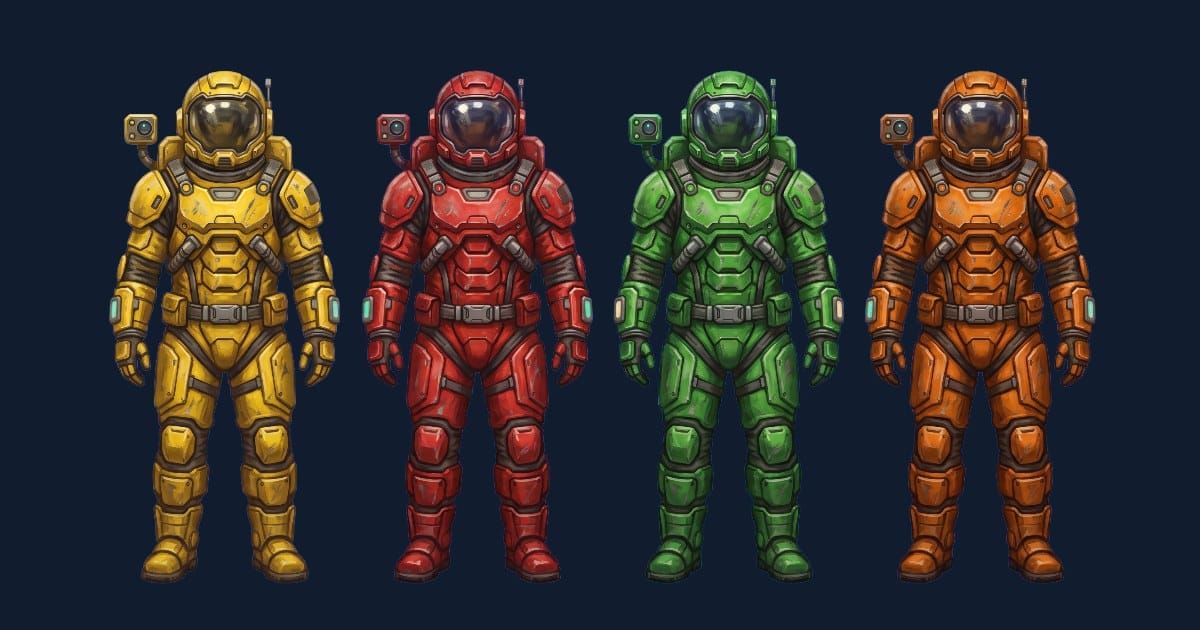
This list covers eight ways to get 2D character sprites when you can program and cannot draw: five tools that generate art with AI, two that put the pencil back in your hand, and one route that skips generation entirely. Each entry covers what it is built for, cost, license, and who should walk away.
Disclosure: this is the blog of Makko, an AI-powered 2D game art studio, and Makko is one of the eight entries below. It faces the same test as everything else, and does not win every column.
The test is consistency across a set. One good sprite is easy from almost every tool here. A cast of eight that reads as one game, in one style, at one scale, with matching line weight and palette, is the real problem, and where these tools separate. If you have not decided whether to generate, draw, or buy, the programmer art decision tree is the faster read. All prices and plan names below are as of September 2026, taken from the vendors' own pages, and vendors change pricing without warning.
The short version. If you are shipping commercially and need a full cast in one locked style, Scenario and Makko are the two entries built around holding a style across an asset set, and Scenario's paid plans start at $15/mo with a full commercial license. For a handful of sprites, Leonardo.Ai Essential at $12/mo gives you private creations and personal models. If your game is pixel art and you have any drawing patience, Aseprite plus a fixed palette beats every generator here, because consistency becomes a rule you follow rather than a result you hope for.
How these were picked
Five criteria, applied to every entry.
- Consistency across a set. The ranking criterion. Can the tool produce characters two through eight so they belong in the same game as character one? A trainable model, a saved style, or a bound collection is a mechanism for this. Without one, you make up the difference by hand.
- Commercial license. Whether the output can ship in a game you sell, and on which tier. Several tools here have a free plan that legally cannot ship.
- Cost. Real numbers where the vendor publishes them, the shape of the pricing where they do not.
- Output control. Whether you can specify size, framing, transparency, and animation frames.
- Pipeline fit. What sits between the tool's output and a sprite in your engine.
A cast is one style problem solved eight times, plus a silhouette problem and a scale problem. Adding a second character that matches your first covers why the second character is harder than the first. A tool that solves character one and cannot reproduce that solution has moved the work, not removed it.
1. Scenario
Scenario is built around custom model training, and that is its answer to consistency: you train on your own references and generate against that model, so style becomes something you load, not something you re-prompt. Its plans scale from a single user up to a 25-person workspace.
Pricing: a free tier with 50 daily credits and no credit card. Starter is $15/mo for 1,500 monthly credits, single user, 65+ core models, and private generations. Pro is $45/mo for 5,000 monthly credits, a priority queue, unlimited relaxed generations, and custom model training. Max is $75/mo for 10,000 monthly credits and a workspace of up to 25 users. Enterprise is custom, with an annual minimum and 10 or more users. Annual billing is stated as 33% cheaper than monthly.
The license catch: free plan outputs are for personal and evaluation use only, so you can evaluate Scenario for free and cannot ship what you make there. All paid plans include a full commercial license, putting the entry price for a commercial game at $15/mo, with model training on Pro at $45/mo.
Pick it if you have a pilot character and want every later asset pulled toward it. Skip it if you need three sprites total, since credits and model training are overhead you will not amortize.
2. Makko
Makko is this blog's publisher, so weigh this entry accordingly. It generates 2D game art around collections, where a collection binds the look, feel, and style across a whole asset set rather than per image, and it bakes sprite sheets from generated animations.
Against the criteria: collection binding answers the consistency test directly, and sheet baking removes the step where you assemble frames yourself. Frames that are individually good and misaligned by three pixels are not an animation, and packing them correctly is its own task. The sprite sheet spec lists what a usable sheet has to satisfy, whichever tool made it.
Makko's pricing is not stated here, and a list quoting competitor prices to the dollar should say plainly when it is not quoting its own.
Pick it if your problem is a set rather than an image and you want the sheet, not the frames. Skip it if you want to art-direct each generation inside a general image tool, or need output beyond 2D game art.
3. Leonardo.Ai
Leonardo.Ai is a general image platform with personal model training on paid tiers, so it has a consistency mechanism, inside a broad creative tool rather than a game asset pipeline.
Pricing: Free is $0/mo with 150 fast tokens per day, one personal collection, and public creations. Essential is $12/mo for 8,500 fast tokens a month, private creations, 10 personal models, and 2 simultaneous generations. Premium is $30/mo for 25,000 fast tokens, 20 personal models, and unlimited relaxed image generation on select models. Ultimate is $60/mo for 60,000 fast tokens and 50 personal models. Teams start at $72/mo, or $24 a seat.
The license catch: on the free tier, your creations are public, which alone decides the tier for anyone keeping a project quiet before announcement. Paid subscribers get full ownership of outputs; the free tier is a non-exclusive royalty-free license. Private creations begin at $12/mo.
Pick it if you want personal models at the lowest monthly price here and also generate non-game art. Skip it if you plan to stay on free and your project is unannounced.
4. Aseprite
Aseprite is a pixel art and animation editor, and the hand-drawn baseline this list measures against. No generation, no tokens, no credits. You draw, and the result is exactly what you decided.
Pricing: a paid one-time purchase, sold through Paddle, itch.io, and Steam, with a Steam key included. The price was not readable on the buy page at the time of writing, so check it there.
On consistency, Aseprite is the strongest entry and the most demanding. A fixed palette and a fixed canvas make a cast consistent by construction: every sprite is drawn against the same constraints and nothing drifts. The cost is that every frame is your labor, and pixel art has a real skill floor.
Pick it if your game is pixel art, your cast is small, and you are willing to learn. Skip it if you cannot draw and do not intend to start, since owning the tool changes nothing.
5. Midjourney
Midjourney is a general image generator sold by fast GPU time. Nothing in its published plan structure is specific to sprite work, so you are buying generation hours and base model quality.
Pricing: Basic is $10/mo or $96/yr for 3.3 hours (200 minutes) of fast GPU time, with no relax mode. Standard is $30/mo or $288/yr for 15 hours fast and unlimited relax images. Pro is $60/mo or $576/yr for 30 hours fast, unlimited relax images and SD video. Mega is $120/mo or $1,152/yr for 60 hours fast.
The license catch: subscribers may use their images in just about any way they want, and companies with gross revenue over $1,000,000 USD per year must be on Pro or Mega. Cross that line and a $10/mo plan is no longer compliant; your floor becomes $60/mo. Most solo developers never hit it; funded studios should read it twice.
Pick it if you want concept and key art quality and will convert it into game-ready sprites yourself. Skip it if your need is eight matching sprites at 64 by 64 on transparent backgrounds.
6. Rosebud AI
Rosebud AI is a platform for making games with AI rather than a dedicated sprite tool, and assets are one part of what it produces. For someone prototyping a whole game rather than sourcing art into an existing project, that framing helps.
Prices sit behind the account area and were not readable on a public page, so no numbers here. The shape: a free plan exists, and a downgraded account gets 20 prompts per week.
The license catch: commercial rights come only with the 10x Dev or Pro plans. Those tiers allow selling games and assets made with it, and Rosebud takes no commission on earnings. Below them, what you make cannot be sold. Twenty prompts a week is enough to evaluate and not enough to build a cast.
Pick it if you are prototyping a complete game in one environment and will upgrade before launch. Skip it if you have an existing Godot or Unity project and need only art files for it.
7. Krita and Piskel
Krita and Piskel are the free baseline. Krita is open source painting software; Piskel is a free browser and desktop pixel editor. Both cost nothing and impose no license terms.
On consistency they behave like Aseprite: total control, zero assistance, and you supply the discipline. Piskel in a browser is the lowest-friction way here to find out whether you can draw a sprite at all, for zero dollars and ten minutes.
Pick it if your budget is zero and you want to test your own ability first. Skip it if you know you will not be doing the drawing, since free software solves nothing then.
8. Stock and marketplace assets
Buying a finished pack is the fastest route to a consistent cast, with one hard limit. itch.io hosts many independent creators selling and giving away game assets, with licenses that vary per listing. OpenGameArt is a community library with mixed licenses, so each asset has to be checked individually. Kenney publishes large sets in the public domain under CC0, free to use commercially without attribution, plus some paid bundles.
On the criterion: a single pack is perfectly consistent, because one artist made all of it. The limit is that your cast is fixed at whatever the pack contains. The ninth character, needed by your design and absent from the pack, has to be drawn in a style you did not define. That failure arrives later with packs than with generators, so it is easy to miss.
The license catch: there is no single license here. Check every asset and keep its license file beside it.
Pick it if your design can adapt to the art you find. Skip it if your cast is specified and non-negotiable.
Side by side
| Tool | Entry cost | Commercial use | Consistency mechanism | Pipeline fit |
|---|---|---|---|---|
| Scenario | Free; $15/mo Starter | Paid only; free tier is personal and evaluation use | Model training, Pro at $45/mo | Images, you assemble |
| Makko | Not stated here | See site | Collections bind a set | Bakes sprite sheets |
| Leonardo.Ai | Free; $12/mo Essential | Paid: full ownership; free: non-exclusive royalty-free | Personal models, 10 on Essential | Images, you assemble |
| Aseprite | One-time, price not stated | No restriction | You, plus a fixed palette | Sprite and animation export |
| Midjourney | $10/mo Basic | Pro or Mega over $1,000,000 USD revenue | None in the plan structure | Images, conversion needed |
| Rosebud AI | Free; paid prices not public | 10x Dev or Pro only | Whole-game environment | Its own platform |
| Krita, Piskel | Free | No restriction | You, plus a fixed palette | Image export |
| itch.io, OpenGameArt, Kenney | Free to paid per listing | Varies per asset; Kenney is CC0 | Fixed within one pack | Ready files |
How to choose
Run top to bottom.
1. Will you sell this game?
   No  -> free tiers are fine. Start with Piskel.
   Yes -> Scenario and Rosebud free tiers cannot ship,
          and Leonardo's free tier is public.

2. How big is the cast?
   1 to 3  -> any generator, or buy a pack.
   4 to 10 -> you need a style mechanism: a trained model
              (Scenario, Leonardo) or a collection (Makko).
   10+     -> the same, plus a style rule you enforce.

3. Is the game pixel art?
   Yes -> Aseprite or Piskel belongs in the pipeline,
          for cleanup if not for original art.

4. Company revenue over $1,000,000 USD per year?
   Yes -> Midjourney requires Pro or Mega.

5. Do you need sheets, not loose frames?
   Yes -> favor tools that output sheets, or budget
          the packing as real work.
Frequently asked questions
Can I ship a commercial game with AI generated sprites?
It depends on the tier, not the tool. Scenario's paid plans include a full commercial license; its free plan is personal and evaluation use only. Leonardo's paid subscribers get full ownership of outputs. Midjourney subscribers may use images in just about any way they want, with Pro or Mega required once a company passes $1,000,000 USD in annual revenue. Rosebud grants commercial rights only on 10x Dev or Pro.
What is the cheapest way to get a consistent cast?
A CC0 pack from Kenney, free, if your design can bend to fit it. Otherwise the cheapest paid path with a style mechanism is Leonardo Essential at $12/mo for personal models, or Scenario Starter at $15/mo for a commercial license, with model training a tier above at $45/mo.
Do I still need a pixel editor if I generate sprites?
Most developers end up with one open. Transparent backgrounds, frame alignment, and palette correction are edits, not generations, and a free editor handles all three. Budget that time.
Will I get a sprite sheet my engine can read?
Not automatically from a general image generator, which returns images. Tools that bake sheets from animations hand you the packed file. Either way, check the output against a written sheet spec first: inconsistent frame boxes cost more in engine code than they saved in art time.
Are the free tiers enough to evaluate a tool?
For quality, yes. Scenario gives 50 free daily credits with no credit card, Leonardo gives 150 fast tokens a day, and a downgraded Rosebud account gets 20 prompts per week. For a cast, no. Evaluating consistency means producing character one and reproducing its style on characters two through five, and these limits are sized for trying rather than building.