7 Best No-Code Game Makers in 2026
No coding required. We compared 7 no-code game makers on what you can actually build, where each one hits its limits, and who each one serves.

No-code game making in 2026 covers a wider range of tools than it ever has. Some use visual logic blocks. Some use drag and drop. Some use AI that builds the game from a plain English description. The category name is the same but the experience is completely different depending on which tool you pick and what kind of game you are trying to make.
This article compares seven no-code game makers on what they actually let you do without writing code, who they serve best, and where each one hits its limits. The goal is not to declare a winner. The goal is to help you pick the right tool for your specific situation.
What no-code actually means across these tools
No-code is not a single thing. It covers at least three distinct approaches in 2026. The first is visual logic systems, where you connect conditions and actions together in a graph or event sheet to define how the game behaves. No typing code, but you are still building logic manually. The second is drag and drop builders, where you place objects, assign behaviors from a menu, and configure settings visually. More approachable than visual logic but less flexible. The third is AI-driven generation, where you describe what you want in plain English and the AI produces it. No logic building, no dragging, just describing.
Each approach has a different learning curve, a different ceiling, and a different type of creator it suits best. The tools below are organized starting with the most accessible on-ramp and working toward tools that require more investment to get started.
1. Makko AI: best no-code game maker for creators who also need the art
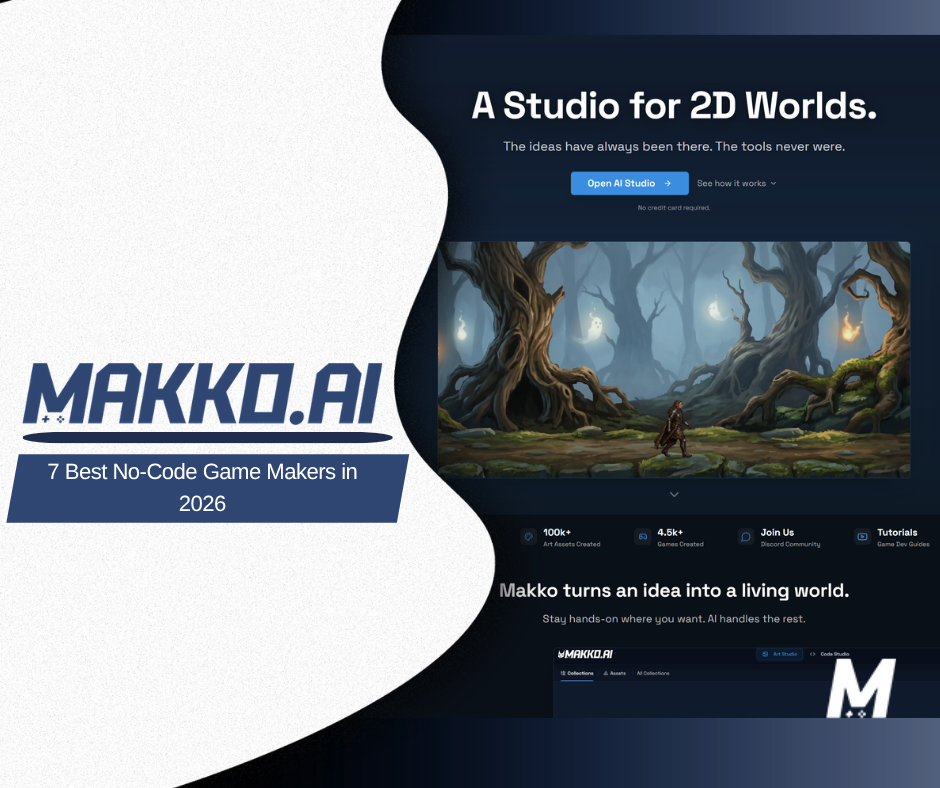
Makko AI is an AI-powered 2D game studio where you describe what you want and the AI creates it. Characters, backgrounds, objects, animations, and a playable game. No drawing skills. No coding. No logic systems to learn. You describe what you want in plain English and play the result in your browser.
What separates Makko from every other tool on this list is that it solves two problems at once. Every other no-code game maker assumes you already have art. Makko generates the art too, and keeps it consistent across every character, background, and object through a system called Collections. You create a Collection for your game, set the visual direction with concept art, and everything generated inside it inherits the same style. Sub-collections let you organize characters, environments, props, and enemies as separate groups while all of them share the same art language.
The game-building side, called Code Studio, works the same way. You describe the game you want, the AI builds it using the characters and art you already created in Art Studio, and you test it in the browser. The workflow is entirely conversational from concept art to playable game without leaving the platform.
The honest limits: Code Studio is best for 2D browser games. If you need console export, deep custom game logic, or a game engine you can take anywhere, Makko is not that tool. It is the right tool for someone who has an idea, no art skills, no coding skills, and wants to go from blank page to something playable without picking up a second tool.
Free tier: 150 art credits per month, 70 Code Studio requests per week, both refreshing. No credit card required.
2. Rosebud AI: best for getting to a playable browser game from a text description fast
Rosebud is an AI game platform where you describe a game in plain text and the AI generates a playable browser game. Like Makko, there is no logic system to learn and no code to write. You describe what you want and the game appears. The free tier includes a daily generation cap that resets each day.
Where Rosebud differs from Makko is in the art pipeline. Rosebud generates games quickly but does not have a dedicated concept art to character workflow or a style inheritance system equivalent to Collections. For getting a prototype in front of someone fast, Rosebud is a strong on-ramp. For building a game where all the art looks like it belongs to the same world, the lack of a persistent style system becomes a constraint as the project grows.
Rosebud has also been expanding its 3D and voxel capabilities alongside 2D. Free users cannot commercialize their games. Rosebud is best for first prototypes, game jam concepts, and creators who want to test a game idea quickly before committing to a full production workflow.
3. GDevelop: best no-code game engine for creators who want full control without scripting
GDevelop is a free, open-source no-code game engine that uses a visual event system to define game logic. You stack conditions and actions together to describe how the game behaves. No code, but you are still thinking in logic: if this happens, do that. For creators who enjoy building systems, this approach is powerful and flexible. For someone who has never thought about game logic before, the event system has a learning curve.
GDevelop supports 2D and has been expanding 3D capabilities through its 5.6 releases in early 2026. It exports to HTML5, Android, iOS, and desktop. The engine itself is free with no project complexity caps. Paid tiers exist to unlock higher AI credit allocations for AI-assisted logic generation, starting at a low monthly cost.
The gap for someone starting from nothing: GDevelop does not generate art. You bring your own characters, backgrounds, and animations from another source. For a creator who needs the full pipeline including art, GDevelop covers the game logic side and leaves the art side open. For a creator who already has art and wants a capable no-code engine, GDevelop is one of the strongest free options available.
4. Construct 3: best for learning no-code game logic in a browser with no installation
Construct 3 runs entirely in the browser. No download, no installation. You open it and start building using a visual event-sheet system where conditions and actions define game behavior. It is one of the most established no-code game engines available, with a mature event model, a large library of example projects, and strong documentation for learning.
The free tier is available indefinitely and does not expire. It caps free projects at 2 layers and 50 events. For a tutorial project or a small first game, that range is workable. For a full game with multiple scenes, enemy AI, and UI logic, the 50-event ceiling becomes a hard wall. Export options beyond a basic web preview also require a paid plan.
Like GDevelop, Construct 3 does not generate art. You import your own. It is best for creators who want to understand how no-code game logic works before committing to a full project, or for educators introducing game development concepts in a classroom setting.
5. Buildbox 4: best for casual game creators who want drag and drop with AI assistance
Buildbox 4 is a drag and drop game builder with AI features built in. The interface lets you place objects, assign behaviors from menus, and configure game rules visually. Buildbox 4 added text-to-game AI for no-code casual game workflows, which means you can describe a game idea and get a starting point generated before customizing it further through the visual editor.
Buildbox has historically been strongest for hyper-casual 2D games targeting mobile. It exports to iOS, Android, Steam, Windows, and macOS. A free version is available, with paid plans starting at around $13.99 per month for additional features and publishing options.
Buildbox does not generate art in the same workflow as Makko. You bring assets or use built-in templates. For someone who wants a mobile-first casual game and is comfortable using template art to start, Buildbox provides a fast path to a publishable result. For someone who needs custom art that looks consistent across a whole game world, Buildbox covers the game building side but leaves art sourcing to the creator.
6. Flowlab: best for beginners who want a browser-based no-code starting point
Flowlab is a browser-based no-code game builder that uses a visual logic system. It is designed to be approachable for beginners and students, with a simpler interface than GDevelop or Construct 3. You build logic by connecting behavior blocks together, which feels less intimidating than an event sheet system for someone coming to game development for the first time.
The free tier allows unlimited games but restricts the number of objects per game and limits export options. Paid plans unlock more object counts and full export. Flowlab is used widely in educational settings and game design courses as an introduction to how game logic works.
Flowlab does not generate art. Like GDevelop and Construct 3, you bring your own. It is best for someone who wants the gentlest possible introduction to no-code game logic, is comfortable with a lower ceiling on project complexity, and does not need to ship a commercial game from the same tool they learned on.
7. GameMaker: best for non-commercial 2D games with the full engine available for free
GameMaker has been free for non-commercial use since 2023. The free version gives you the same editor, runtimes, and export targets as the paid Professional tier. No watermark, no splash screen, no asset count limit. You can build and export a complete 2D game to web, desktop, and most mobile platforms without paying anything, as long as you are not selling it.
The no-code caveat: GameMaker is genuinely usable without writing code using its drag and drop interface, but building anything beyond a basic game almost always leads to its scripting language, GML. The drag and drop system maps to GML underneath, and the community resources, tutorials, and best practices all lean toward scripting. GameMaker is on this list because it is technically no-code capable, but the ceiling on drag and drop alone is lower than the tools above it.
GameMaker does not generate art. A Professional license for commercial use is a one-time purchase. For a creator who already has art and coding skills but wants to explore drag and drop for prototyping, GameMaker is a strong free option. For a true no-code beginner, the tools higher on this list have a more forgiving on-ramp.
Side-by-side comparison
| Tool | No-code approach | Generates art | Free tier | Export |
|---|---|---|---|---|
| Makko AI | Plain English description, AI builds | Yes, full art pipeline | Yes, credits refresh monthly and weekly | Browser play, off-platform export on paid plans |
| Rosebud AI | Plain English description, AI builds | Limited, within daily cap | Yes, daily cap resets | Browser only on free, no commercial rights |
| GDevelop | Visual event system | No, bring your own | Yes, no project complexity cap | HTML5, Android, iOS, desktop |
| Construct 3 | Visual event sheets | No, bring your own | Yes, capped at 50 events and 2 layers | Web preview on free, full export on paid |
| Buildbox 4 | Drag and drop, AI-assisted | No, templates or bring your own | Yes, limited features | iOS, Android, Steam, Windows, macOS |
| Flowlab | Visual behavior blocks | No, bring your own | Yes, limited objects per game | Web only on free, full export on paid |
| GameMaker | Drag and drop (scripting optional) | No, bring your own | Yes, full engine non-commercial only | Web, desktop, mobile non-commercial free |
How to choose
The right tool depends on what you are starting with and what you are trying to make.
If you have no art skills and no coding experience and want to go from idea to playable game without picking up a second tool, Makko is the only option on this list that covers both. Every other tool either requires you to bring your own art, requires you to learn a logic system, or both. Makko removes both barriers in one platform.
If you want to test an idea quickly and are not worried yet about art consistency or export, Rosebud gets you to something playable faster than anything else on this list. The daily refresh means you can keep iterating without hitting a permanent wall.
If you already have art and want to build game logic visually without writing code, GDevelop and Construct 3 are both strong. GDevelop has no hard cap on project complexity on the free tier. Construct 3 caps free projects at 50 events and 2 layers, which works for learning but limits serious projects.
If you are targeting mobile and want a path to iOS and Android publication with drag and drop tools, Buildbox 4 is built for exactly that use case. Template art lowers the barrier to getting started.
If you are learning game development for the first time and want the gentlest on-ramp, Flowlab is the most beginner-friendly logic system on this list. It is also widely used in education for that reason.
If you already have art and want the most fully-featured free engine available for non-commercial 2D projects, GameMaker gives you essentially the full tool at no cost. Just know that the drag and drop ceiling is lower than the scripting ceiling, and most GameMaker learning resources assume you will eventually write some GML.
Frequently asked questions
Can you make a real game without coding in 2026?
Yes. The tools on this list range from visual event systems that require no scripting to AI platforms where you describe the game in plain English and play it in your browser. The definition of real depends on what you are making. A browser game built with GDevelop or Makko is a real, playable, shareable game. A mobile game published to iOS or Android through Buildbox is a real game. None of these require writing code.
Which no-code game maker is best for complete beginners?
It depends on whether you also need to generate art. If you have no art skills and no coding skills, Makko AI is the most accessible starting point because it handles both. If you already have art or are comfortable sourcing it separately, Flowlab has the gentlest logic-building interface for someone new to game development concepts. Construct 3 and GDevelop are more capable but have a steeper initial learning curve.
Do no-code games look less professional than coded games?
No. The quality of a game comes from the art, the design decisions, and the feel of the gameplay, not from whether the underlying logic was written in code or built in a visual system. Games built with GDevelop, Construct 3, and Makko have been shipped commercially and received positively. The tool is not what the player sees. What the player sees is the art, the pacing, and the decisions you made about how the game should feel.
For walkthroughs showing the full workflow from concept art to playable game, visit the Makko YouTube channel.
Related Reading
- How to Make a Game Without Coding: The Complete AI Walkthrough
- Make a 2D Game With AI: Art, Characters, and a Playable Game From One Platform
- Vibe Coding Games: The Complete Beginner's Guide to Building Without Writing Code
- AI Game Generator vs Game Engine: Unity, Godot, GDevelop
- Makko vs Godot: AI-Native Workflow vs Open-Source Game Engine