
8 Best Tilemap Editors for 2D Games (2026)
A standalone editor keeps your level data portable between engines. An engine-native one keeps everything in one place and locks it there. Pick the bet, then pick the tool.
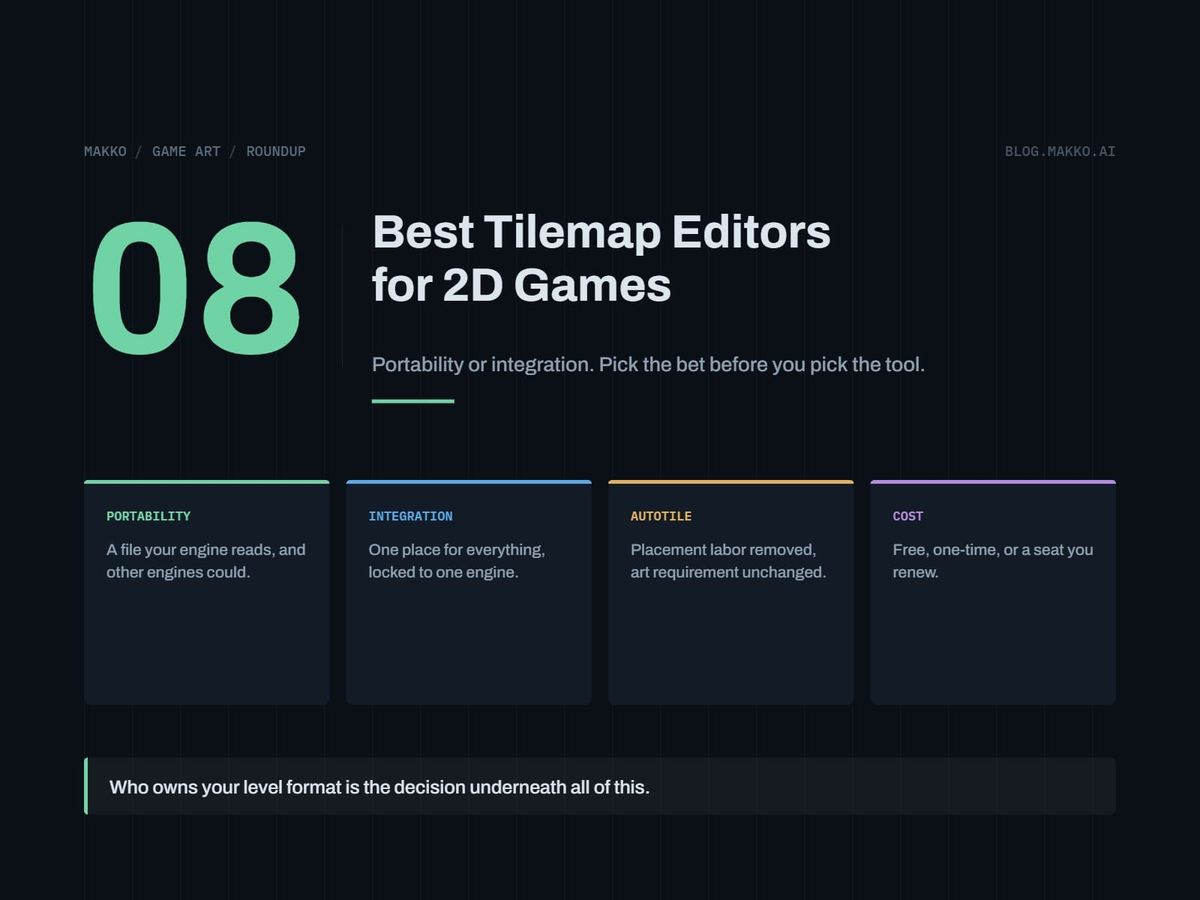
You have a tileset and a level to build. The open question is which program you place the tiles in, and the honest version of it is not about brush tools or layer counts. It is about who owns the level data. A standalone editor writes a file your engine reads, so the level survives an engine change. An engine-native editor keeps the level in the project, so nothing has to be parsed, and the data goes where the engine goes.
That is the trade this list is organized around: portability against integration. Autotiling, object layers and tile animation turn up almost everywhere, and the format decision does not reverse cheaply. Below are eight ways to lay out a tiled level, priced and licensed as of September 2026, for a solo developer or a small team's programmer with no week to spend evaluating tools.
Disclosure: this is the blog of Makko, an AI-powered 2D game art studio. Makko generates tile art and does not make a tilemap editor, so it is not one of the eight. It comes up once, in the section on authoring tiles.
The short version. If the level data should outlive your engine choice, use Tiled: free, open source, and it exports to image, JSON, Lua, GameMaker (1.4 and 2.3), Defold and tBIN among others. If the engine is settled and you want zero import code, use that engine's own editor; Godot's is free under MIT with no royalties and no revenue thresholds. If your levels are generated by tooling you write, skip both and define your own JSON with a custom importer.
How these were picked
Five criteria, in the order they matter to a small team.
- Cost, including its shape. A one-time purchase and a per-seat annual subscription are different commitments at the same total.
- Commercial-use terms. Several free tiers here are non-commercial only, or carry a revenue ceiling. Most comparison pages leave that out.
- Who owns the level format. Whether the editor writes a file your own code can read, or stores levels in an engine-internal structure.
- Fit with an existing pipeline. How much glue code sits between saving a level and seeing it run.
- Control over the tiles themselves. Some entries place tiles, some draw them, and one program rarely does both.
The list assumes tiles are right for your game. If your levels are few and fixed, a tilemap may be the more expensive way to build them, and the case against tiles settles that first. It also assumes you know what a complete tileset contains, since no editor places tiles nobody authored: the tileset design guide covers that inventory.
1. Tiled
Tiled is the general-purpose standalone tilemap editor, built to produce level files a program other than itself will read. You build the map in Tiled, it writes a file to disk, and your engine loads that file.
It is free and open source, funded by donations. The project states over 200 sponsors donating about $3,600 per month, useful to know about a tool you will depend on for years: the funding is public, and it is not a runway.
The portability argument is concrete. Tiled exports to image, JSON, Lua, GameMaker (1.4 and 2.3), Defold and tBIN among other formats, so moving engines later makes the maps a re-export rather than a rebuild. No commercial restriction applies.
Pick it if your engine has no built-in level editor, you want level data you can parse and diff, or your engine choice is not final. Skip it if your engine has a native tilemap you are happy with, because Tiled then adds an import step buying portability you will not use.
2. LDtk
LDtk is a free 2D level editor in the same standalone category as Tiled: you build the level in LDtk, your game reads the file it produces. Same bet, same independence from any one engine, same import step to write or pull from a community loader. No paid tier to weigh, no commercial restriction to check.
Choosing between the two standalone options comes down to how each models a level, and both are free to try on real work. Build the same small room in each, wire up the import, keep whichever you reopen. That test costs an afternoon and settles it better than any feature table, this one included.
Pick it if you want a standalone editor and its way of structuring levels fits how you think. Skip it if your engine already reads a different format natively.
3. Godot's built-in tilemap
Godot supports 2D tilemaps in the engine itself, so the level and the game that runs it are the same project. Nothing is exported, nothing is parsed, and a change to the map takes effect when you press play. That is the least friction available.
Godot is free and open source under the MIT license. No royalties, no revenue thresholds, no seat costs, no separate commercial tier. For a small team expecting to sell a game, that removes a whole category of future decision.
The cost is the usual engine-native one. Levels live in the engine's own format, so they are as portable as the rest of the project, meaning not very. If the engine is settled, you never pay it.
Pick it if you are building in Godot. Skip it if the same levels must run in more than one engine.
4. GameMaker's room editor
GameMaker lays levels out in its room editor. Like Godot's, it is engine-native: the room is part of the project, with no export or import stage between building a level and running it.
Licensing is where this entry needs care. There are three tiers. The free tier is a non-commercial license covering GX Games plus desktop, web and mobile exports. Professional is a one-time purchase and adds the commercial license. Enterprise is billed monthly or yearly and adds console exports and source code access. No prices are stated here, because they were not readable from the source used for this article.
Internalize that free tier. You can build an entire game on it and be unable to sell the game without moving up, so decide early rather than at launch.
Pick it if you are building in GameMaker and have priced the tier your release plan requires. Skip it if you want level data readable outside the engine, or you plan to sell the game and have not budgeted for Professional.
5. Construct 3
Construct 3 lays levels out inside the project, alongside everything else the game is made of. Engine-native again, with the same integration benefit and the same format lock.
Pricing is the most structured on this list. Personal is $129.99 per year or $15.99 per month, all features, no royalties, licensed to individuals and hobbyists only. Startup Business is $168.99 per seat per year and requires under $50,000 revenue, under $100,000 assets, and three or fewer employees. Business is $468.99 per seat per year, and Education runs from $32.99 down to $9.90 per seat per year by quantity, minimum three seats. No tier charges royalties.
Read those eligibility rules as part of the price. Personal is not a cheaper Business, it is a different license for a different user, and a studio crosses from Startup Business into Business by growing.
Pick it if you are building in Construct 3 and fit a tier cleanly. Skip it if you will pass those thresholds soon, or you want level data outside the project.
6. Aseprite, for authoring the tiles
Aseprite is not a tilemap editor and belongs here anyway, because half the people searching for one need the tiles drawn rather than placed. It draws them. The tileset it produces is the input every entry above requires.
Aseprite is paid, a one-time purchase sold through Paddle, itch.io and Steam, and a purchase includes a Steam key. No price is stated here because it was not readable from the source used for this article. The shape of the cost is what matters for planning: you buy once rather than subscribing.
Pair it with whichever layout editor you picked. Draw the tileset in Aseprite, place the tiles in Tiled, LDtk or your engine. Lock the grid first, because changing tile size later invalidates every placement, and picking a tile size is arithmetic, not taste.
Pick it if you are drawing your own tiles and want a dedicated pixel art tool. Skip it if you need a level editor, because this is the other half of the job.
7. Krita or Pixelorama, the free authoring route
Krita and Pixelorama cover the same job at no cost. Both are free and open source, and either produces a tileset image every editor above will load. No licensing catch to report and no tier to choose, so try both and keep whichever suits your hand.
For a programmer drawing placeholder tiles or a small real set, the free route removes the purchase decision, and moving to a paid tool later changes nothing downstream: the output is a PNG on a grid either way.
Generation tools are a third route to the same deliverable. Makko, this blog's publisher, generates 2D game art as collections, where a collection binds look and style across an asset set. It produces the art, not the layout, so it stands in for this entry rather than the ones above.
Pick it if your art budget is zero and you are drawing tiles yourself. Skip it if you want a dedicated paid pixel art workflow, or you are not drawing tiles at all.
8. Hand-rolled JSON plus a custom importer
The eighth option is to define the level format yourself and write the importer. A two-dimensional array of tile indices, a tileset reference, an object list, and whatever per-level metadata your game needs. Levels then get generated by scripts, edited in a text editor, validated in CI and diffed in version control like any other source file.
It costs nothing but time, and the time is real: you are writing the editor's job as code, and any visual editing you want, you build. No license terms, no tiers.
It is the right call in one case: when levels are produced by a program rather than placed by hand. Procedural generation, data-driven puzzle layouts, levels compiled from a spreadsheet. There, a visual editor is a step you would automate away, and owning the format lets the generator write straight to it.
Pick it if your levels are generated or tool-driven, or your format must carry game-specific data no editor models. Skip it if you are hand-placing tiles, because Tiled and LDtk already solved that and both are free.
Side by side
| Option | Cost (September 2026) | Commercial-use catch | Owns the format? | Best for |
|---|---|---|---|---|
| Tiled | Free, open source | None | You do. Exports JSON, Lua, GameMaker, Defold, tBIN, image | Portability |
| LDtk | Free | None | You do. Standalone file | Standalone editing |
| Godot tilemap | Free, MIT | None. No royalties or revenue thresholds | Engine does | Godot |
| GameMaker room editor | Free tier; Professional one-time; Enterprise monthly or yearly | Free tier is a non-commercial license | Engine does | GameMaker |
| Construct 3 | Personal $129.99/yr or $15.99/mo; Startup Business $168.99/seat/yr; Business $468.99/seat/yr | Personal is individuals and hobbyists only; Startup Business needs under $50k revenue, under $100k assets, 3 or fewer employees | Engine does | Construct 3 |
| Aseprite | Paid one-time, sold on Steam and itch.io | None recorded | Draws tiles, not levels | Drawing tiles, paid |
| Krita or Pixelorama | Free, open source | None | Draws tiles, not levels | Drawing tiles, free |
| Hand-rolled JSON | Free, costs your time | None | You do, completely | Generated levels |
How to choose in five minutes
Answer these in order and stop at the first yes.
1. Levels generated by code, not placed by hand?
   YES -> hand-rolled JSON + your own importer

2. Engine final, and it ships a tilemap editor?
   YES -> use it: Godot, GameMaker, Construct 3
          Price the commercial tier first

3. Engine might change, or you need to read
   level data with your own tools?
   YES -> Tiled or LDtk. Build one room in each,
          wire the import, keep what you reopen

4. Still need the tiles drawn?
   PAID one-time -> Aseprite
   FREE          -> Krita or Pixelorama
   GENERATED     -> an art generation tool

5. Before all of the above: lock the tile size.
   Changing it later invalidates every placement.
Step 5 is listed last and happens first. Tile size sets how many placements a room costs and how many rows fit a camera, and no editor here makes changing it later cheap.
Frequently asked questions
Can I use Tiled with any engine?
Practically yes, given an importer. Tiled exports to image, JSON, Lua, GameMaker (1.4 and 2.3), Defold and tBIN among other formats, so any engine that reads JSON can read a Tiled map with code you write once. The work is mapping layers and properties onto your own structures, not parsing.
Is a free tilemap editor good enough to ship with?
Free is not the constraint. Tiled, LDtk, Godot's tilemap, Krita and Pixelorama are free with no commercial restriction, and Godot is MIT with no royalties or revenue thresholds. The restricted tiers are the engine ones: GameMaker's free tier is a non-commercial license, and Construct 3's Personal tier is for individuals and hobbyists only.
Should I use my engine's editor or a standalone one?
Engine-native if the engine is settled, standalone if it is not. Engine-native removes the import step and keeps collision, tile properties and the running game in one place. Standalone keeps level data in a file you can parse, diff and carry elsewhere. Pick by confidence in the engine, not feature count.
Do I need a separate tool to draw the tiles?
Usually. Layout editors place tiles, they do not author them, so the tileset image comes from a pixel art tool, an asset pack, or a generation tool. Budget for both halves: the best editor placing an incomplete tileset still produces a broken level.
What about seams between tiles?
Seams are a grid, margin and filtering problem rather than an editor problem, and every editor here can be configured for them. Correct margin and spacing in the tileset plus correct import settings in the engine covers the common cases; the seams and autotiling breakdown covers the rest.