
Tilesets for Developers: The Grid Is the Contract
A tileset is a combinatorial system with an art surface. Adjacency is the real cost, and decoration above the grid is what keeps the count down.
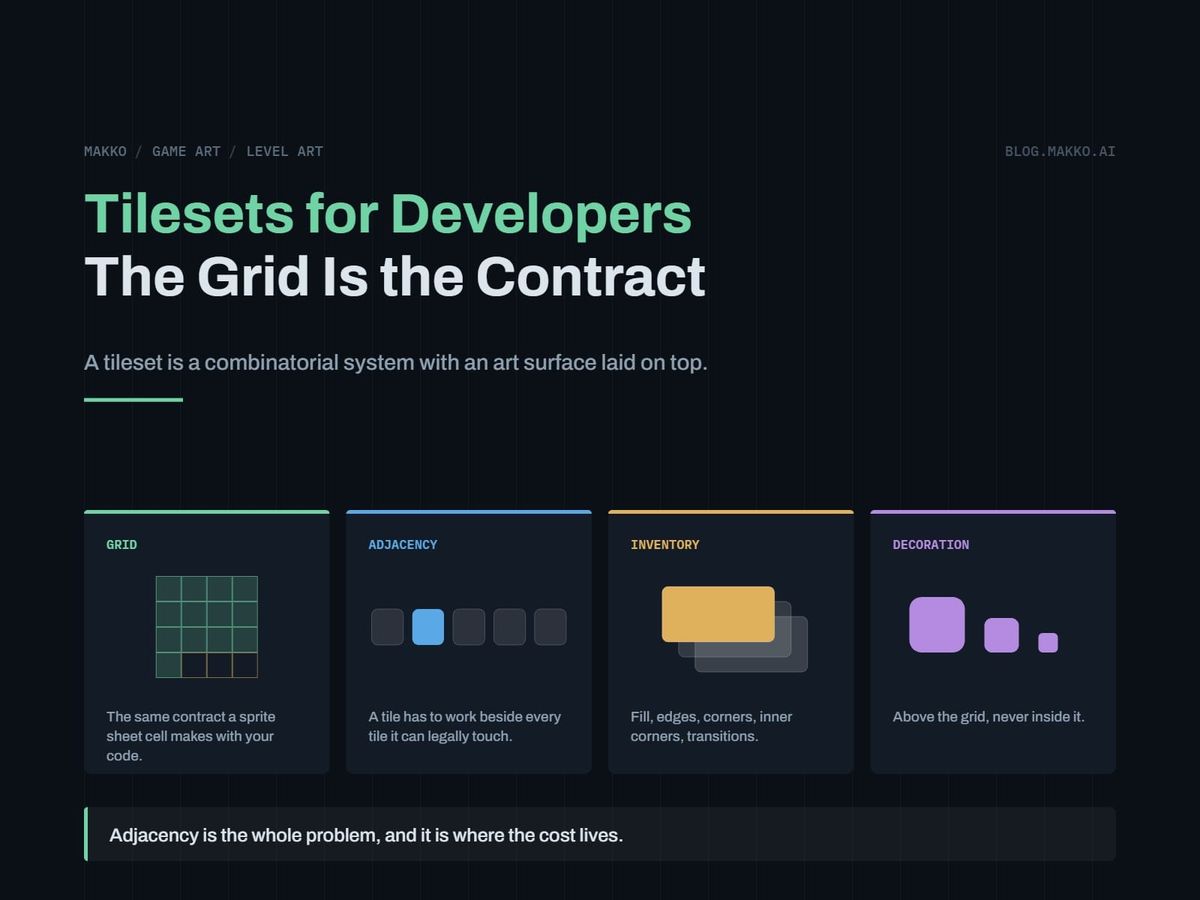
You have a tilemap node, a palette of four gray squares, and a level you cannot build. The squares work: they snap, the collision is right, the player walks on them. What you lack is a set of tiles that looks like anything placed next to itself.
The instinct is to go find "a tileset," as though that were one deliverable like a character portrait. It is not. A tileset is a combinatorial system with an art surface on it, and the system underneath holds the real decisions: the grid, the inventory, the adjacency rules, and where tiles stop being right.
All four are yours, none require drawing, and getting them wrong costs more than drawing skill would have saved.
The short version. A tileset is a grid contract plus a combination problem. The grid is the same contract as a sprite sheet cell, so if you can write a sheet spec you can write a tile spec in an afternoon. The combination problem is new: a tile has to look right beside every tile the editor can legally place next to it, taking one material from 1 tile to 16, or 47 with full inner corners. Keep decoration above the grid, and keep the count of touching materials small.
The grid is the same contract as a sprite sheet cell
A sprite sheet cell is a contract between three parties: the artist fills it, the exporter cuts on it, your code indexes into it. When they disagree, the character jitters. That is the whole of the sheet spec. A tile grid is that contract with the parties swapped: the artist fills the cell, the editor snaps to it, the renderer draws from it by index arithmetic. Same structure, same failure mode, same fix. Write it down first.
One difference matters. In a sprite sheet you lock the dimension controlling scale and let the other float: across Mira Hearthkeeper's six baked sheets in Wayfarer's Hearth, cell height is 260 on all six while cell width runs 119 to 221. A tileset cannot. Both dimensions are locked and usually equal, because the editor computes position from index and a fixed stride. A 32 x 32 tileset with one 40 px tile in it is a broken file, not a variation.
So the grid entry in your spec is two lines: tile size in pixels, square, no exceptions, plus the margin and spacing your importer needs to stop filtering from bleeding neighboring pixels in.
Adjacency is the whole problem
A portrait is judged alone. An animation frame is judged against the frames beside it in time. A tile is judged against every tile the editor can put beside it, in every arrangement a designer produces. Work out the count. One material, grass, four orthogonal neighbors, each either grass or not. Two states, four sides: 2 x 2 x 2 x 2 = 16 distinct situations a grass tile can land in. Your single square covers exactly one, the case where grass is surrounded by grass.
Now add diagonals, since a corner empty on the diagonal must look different from a filled one. Eight neighbors, two states each, is 2 to the eighth, or 256. That overstates it: a diagonal only matters when both adjoining sides are already filled. Collapse the irrelevant corners and 256 comes down to 47 distinct tiles. That is the standard full set, and where "I just need a grass tile" really lands.
The cost is not drawing 47 pictures. It is that each is constrained on all four edges by what can sit beside it, so one edge change propagates to every tile sharing that edge. A half-finished tileset therefore looks worse than half-finished anything else.
So count materials before you count tiles, because each carries a set this size. And never review a tileset on the sheet. Review it placed: the sheet shows 47 pictures, the level shows the pairings, and the pairings are the product.
The minimum tile inventory, named by role
Specify tiles by the job they do, never by what they depict. "A mossy stone block" is not a spec. "Top edge, outer" is. Naming by role lets you check completeness without any opinion about the art.
- Fill. The interior, surrounded by its own material. Several variants of one role, not several roles.
- Edges. Four. The material ends along one straight side.
- Outer corners. Four. Two edges meet convexly, at the corner of a shape.
- Inner corners. Four, and the role everyone forgets. Two edges meeting concavely, inside an L-shaped region. A set without them looks fine until the first non-rectangular room, then breaks exactly where the eye goes.
- Transitions. Where this material meets another instead of meeting nothing. Its own section below.
- Decoration. Cracks, moss, scorch marks, debris. These do not belong in the grid at all.
Fill plus four edges plus four outer and four inner corners is thirteen roles, and the standard 16-tile arrangement packs those plus the isolated and thin cases. Anything less is a palette of squares. Put the role list in your art bible and check deliveries against it by name.
Decoration goes above the grid, never inside it
This is the single decision that most reduces tile count, and most developers get it wrong by default because the wrong version is easier to ask for. Ask for cracked stone tiles and the artist owes you a cracked fill, cracks aligning across boundaries, and a cracked fill working beside every edge and corner in the set. You bought a second copy of the system. Make the cracks sprites on a layer above the tilemap instead, placed freely and unsnapped, and they turn additive: ten sprites are ten assets combining with every tile underneath. Baked into the grid, the same ten multiply against the adjacency set.
The rule falls out cleanly. Anything that changes the shape of the material belongs in the grid. Anything that sits on the surface belongs above it. A ledge where stone becomes air is shape, so it is a tile. Moss on stone is surface, so it is a sprite. A puddle is surface, a hole is shape.
Baked into the grid
Cracked stone asked for as tiles
The artist now owes you a cracked fill, cracks aligning across boundaries, and a cracked fill that works beside every edge and corner in the set. You bought a second copy of the system.
Above the grid
The same cracks as sprites on a layer
Ten sprites are ten assets, and each one combines with every tile beneath it. The tile set underneath stays at sixteen and never learns about cracks at all.
Transitions between materials are where the count explodes
One material needs 16 tiles. Two that meet need both sets plus a third describing the border. The count is not additive in materials, it is combinatorial in pairs. With n materials, the pairs that can touch number n times n minus 1, over 2. Three materials is 3 pairs, four is 6, five is 10, six is 15. At 16 tiles per set, five materials that can all touch means 10 transition sets on top of 5 base sets: 240 tiles. That is how a quote turns absurd when you add "and sand, and snow."
Four standard ways of not paying it, in the order to reach for them:
- Restrict which materials may touch. Rule, as design, that grass touches dirt and dirt touches stone but grass never touches stone. Two pairs instead of three, and the saving compounds at five or six materials.
- Use a priority stack instead of pairs. Rank the materials and author one transition set each, describing how that material overlaps whatever sits beneath it. The count becomes linear in n rather than quadratic, and your engine's tilemap likely supports it already.
- Put the transition above the grid. A fringe of grass overhanging dirt can be an overlay laid along the border, working against any material without being authored per pair.
- Insert a neutral material. If everything transitions through one border material, you author n transitions instead of n choose 2. A path between every terrain reads as deliberate.
Pick one before commissioning. Retrofitting a priority stack onto a tileset authored as pairs means reauthoring every edge.
Tile size decides level size, and it is arithmetic
Tile size looks like an art question and is not. It is the exchange rate between art cost and authoring cost, and both sides are computable. At a 1920 x 1080 camera, a 16 px tile gives 120 across, 32 px gives 60, 64 px gives 30. Vertically, 1080 divided by 16 is 67.5, by 32 is 33.75, by 64 is 16.875. None divide evenly, so check before committing: pick a size that divides camera height, or accept a partial row on every screen.
Then level size. A room four screens wide and two tall at 32 px is 240 by 68, about 16,300 tile placements. Halve the tile size and the same room is 480 by 136, about 65,300: four times the placements, the editing labor and the map data. Art cost runs the other way, making it a real trade. Smaller tiles hold less each, so the same interest needs more distinct tiles.
The payoff is memory. An uncompressed 1920 x 1080 painted background costs 7.91 MiB of video memory, against 2.38 MiB for a 600 x 1040 character sheet. A tileset is one modest texture covering that screen and the next four hundred at the same cost. Level size decouples from art cost: that is the reason to build levels from tiles, and the reason to stop when levels are not large.
Three checks that catch most tileset problems
None need drawing skill. Run all three on a placed level, not on the sheet.
The completeness fill. Build a test map containing every situation on purpose: a rectangle, an L, a plus, a one-tile corridor, a one-tile island, a diagonal staircase, and a hole cut from a filled region. That exercises inner corners, thin cases and the isolated case, the roles that go missing. Any position where the art fails to resolve is a gap you report by role name.
The large-area repeat check. Fill several screens with fill tiles only, zoom out, and hunt for a plaid: a distinctive mark recurring at a fixed interval. Then scroll at full speed, since a repeat invisible when still is often obvious moving.
The play-size collision read. Scale to real play size, convert to grayscale, and ask someone who has not seen the level to point at what is solid. If they cannot separate floor from wall, the tileset has failed its only gameplay job however good it looks zoomed in. This mirrors the play-size test in the animation pillar: structure is judgeable before craft.
The order of operations for a tileset
Copy this and fill it in per tileset. Steps 1 to 6 happen before anyone draws a tile.
# [TILESET NAME] - order of operations

1. LOCK THE GRID
   tile size = [  ] x [  ] px, square
   margin / spacing = [  ] / [  ] px
   camera height [    ] / tile = [    ] rows

2. COUNT MATERIALS       n = [  ]

3. DECIDE WHICH MAY TOUCH
   allowed pairs = [  ]  (under n(n-1)/2)
   strategy = pairs / priority stack /
              overlay / neutral border

4. CHOOSE THE ADJACENCY SET
   16-tile (edges + corners) or 47-tile (full)
   est. tiles = materials x set + transitions

5. SPLIT GRID FROM ABOVE-GRID
   in grid    = changes material SHAPE
   above grid = sits ON the surface
   decoration sprites = [  ]

6. FILL VARIANTS PER MATERIAL = [  ]

7. BUILD THE TEST MAP FIRST
   rectangle, L, plus, 1-wide corridor, island,
   staircase, hole. Colored squares are fine.

8. ON DELIVERY, RUN THE THREE CHECKS
   completeness fill / repeat / play-size read

9. INTEGRATE ONE MATERIAL AT A TIME
Step 7 gets skipped, and it is free. A map of colored squares tells you the inventory is incomplete weeks before art arrives, when the fix costs an email instead of a reauthor. A set baked as a collection, as Makko does, holds edge treatment consistent across materials, but the inventory is yours.
What tiles are genuinely bad at
Tiles are a compression scheme. They trade uniqueness for reuse, and the trade is bad in four situations.
Anything the player stops and looks at. A grid survives peripheral attention and fails direct attention. A boss arena stared at for ten minutes shows its repetition in the first thirty.
Organic irregularity. Cliffs, canopies, cave mouths, water edges. Nature does not repeat at a fixed interval, and a grid does nothing else.
Diagonals and curves. Every angle that is not 45 degrees is a separately authored case, and a curve is an unbounded family of them. Sloped terrain is paid for three times: tileset, collision, level editing.
Small games. The economic case for tiles is that art cost stays flat as level count rises. Eight fixed rooms never reach the crossover, and look better for the same budget as layered scenes. Near that line, the decision tree for sourcing art settles which way to go.
The Friday piece in this cluster takes that last point apart: where the crossover sits, and how to mix tiled geometry with hand-composed scenery without the join showing. Everything above assumes tiles are already right for your level count.
Frequently asked questions
What tile size should I use?
Work backward from your character, then check the division. The character should be a recognizable multiple of the tile, commonly one wide and two tall, so doorways, ledges and jump heights fall out of the grid instead of being hand-tuned. Then divide camera height by each candidate and take the largest that gives whole rows.
Do I need the full 47-tile set, or is 16 enough?
Sixteen is enough for most games and is the right starting point. The 47-tile set buys correct inner corners in every diagonal configuration, which shows on organic shapes and barely on architecture. Ship 16, build the level, and upgrade only where you can point at a bad placement.
Can I mix tilesets from different sources?
Only if the grid matches exactly, margin and spacing included, and only if they never touch. Two tilesets at one tile size can share a level while nothing needs a transition between them, since that transition is art neither source contains.
Should I build the tileset before or after the levels?
Grid and test map first, gray levels second, real tileset third. Tile size has to be right before level building starts, because changing it later invalidates every placement in the game. The rest can arrive once levels are playable: a level that is not fun does not need correct inner corners.
Why does this say MiB and not MB?
Because memory and storage are counted in different bases. A mebibyte, MiB, is 1,048,576 bytes, or two to the twentieth. A megabyte, MB, is 1,000,000 bytes. Memory is physically addressed in powers of two, so every engine profiler reports the binary figure, and the numbers here match what Godot, Unity or Unreal will show you. Storefronts and drive manufacturers use the decimal one instead. At this scale the two differ by about five percent, so the same 1920 by 1080 background is 7.91 MiB and 8.29 MB. Same pixels, two labels. It is the same reason a drive sold as 1 TB shows up as 931 GB.