
Game Development with AI: One Pixel Art Character in Two Different Games
Shows how frame normalization and alignment turn generated sprites into consistent, reusable assets for gameplay systems.

In AI game development, the hard part is rarely creating a character. The hard part is keeping that character clean across multiple builds once scale, camera framing, and genre requirements change. This tutorial shows a structured workflow: one pixel art character, multiple game genres, and zero file duplication using a manifest system.
| What job are you trying to do? | Reuse one pixel art character across two different games without exporting, resizing, or renaming duplicate sprite sheets. |
| What alternatives are you comparing? | Manual folder duplication and version chaos versus a manifest based configuration workflow. |
| What constraints matter? | Time to playable, iteration speed, fewer mistakes, and predictable updates across builds. |
| Where does Makko fit? | Makko keeps one centralized character and lets you define multiple manifests as game specific profiles inside a character manifest workflow. |
The problem: one character becomes ten files
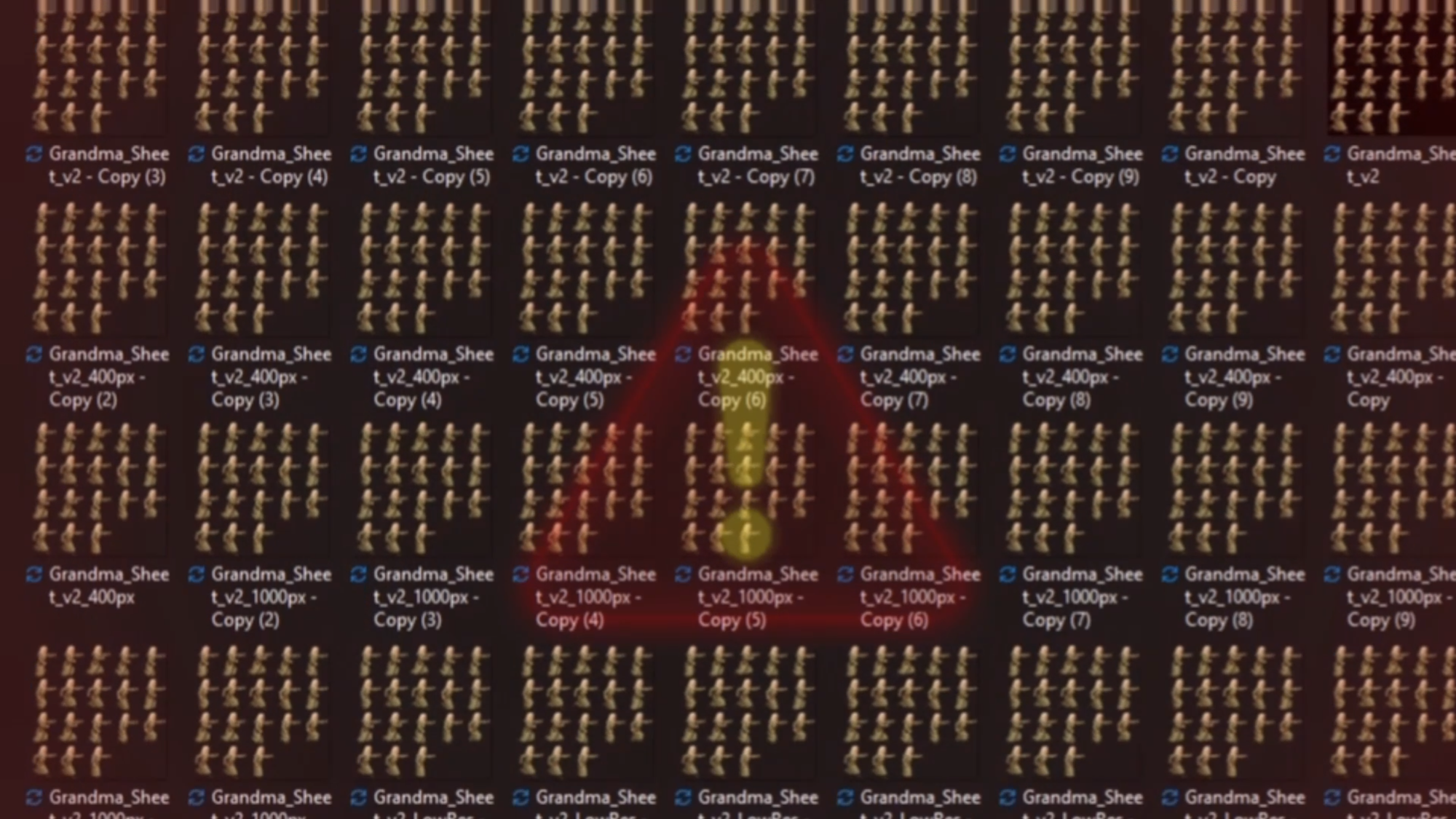
Traditional game development breaks down right after you finish your animations. You export sprite sheets, resize them for different builds, rename files, and rebuild folder structures until you cannot confidently say which version is correct. What started as one character becomes a pile of duplicates. That duplication tax slows iteration and increases the odds you ship the wrong asset.
- Grandma_Final
- Grandma_v2
- Grandma_VN_Big
- Grandma_Jumping_Sheet
- Grandma_Final_UseThisOne
The fix is not another folder. The fix is a workflow that separates the base asset from game specific configuration. That is what manifests do.
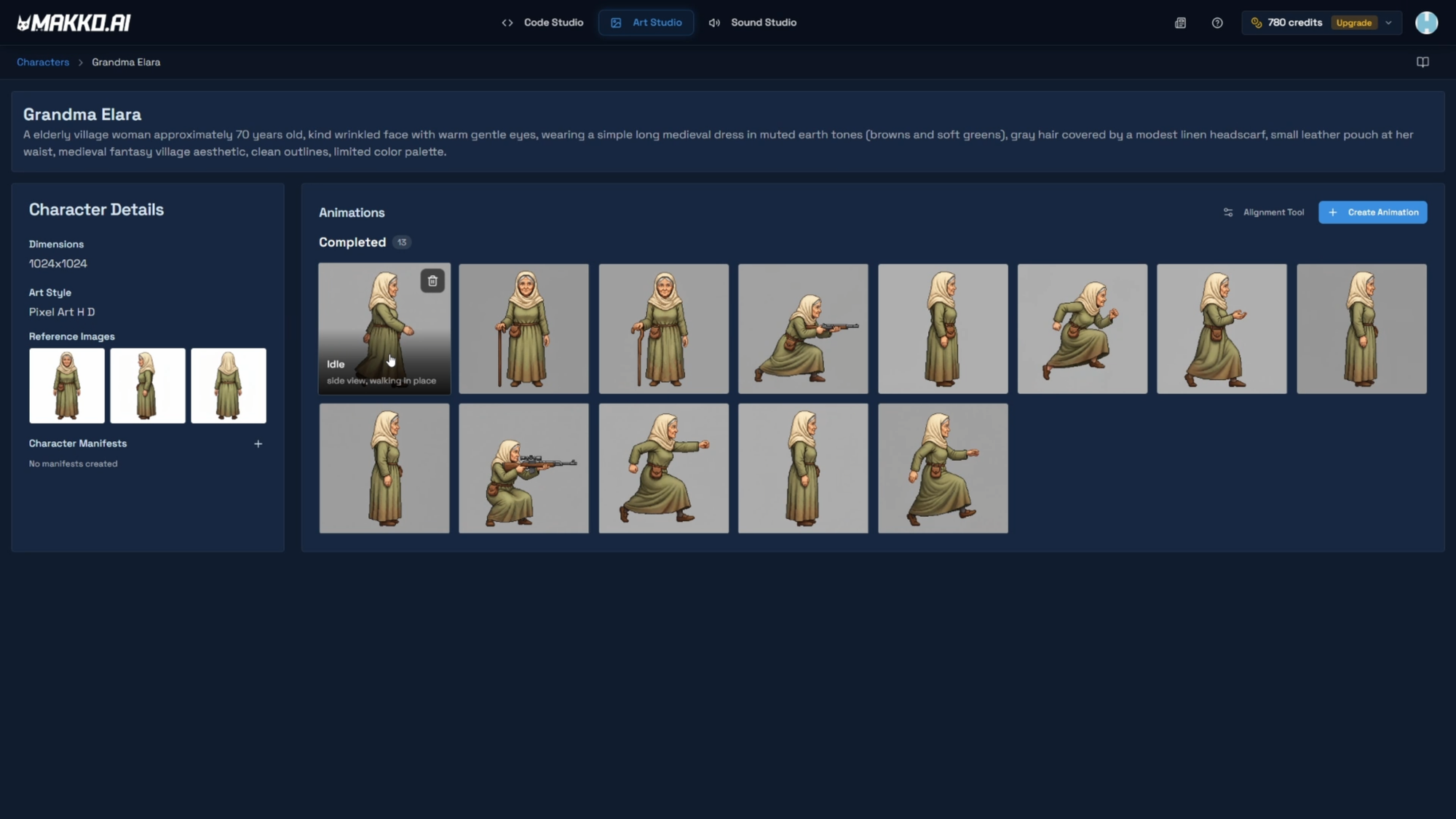
Step 1: Centralize the character as your single source of truth
Start by treating your character as one master asset. In Makko, the Character Details page is the single source of truth for Grandma Elara. Every animation, every sprite sheet, and every manifest pulls from this one central entry without creating redundant copies.
- Faster iteration: updates start from one asset, not five copies.
- Fewer mistakes: you stop shipping the wrong sprite sheet version.
- Cleaner collaboration: teammates find the asset instantly.
- Better time to playable: less busywork before you can test the game loop.
If you currently keep multiple copies of the same character because each build needs a different scale, you are already paying the duplication tax. The next step removes that tax by turning differences into configuration.
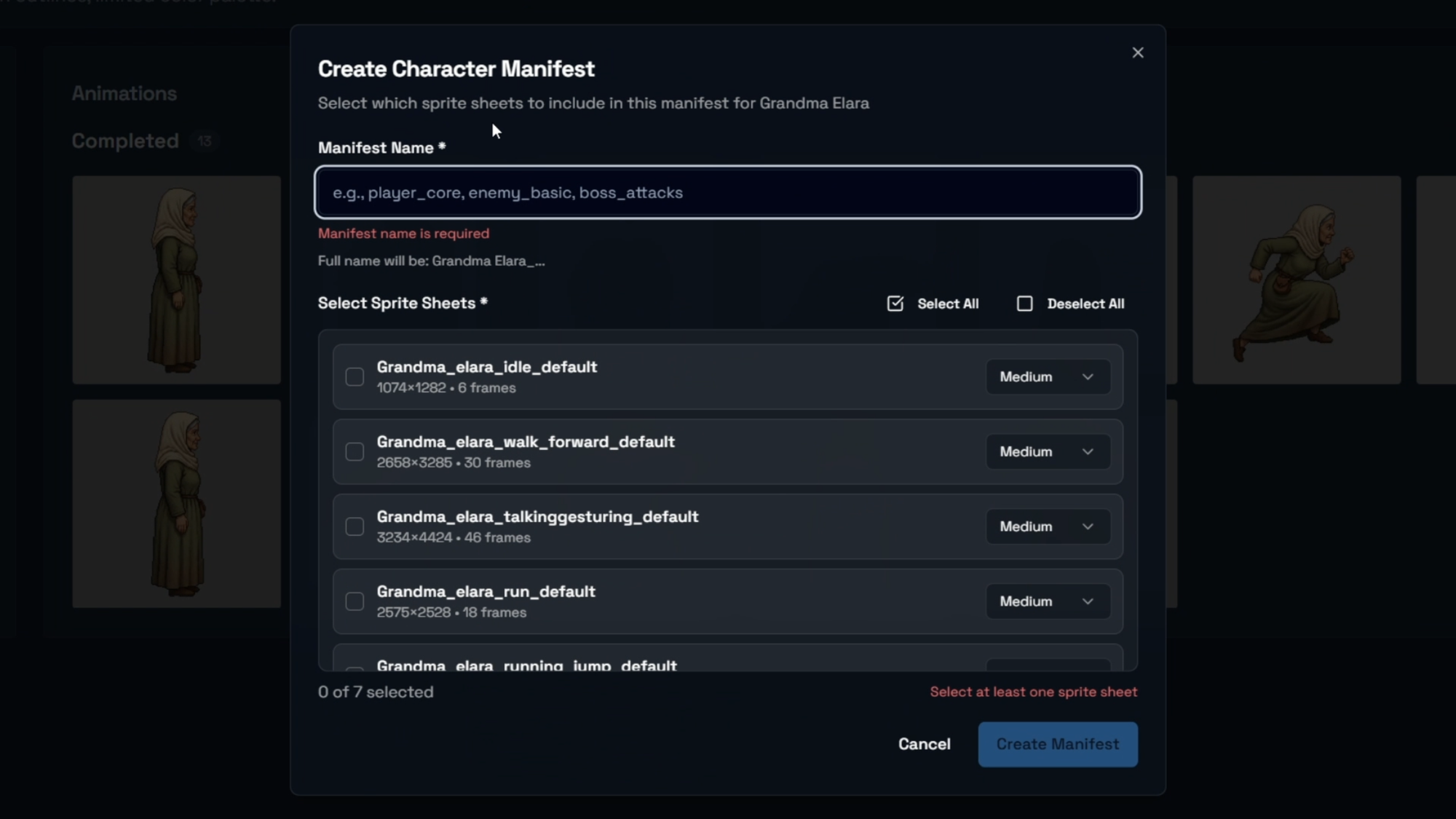
Step 2: Create two character manifests from one base asset
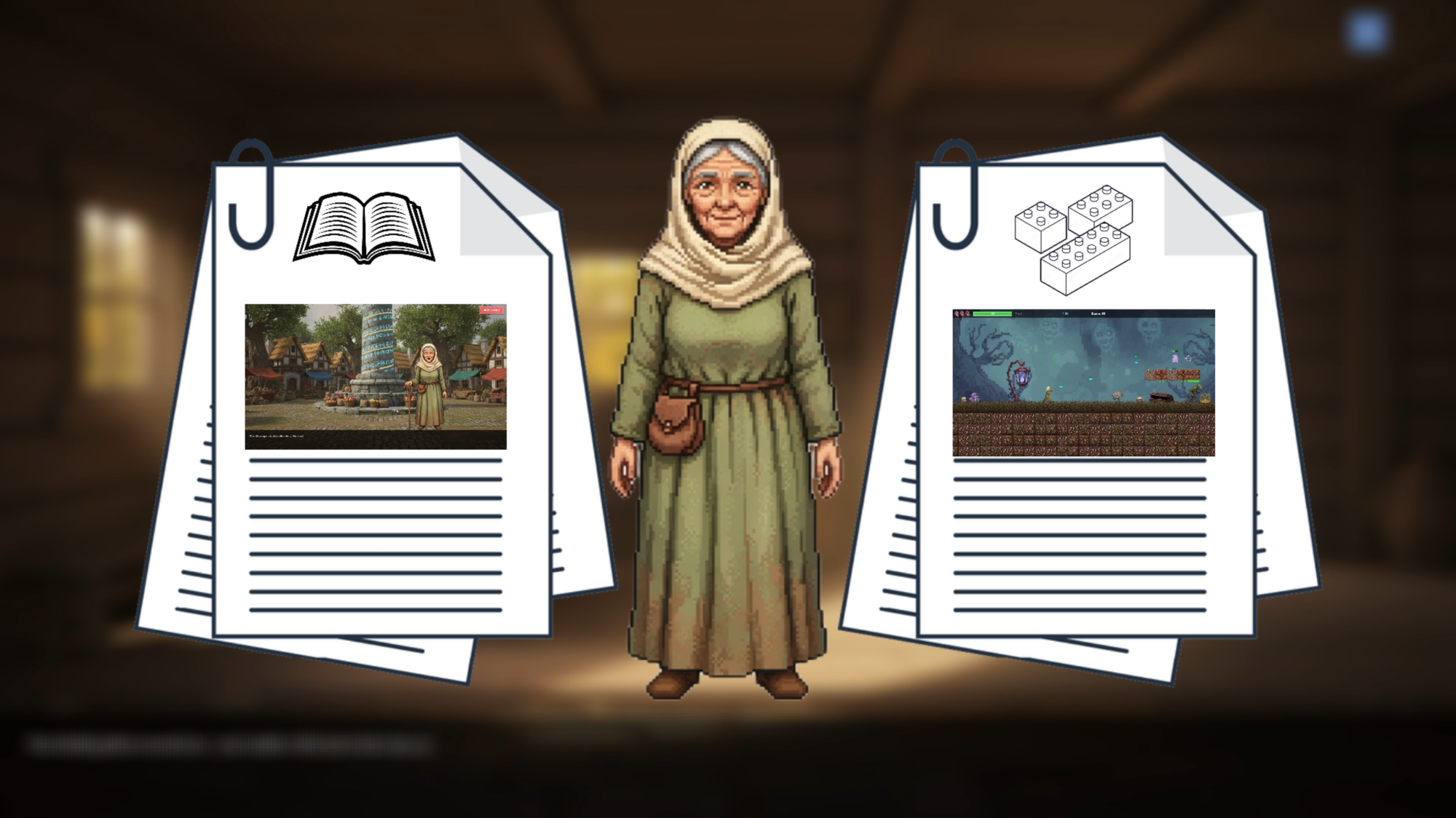
A manifest is not a copy of your sprite sheets. A manifest is a configuration profile applied to the same base character. This is the mechanism that lets one pixel art character work in multiple games without manual duplication. For the full end to end setup, reference: How to Add Animated Characters to a Game Using Makko.
- Configured for visual novel dialogue framing
- Larger portrait scale and composition
- Animation focus: idle, talk, reaction states
- Anchor placement optimized for narrative scenes
- Configured for platformer gameplay
- Smaller scale for camera readability
- Animation focus: walk, run, jump, hit reaction
- Anchor placement optimized for movement and collision
- Start with character name: Grandma
- Add game context or title: WhispersOfDestiny or GrannysNightTerror
- Avoid vague suffixes like Final, New, UseThisOne
- Keep names consistent so manifests stay searchable during iteration
- You are not duplicating assets.
- You are defining game specific profiles.
- One pixel art character can serve multiple genres cleanly.
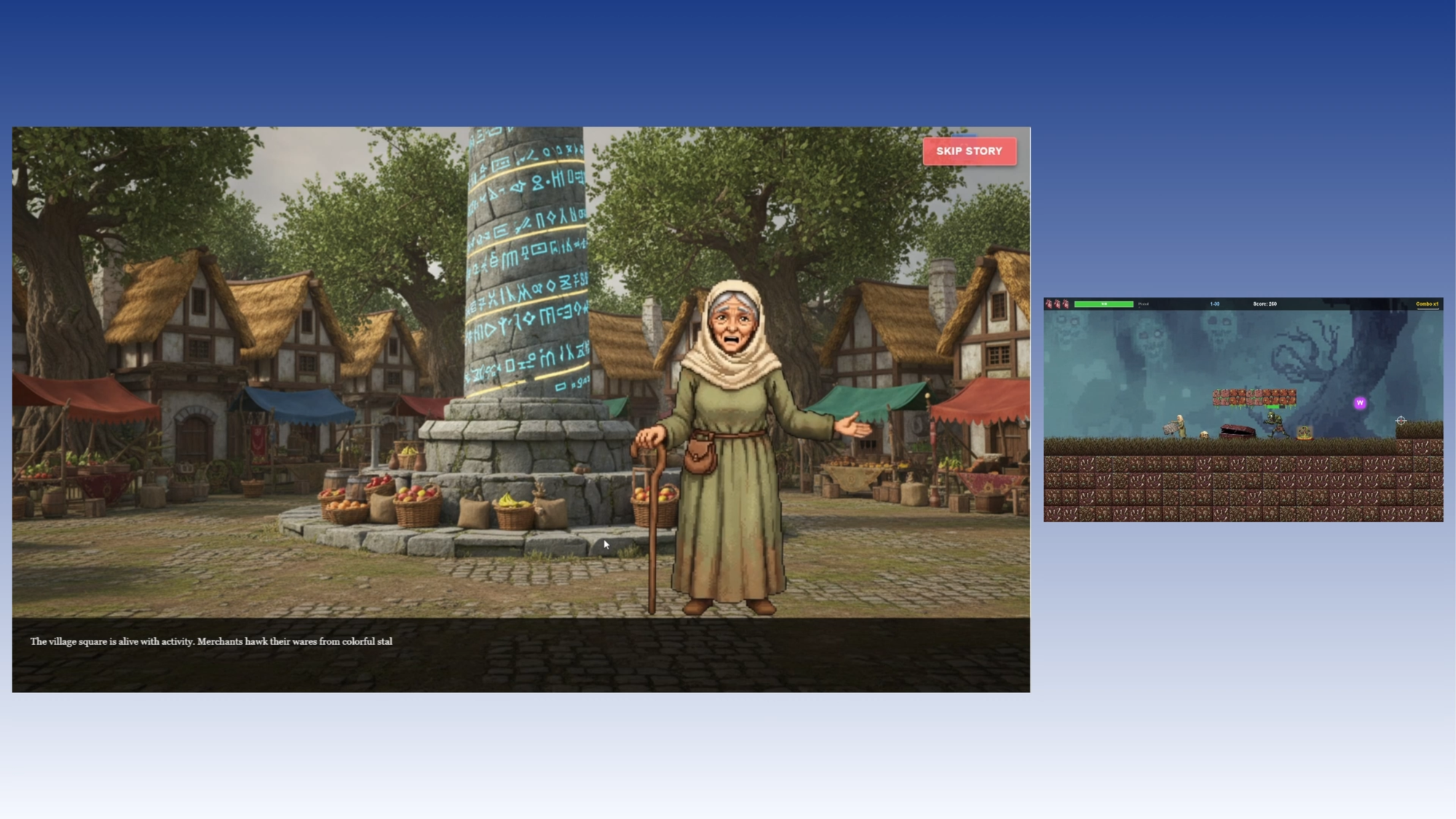
Step 3: Implement each manifest in its game and validate behavior
Now you validate the workflow by placing each manifest into its respective game. This is where the “how to make a game” lesson becomes practical: one character, two projects, and the character stays organized. If you build through prompt-based game creation, the manifest functions like a stable contract between your character and the game.
- Portrait scale supports dialogue framing
- Idle and talk animations play predictably
- Reactions do not break composition
- Sprite scale fits the platformer camera
- Walk, run, and jump cycles remain readable
- Hit reaction does not break collision readability
Modify one manifest and only that game changes. The other build remains untouched. You are no longer exporting new sprite sheets or rebuilding folders. You are tuning configuration layers.
When scale or positioning feels off in one genre, resist the old habit of exporting a new version. Keep one base character and adjust the manifest profile until each build looks correct. This is the discipline that keeps AI game development scalable over time.
Quick troubleshooting checklist
When a character looks wrong across genres, the fastest fix is almost always configuration, not duplication. Use this checklist before you export anything.
- Scale mismatch: adjust scale in the platformer manifest, keep the visual novel manifest unchanged.
- Anchor position: set bottom center for portraits, feet centered for collision oriented gameplay.
- Animation assignment: confirm walk, run, and jump are bound to the platformer manifest, not the visual novel.
- Readability: keep dialogue framing settings scoped to the visual novel manifest.
- Organization: if you cannot find the right manifest in seconds, fix naming before you continue.
Related reading
Related Reading
- How to Add Animated Characters to a Game Using Makko
- How Prompt-Based Game Creation Works
- AI Game Generator From Text: How to Build Games Using Natural Language
- What Is an AI Game Development Studio?
- Makko AI Game Development Glossary
Next tutorial: once your character exists cleanly across multiple genres, the next step is customizing sprite animations per game without breaking your workflow.