
Godot 2D Art Production Spec (Filled In + Blank Template)
The pipeline spec we run Godot 2D art against, filled in for a real game: canvas sizes, frame budgets, measured saturation bands, exact import settings and the node decision — plus a blank template to copy.

This is the production spec we run Godot 2D art against. It is filled in for a real game, every number in it came off shipped assets or the official Godot documentation, and there is a blank version at the bottom you can copy for your own project.
It exists because the interesting part of a 2D art pipeline is not any single stage. It is the handoffs. Almost every consistency problem in a Godot project is created at one stage and only becomes visible two stages later, which is why a spec that covers the whole run is worth more than five separate tutorials.
How the numbers here were produced
Two sources, kept separate on purpose.
Engine values (setting names, menu paths, node behavior) come from the official Godot documentation for the current stable release, and are quoted rather than paraphrased where the wording matters.
Production values (canvas sizes, frame budgets, saturation bands) were measured off 125 shipped assets from Sector Scavengers: Signal & Salvage. Each asset was decoded, downsampled to 192×192, converted to HSV and averaged across every pixel above 200 alpha. They describe art that already exists rather than art somebody planned.
If you copy the blank template, measure your own. The method is the part to take.
The pipeline
The Godot 2D art pipelineSector Scavengers · Production spec
Owner: Tony Valcarcel, art lead
Measured against 125 shipped assets
Every stage hands the next one something checkable. If a stage's output can't be held against a number, that stage isn't finished.
Decide
saturation gap 2×
naming convention
Concept
arms clear of torso
no baked shadow
Reference sheet
saved, never discarded
Animate
run 6–8 · jump 4–6
attack 8–12
Bake & import
filter: Nearest
scale mode: integer
The stages are cheap to run in order and expensive to run out of order. Generating animations before a reference sheet exists is the single most common inversion, and it produces a character who is subtly a different person in every animation.
1. Canvas and framing
Fix this before the second asset, not after the ninth. Of nine shipped room backgrounds in the reference project, three were 1920×1080, two were 2560×1440 and two were 1536×1024. Nobody decided that. It happened one asset at a time.
| Asset class | Canvas | Background | Framing |
|---|---|---|---|
| Crew character | 1024 × 1024 | Solid white, no shadow | Full body, front view. Feet on an implied baseline, arms clear of the torso |
| Ship / prop / icon | 512 × 512 | Transparent PNG | Centered, three-quarter from slightly above, 8–12% margin |
| Room background | 1920 × 1080 | Opaque, full bleed | Eye level, flat on. Playable band is the lower two thirds |
| UI chassis | Native, transparent | Transparent | Nine-slice safe: corners must survive stretching |
The framing column is set by your generation controls, not written into a prompt. If a control already sets the view, restating it in words fights the tool.
 Ruby305 × 560
 Lucas311 × 560
 Roger295 × 560
 Marge303 × 560
2. Frame budgets
These hold up in 2D action games and they are deliberately conservative. More frames is not better; more frames is more to keep consistent.
| Animation | Frames | Loops | Note |
|---|---|---|---|
| Idle | 3–4 | Yes | Plays constantly. Subtle, or it reads as twitching |
| Walk | 6–8 | Yes | First frame identical to last |
| Run | 6–8 | Yes | More vertical travel than the walk |
| Jump | 4–6 | No | Usually split into rise and fall |
| Attack | 8–12 | No | Anticipation and recovery, not just the contact frame |
| Hit reaction | 2–3 | No | Gets interrupted constantly. Keep it short |
| Death | 6–10 | No | The one animation that does not return to frame one |
That is 47 frames for a full set. At 256×256 they fit a single 2048×2048 sheet with room to spare, at a cost of 16 MB.
3. Color and separation
This is the section that decides whether your game is readable, and most production specs leave it as an adjective. Keep two things apart: what was measured, and what you should aim at.
| Layer | Mean saturation | Mean value | Measured on |
|---|---|---|---|
| Characters | 42–56% | 48–61% | Four shipped crew |
| Ships and props | 21–25% | 49–57% | Junker, three derelict hulls, debris pile |
| Room backgrounds | 15–31%, hard ceiling 31% | 25–77% | Nine shipped rooms |
Those are measurements, not targets. Nobody set out to hit them. What is worth copying is the gap, not the figures: a character has to measure at least twice the mean saturation of the room it stands in.
The direction of the fix matters more than the threshold. When a character disappears into a background the instinct is to push the character, and if you keep doing that you end up with a cast of neon fighting itself. Pull the room down instead. There is far more headroom at the bottom of the saturation range than at the top.
Reserved identity colors
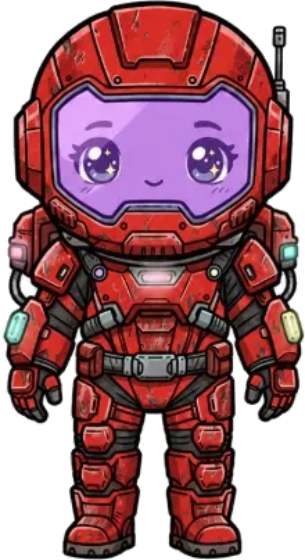
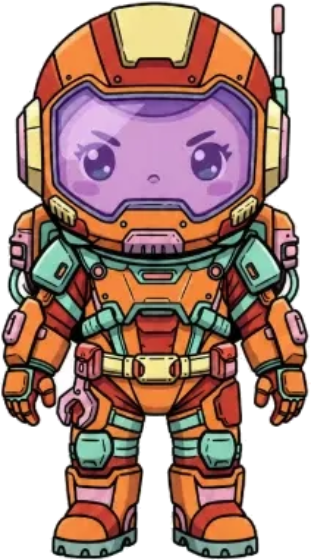
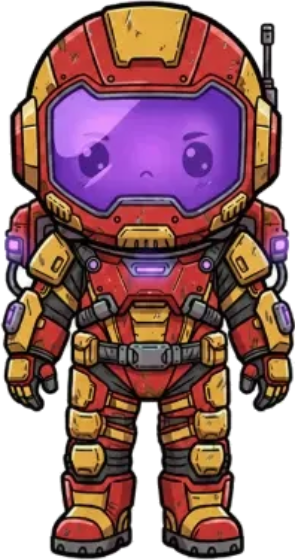
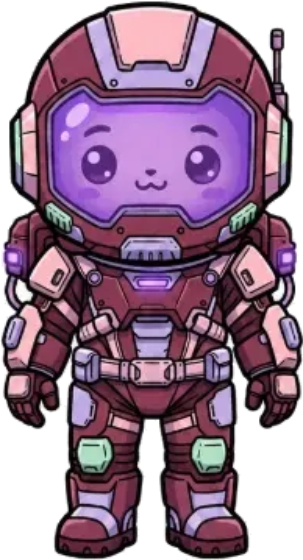
Where characters have to be told apart at small sizes, give each one a hue and reserve it. Two characters cannot share one. At 64 pixels the suit color is doing nearly all the identification work. Silhouette helps. Facial detail does not survive the downscale at all.
The corollary: whatever element you make constant across the cast, whether a face plate, a visor or a uniform trim, must never carry identity. The moment it varies meaningfully between characters, it stops being the thing that binds them into one crew and starts competing with the color that was supposed to be doing the identifying.
One hue each, reserved
Where characters must be told apart at small sizes, give each one a hue and reserve it. Two characters cannot share one.
What stays constant carries no identity
A face plate, a visor, a uniform trim. Constant across the cast, so it must never carry identity.
At 64 px, only color survives
At the size a character actually renders, the suit color is doing nearly all the identification work.
4. Godot project settings
Do these before importing art. Changing the texture filter afterwards means reimporting everything.
| Setting | Path | Value |
|---|---|---|
| Default Texture Filter | Project Settings → Rendering → Textures | Nearest for pixel and low-resolution art |
| Viewport Width / Height | Project Settings → Display → Window | 320×180, 426×240, 568×320 or 640×360 for 16:9 |
| Stretch Mode | Project Settings → Display → Window | viewport for strict retro, canvas_items for smoother camera |
| Scale Mode | Project Settings → Display → Window | integer. Whole-number scaling only. Godot 4.3+ |
Some of these sit behind the Advanced Settings toggle in the top right of the Project Settings window.
5. Node choice
The official documentation describes both AnimatedSprite2D and AnimationPlayer and closes by advising you to "experiment to see what works best for your needs." That is honest and unhelpful at the moment you have to pick one. This is the rule.
| Situation | Node | Why |
|---|---|---|
| Swapping between named animation states | AnimatedSprite2D | Animations are named inside a SpriteFrames resource. play("run") and you're done |
| Animating the frame alongside position, scale or rotation | AnimationPlayer | Keys any property on any node, not just the frame |
| Reusing one animation set across scenes | AnimatedSprite2D | SpriteFrames saves separately and gets shared |
| Cutscenes, coordinated multi-node sequences | AnimationPlayer | One timeline drives everything at once |
| Both | Both | AnimationPlayer can drive an AnimatedSprite2D. Supported and normal |
One documented gotcha to write into your own spec: play() is not applied instantly. It takes effect the next time the AnimationPlayer is processed, which may be the following frame. If you change an animation and another property in the same tick, say flipping a sprite as a character turns, you get one frame with the new flip and the old animation. Call advance(0) straight after play() to force it.
6. Review checklist
Answerable with the file open, without reading the rest of this page. This is the part that gets used.
- Correct canvas size for the asset class?
- Correct background. White for characters, transparent for props, opaque for rooms?
- Every animation in this character's set baked at identical frame dimensions?
- First frame of each loop identical to the last, except death?
- No shadow painted into the sprite for the engine to duplicate?
- Character measures at least twice the saturation of any room it appears in?
- Closed black outline, heavier than every interior line?
- Reads correctly at ship size against both the brightest and darkest room?
- Asymmetric hardware accounted for, given sprites flip horizontally?
- Named to the convention, with the concept art and reference sheet retained?
- Correct canvas size for the asset class?
- Correct background: white for characters, transparent for props, opaque for rooms?
- Every animation in this character’s set baked at identical frame dimensions?The one that prevents the sprite jumping between states.
- First frame of each loop identical to the last, except death?
- No shadow painted into the sprite for the engine to duplicate?
- Character measures at least twice the saturation of any room it appears in?
- Closed black outline, heavier than every interior line?
7. Named failure modes
Give recurring mistakes a name and reviewers can point at them in one word.
| Name | What it looks like | Stage that caused it |
|---|---|---|
| Frame jump | Sprite shifts position when the animation changes | Stage 05. Mixed frame sizes within one character |
| Batch drift | Animations made weeks apart don't look like the same character | Stage 04, not generated in one batch from one source |
| Soft pixels | Art is sharp in the file, blurry in the running game | Stage 05. Texture filter left on linear |
| Double shadow | Character has two shadows in game | Stage 02. Shadow baked into the concept |
| Room fight | Character disappears into the background | Stage 01. No saturation gap defined |
| Mirror swap | Shoulder pack jumps sides when the character turns | Stage 02. Asymmetric hardware, no decision made |
8. Naming and source retention
The cheapest section to write and the one that saves the most time in month six.
Naming. [Game]-[Class]-[Name]-[Variant], class segment first, so the directory sorts by asset type rather than by whichever character happened to be made first. SS-Character-Yuri, SS-Prop-Card-Holder, SS-Background-Hallway-Middle. Godot resources deserve the same discipline as the images. ASpriteFrames saves separately and gets reused across scenes, so an untitled one becomes unfindable fast.
Retention. Keep the concept art and the reference sheet that every animation was generated from. These are not intermediate files to be cleaned up; they are the only way to regenerate consistently later. When a character needs an eighth animation next year, you want to generate it against the same reference sheet that produced the original seven, not a fresh concept image that will drift.
Three things have to stay findable for any asset in the project:
- The concept art it was built from.
- The reference sheet its animations were generated against.
- Which version of either produced the frames currently in the game.
An audit script run against the reference project found 17 naming violations across 125 assets, almost all of them from the first two weeks of production, before the convention existed. Writing it down on day one costs ten minutes. Retrofitting it costs an afternoon and a round of broken resource paths.
The blank template
Copy this into whatever your team already uses. Fill it in against art you have already made rather than art you are planning to make. If a line still contains an adjective when you finish, it isn't done. Replace it with a number, a hex value, a path, or a pair of images.
# [GAME NAME]. 2D Art Production Spec v0.1

## 0. Ownership
Owner: [one named person]
Master files: [where source art lives]
Last reviewed: [date] against [n] shipped assets

## 1. Canvas and framing
| Asset class | Canvas | Background | Framing |
|---|---|---|---|
| Character   | [px]   | [color/alpha] | [view, pose, margin] |
| Prop        | [px]   |            |         |
| Background  | [px]   |            |         |
| UI          | [px]   |            |         |

## 2. Color separation
Character mean saturation: [n]%
Background mean saturation: [n]%
Separation rule: characters carry [n]x the saturation of rooms
Fix direction: [desaturate the room / never brighten the character]

## 3. Frame budgets
| Animation | Frames | Loops |
|---|---|---|
| Idle   |  | |
| Walk   |  | |
| Run    |  | |
| Jump   |  | |
| Attack |  | |

## 4. Engine settings
Texture filter: [nearest / linear]
Viewport: [w] x [h]
Stretch mode: [viewport / canvas_items]
Scale mode: [integer / fractional]

## 5. Node / component choice
Named state swapping: [node]
Frame + transform together: [node]
Reason for the split: [one line]

## 6. Review checklist
[ ]
[ ]
[ ]

## 7. Named failure modes
| Name | What it looks like | Stage that caused it |
|---|---|---|
|  |  |  |

## 8. Changelog
| Version | Change | Reason |
|---|---|---|
| 0.1 | Created | |
Frequently asked questions
What is a game art production spec?
A short document fixing the checkable rules for producing art: canvas sizes per asset class, frame budgets, engine import settings, and the tests an asset passes before it ships. It differs from an art bible in scope. A bible covers the whole visual identity, a production spec covers the pipeline that manufactures it.
How is this different from an art bible?
An art bible answers "what should this look like." A production spec answers "how does it get made and imported without breaking." They overlap on color and canvas rules. If you are writing both, write the art bible first, because the production spec inherits its numbers.
Do I need one for a solo project?
More than a studio does, and a much shorter one. A studio has an art director enforcing consistency in review. A solo developer has memory, which is worse. The version of you making asset forty has forgotten what the version making asset one decided.
When should I write it?
After roughly your first ten assets and before your fortieth. Earlier and you are guessing. Much later and you are writing a document that contradicts art you have already shipped.
Why does the pipeline order matter so much?
Because the stages are cheap in order and expensive out of order. Generating animations before a reference sheet exists is the common inversion, and it produces a character who is subtly a different person in every animation, which you only notice once they are all in the engine together.
Does this apply to engines other than Godot?
Stages 01 through 04 are engine-agnostic. Only stage 05 changes, and only in the specific setting names. The full walkthrough is in the Godot game art workflow. The two sheet decisions it depends on, the canvas size and whether you ship packed sheets or loose frames, are made before stage 05 and do not change from engine to engine. Both are set in the sprite sheet spec.