The Setup Friction Benchmark: Makko vs. Traditional Engines

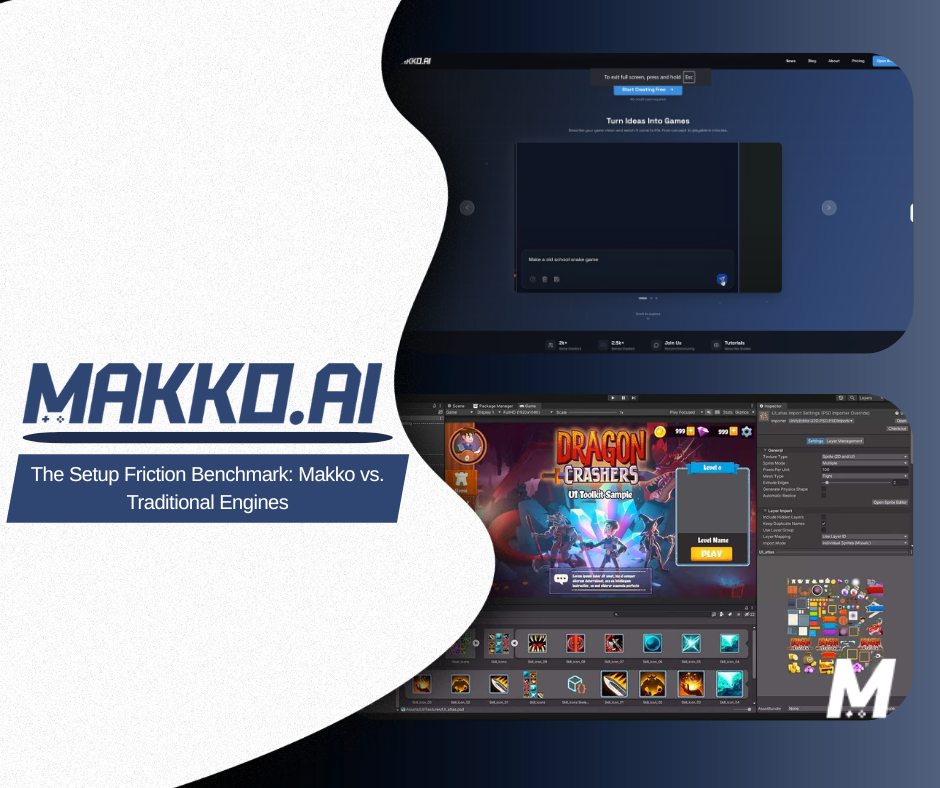
In 2026, the gap between a game that ships and one that stalls has almost nothing to do with creative talent. It comes down to setup friction. Traditional engines like Unity and Godot force creators through the Boilerplate Wall: manual SDK installs, hand-wired collisions, and instructional scripting that consumes the first several days of a project before a single game loop becomes playable. An AI game development studio removes this entirely through system orchestration: automating the foundational wiring so creators move straight into building.
The result is a chat-to-playable workflow that dramatically compresses time-to-playable compared to manual initialization. This article breaks down exactly where that friction comes from at every stage of the pipeline and how intent-driven game development closes the Implementation-Intent Gap.
What Is Setup Friction, and Why Does It Kill Projects?
Setup friction is the accumulated cost of everything a creator has to do before they can answer the only question that actually matters: is this fun? In a traditional engine workflow, that cost is substantial. Before a single character moves on screen, a creator working in Unity or Godot has typically already spent time installing and configuring the engine, creating a project structure, importing assets, configuring the physics system, writing or adapting a basic character controller, wiring input mappings, setting up a camera rig, configuring collision layers, and writing enough state machine logic to make the character respond to input at all. For a broader look at how these tools compare, see the full engine comparison and the guide on what you are actually choosing between them.
None of that work is creative. All of it is load-bearing. Skip any step and the project does not run. This is the Boilerplate Wall in practice: not a single obstacle but a sequence of technical prerequisites that stack before any game design begins.
The industry has known about this problem for years. It is the reason game engine marketplaces exist: creators buying pre-built character controllers, pre-wired UI systems, and starter kits to get past the setup phase faster. Starter templates are consistently among the most downloaded asset types on every major engine store. The workarounds are everywhere because the underlying problem is consistently painful.
For solo developers and first-time game developers, the wall hits hardest. A studio distributes setup work across multiple specialists: an engineer handles the build pipeline while a designer blocks out levels. A solo creator has to do both, sequentially, before they can test a single interaction. The cognitive load of switching between technical implementation and creative intent, repeatedly, is where most early-stage projects lose momentum and quietly get abandoned. This is why making a game without coding has such strong search intent: the demand is real and the traditional path to solving it is long.
The State Drift Problem: Why Manual Pipelines Break Under Iteration
Setup friction is the first problem. The second, and in many ways the more damaging one, is what happens when you try to change anything after setup is done.
In engines using imperative code like C# or GDScript, game state is managed manually. Every variable that tracks the player's health, score, inventory, progress, or position exists somewhere in the codebase as a reference that other systems depend on. When you change how one of those variables works: say, you decide health should regenerate over time instead of being a static value, you do not just update one file. You update every system that reads, writes, or reacts to health. The combat system, the UI, the save system, the death condition, and any enemy AI that responds to the player's health state all need to be revisited.
This is state drift: the inconsistency that builds when system dependencies are modified without full orchestration across the project. It is not a bug you can see immediately. It is a slow accumulation of misalignments that surfaces later, often in ways that are hard to trace back to their origin. A score that does not update correctly. A save file that restores the wrong health value. A death condition that triggers when it should not because an edge case was introduced three refactors ago.
State drift is a natural consequence of manual pipelines because the responsibility for maintaining consistency falls entirely on the creator. Every change is a potential point of failure, and the more complex the project becomes, the more cognitive load is required just to keep existing systems from breaking, let alone improve them.
For no-code game development to be viable, this problem has to be solved at the architectural level, not patched with workarounds. That is what state awareness in an AI-native workflow actually means: the system holds the current state of the entire project in context and ensures that changes made in one area propagate correctly to dependent systems, without the creator having to track it manually.
Intent-Driven Orchestration: How the AI-Native Pipeline Works
The shift to intent-driven game development does not just speed up the existing workflow. It replaces the underlying model entirely. Instead of a creator specifying every implementation detail and the engine executing those instructions, the creator describes the desired outcome and the AI handles implementation.
In practice this looks like conversational game design: a creator opens a project and describes what they want: "a side-scrolling platformer with procedural obstacles, a double-jump mechanic, and a score that increases the longer you survive." The system interprets that intent, decomposes it into implementable components, and assembles a working build.
The technical engine behind this is agentic planning. Rather than responding to a single prompt with a single output, the AI treats the creator's description as a goal and performs task decomposition: breaking the goal into its constituent systems, identifying dependencies between those systems, and determining the correct order of assembly. Physics layers need to exist before collision can be configured. Collision needs to be configured before movement can be tested. Movement needs to work before a double-jump can be layered on top.
A creator using Plan Mode sees this dependency mapping happen before any code is written, giving them the chance to course-correct at the structural level rather than discovering a foundational mistake three hours into implementation. Once the plan is confirmed, Fast Mode handles the rapid assembly of assets and logic, optimized for low-latency iteration on visual and systemic details.
The result is that vibe coding a game does not feel like using a tool. It feels like working with a collaborator who handles the technical groundwork while you make design decisions. The Implementation-Intent Gap closes because the space between what you want and what the code needs to say is bridged by the AI rather than navigated manually.
Pipeline Comparison: Traditional Engine vs AI-Native Workflow
The differences between a manual engine pipeline and an AI-native one are not just about speed. They are about where creative energy goes at each stage. The table below maps the same core development phases across both approaches.
| Pipeline Stage | Traditional Engine (Unity / Godot) | AI-Native Workflow (Makko) |
|---|---|---|
| Project initialization | Manual engine install, project config, folder structure setup, SDK linking | Describe the game concept; project structure assembled through system orchestration |
| Asset import | Manually import, slice, and configure sprite sheets; set pivot points; assign physics materials | Art Studio generates game-ready assets; alignment including anchor points configured by the creator through the Alignment Tool in the manifest |
| Character setup | Write character controller from scratch or adapt a template; wire input mappings; configure hitbox manually | Describe movement and behavior in plain language; agentic planning wires controller and input; hitbox is configured by the creator in the Alignment Tool |
| Animation system | Build state machine manually; define transitions; align frames to prevent jitter | Art Studio generates animation-ready frames via frame extraction; the Alignment Tool in each manifest lets the creator set anchor points, scale, and hitbox per animation set |
| Core game systems | Manually code score, health, save, win/loss conditions; wire each to relevant systems | Describe the systems in plain language; agentic AI implements and connects them; state awareness keeps them consistent as the project evolves |
| Level / environment | Hand-place tiles or build procedural system; configure lighting; test navigation | Describe the environment in plain language; AI builds it from theme and gameplay parameters; ready for immediate playtesting |
| Iteration and debugging | Trace code manually; identify which system introduced the regression; refactor and retest | Describe what went wrong; the AI diagnoses the cause and applies a targeted fix; automatic saves after every prompt allow reverting to any prior state |
| Publishing | Configure export settings; manage platform-specific build requirements; package and upload manually | Games run in the browser; players access them directly without installation, downloads, or app store approval |
| Who this suits | Experienced developers with engine-specific knowledge and time to invest in technical setup | Designers, artists, writers, and solo developers who want to focus on creative decisions rather than implementation |
The plain-English version: in a traditional engine, the creator is the integration layer. Every system that needs to communicate with every other system goes through you: your code, your wiring, your knowledge of how each component expects to receive and send data. In an AI-native workflow, the AI is the integration layer. Your job is to describe what the game should do, evaluate what gets built, and redirect when something is not right.
The Prototype Economy: Why Iteration Speed Is the Real Moat
The game industry in 2026 increasingly treats iteration velocity as a competitive advantage rather than production quality. The market for indie games and browser-native experiences has matured to the point where discoverability and differentiation are harder to achieve through polish alone. A technically flawless game that took eighteen months to build can be outpaced by a mechanically sharp game that shipped in three weeks, found an audience, and iterated based on real player feedback.
The value of an idea is increasingly measured by how fast it can be functionally tested, not how long it took to build. In this environment, the ability to go from concept to playtest in hours rather than days is the mechanism by which a solo creator or small team can compete with studios that have ten times the headcount.
Traditional pipelines are structurally misaligned with this reality. When debugging a broken mechanic requires tracing through interdependent systems to find which change introduced the regression, each iteration cycle has a meaningful fixed cost in time and attention. That cost compounds: the more complex the project becomes, the longer each debug-and-refactor cycle takes, and the less frequently a creator can run a full playtest. Larger projects naturally slow down the more progress is made, the opposite of what good creative momentum looks like.
Prompt-driven debugging changes this dynamic. When resolving a broken mechanic means describing what went wrong and having the AI identify the cause and apply a targeted fix, the fixed cost per iteration cycle drops sharply. Creators can run playtests more frequently, reach answers faster, and maintain the creative momentum that manual pipelines systematically erode. Automatic saves after every prompt mean any iteration can be reverted without risk.
Who This Matters Most For
The efficiency gains of an AI-native pipeline are not evenly distributed. They are largest for the creators who were most penalized by the manual pipeline in the first place.
Solo developers are the clearest beneficiary. Solo game development has always required a creator to function as designer, developer, artist, and QA simultaneously: switching contexts constantly and absorbing the coordination overhead that studios distribute across specialist roles. AI-native tools absorb the coordination layer, letting a solo creator operate with the effective output of a small team.
First-time creators are the second major group. Making a game without coding has historically meant spending the majority of initial effort learning engine-specific syntax and conventions before any creative work begins. Most first games never get finished: not because the ideas were not good, but because the distance between idea and implementation was too wide to cross without prior technical experience. A creator who has never written a line of code can produce a playable prototype by describing what they want, then iterate on it using the same conversational interface. This is what vibe coding games actually means in practice.
Designers and artists from adjacent fields: film, interactive fiction, UX, illustration, represent a third group. These creators often have strong ideas for games and sophisticated visual sensibilities but have historically been blocked from building by the programming prerequisite. A UI designer who understands interaction can describe a mechanic the same way they would write a user story and receive a working implementation to evaluate and redirect immediately.
Experienced developers working under time pressure are the fourth group. Professional developers who use traditional engines have learned to move through the Boilerplate Wall faster, but faster still has a cost. For developers running game jam projects, building proof-of-concept prototypes, or exploring new mechanics quickly, the time saved by offloading setup and wiring to an AI-native tool is immediately valuable. It frees technical skill for the parts of the project that actually require it.
From Playable to Published: Closing the Last Mile
Most discussions of time-to-playable focus on the front end of development: getting from idea to first working build. But there is a second friction point that catches many projects: the gap between a finished game and a game that is actually accessible to players.
In traditional engine workflows, publishing is its own project. Web deployment requires configuring export settings for the correct build target, managing file sizes, setting up hosting, and often debugging platform-specific issues that only appear after export. For mobile, the process involves developer accounts, signing certificates, and app store submission with its own review timeline. For a solo creator who just finished building their game, this last-mile friction can feel disproportionately heavy.
Browser-native game delivery sidesteps much of this. Games built for browser delivery run directly in a web environment without plugins, downloads, or app store approval. A creator's audience can play the game from any device without installation. The path from finished build to accessible game is significantly shorter than a traditional engine publishing workflow.
This matters beyond convenience. When publishing is fast, it becomes part of the iteration loop rather than a gate at the end of it. A build goes live, players respond, the creator adjusts, and a new build goes live. The entire cycle becomes tighter, more responsive, and more creatively productive.
A gate at the end
Publishing as its own project.
Web deployment means configuring the build target, managing file sizes, setting up hosting, and debugging issues that only appear after export. Mobile adds developer accounts, signing certificates, and a review timeline.
Part of the loop
Browser-native delivery.
Games built for browser delivery run directly in a web environment without plugins, downloads, or app store approval, so a new build reaches the same audience in a single action.
The Shift Is Already Happening
The traditional game development pipeline was designed around a set of constraints that no longer apply: the assumption that building a game requires deep engine-specific expertise, that coordination between systems must be managed manually, and that publishing is a separate technical project from development. Those assumptions made sense when the available tools required them. They do not hold in 2026.
AI-native game development is not a shortcut through the same pipeline. It is a different pipeline built on different assumptions. The creator's job is not to specify every implementation detail; it is to hold the vision, evaluate what gets built, and direct the AI toward outputs that match the intended experience. The Implementation-Intent Gap closes because the AI occupies the space between creative intent and working code: the space where most projects used to stall.
For solo developers, first-time creators, designers from adjacent fields, and experienced developers under time pressure, the result is the same: more of the available time and energy goes toward the creative decisions that determine whether the game is actually good, and less goes toward the technical prerequisites that determined whether it got built at all.
The wall is still there for everyone using a traditional engine. The question is whether you want to climb it every time, or build somewhere it does not exist.
Frequently Asked Questions
What is setup friction in game development?
Setup friction is the accumulated cost of everything a creator has to do before they can answer whether a game mechanic is actually fun. In a traditional engine workflow like Unity or Godot, that cost includes engine installation, project configuration, asset import, physics setup, character controller scripting, input mapping, collision layer configuration, and state machine logic. All of this must be completed before a single mechanic is testable. The Boilerplate Wall is not one obstacle but a sequence of technical prerequisites that stack before any game design begins.
How does an AI-native workflow reduce setup friction?
An AI-native workflow handles system orchestration from a description. When a creator describes what they want to build, the agentic AI performs task decomposition: identifying what systems need to exist, determining the dependencies between them, and assembling a working implementation in the correct order. The creator does not need to manually initialize systems, configure physics layers, wire input events, or write state machine logic. Plan Mode maps the full system structure before building begins; Fast Mode handles well-scoped changes immediately.
What is state drift and why does it affect traditional game pipelines?
State drift is the inconsistency that accumulates in a manually scripted codebase when system dependencies are modified without full orchestration across the project. In a traditional engine, game state is tracked through variables distributed across multiple scripts that other systems depend on. When any mechanic changes, every dependent script must be traced and updated manually. Missing one creates subtle bugs that surface later and are difficult to trace. State drift is a natural consequence of manual pipelines at scale, not a sign of poor coding.
Is Makko suitable for experienced developers or only beginners?
Makko benefits creators at multiple skill levels. Solo developers gain the most because AI-native tools absorb the coordination layer that studios distribute across specialist roles. First-time creators can reach a playable prototype without prior engine-specific knowledge. Designers and artists from adjacent fields can describe mechanics the same way they would write a user story and receive working implementations to evaluate. Experienced developers under time pressure, such as those working on game jam projects or proof-of-concept prototypes, benefit from offloading setup and wiring to focus their technical skill on the parts of the project that actually require it.
How does Makko handle publishing?
Games built in Makko run in the browser, which means players can access them directly without installation, downloads, or app store approval. Browser-native delivery removes the last-mile friction of configuring export settings, managing platform-specific build requirements, and packaging for upload. The path from a finished build to an accessible game is significantly shorter than a traditional engine publishing workflow.
For detailed walkthroughs and live feature demos, visit the Makko YouTube channel.