
What Is the Makko Sprite Studio Props Generator? A Pipeline Efficiency Guide
Explains how the Sprite Studio props generator supports consistent, reusable environments in a 2D asset pipeline.

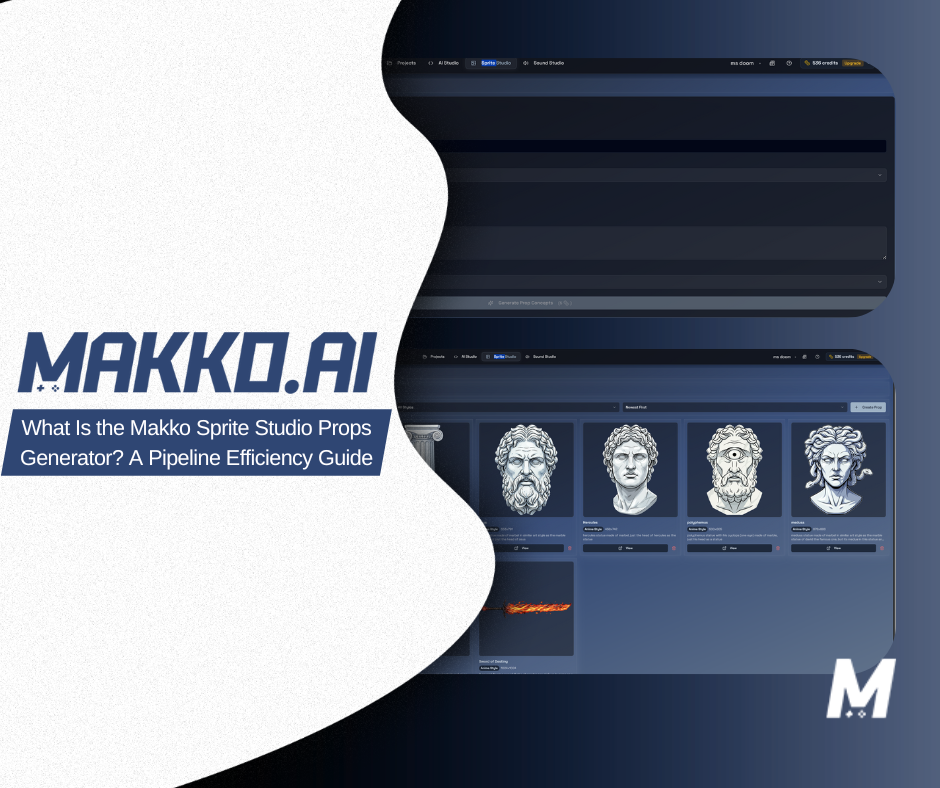
Most conversations about AI game asset tools focus on characters. Characters get the tutorials, the comparison posts, and the YouTube walkthroughs. Props — the barrels, platforms, crates, portals, and interactive objects that make up a game world — are treated as secondary work. Something you handle after the important stuff is done.
That framing is backwards. Props are not decoration. They are the objects players interact with, navigate around, and read for gameplay cues. A cracked platform communicates that it can be jumped on. A glowing chest signals reward. A locked door signals progression. Get the props wrong — inconsistent scale, drifting art style, broken transparency — and the game world stops feeling coherent regardless of how good the characters look.
The Makko Sprite Studio Props Generator is a dedicated tool inside the Makko AI game development studio for generating non-character, non-background game assets using natural language. It sits inside the broader asset pipeline — after characters are established, before scene assembly is complete — and it solves a specific problem: producing props that are visually consistent, technically clean, and ready to place in a game without manual cleanup work.
If you are evaluating intent-driven game development tools and trying to understand how props fit into the workflow, this guide covers the full picture.
What the Props Generator Actually Is
The Props Generator is a button and mode inside the Makko Sprite Studio — a dedicated generation interface for non-character, non-background game assets. In practical terms, that covers a wide range of objects: treasure chests, crates, platforms, doors, levers, torches, pickups, environmental hazards, interactive items, and anything else that populates a game world without being a playable character or a scene backdrop.
The core mechanic is natural language. You describe what you want — a weathered wooden crate, a glowing blue portal, a crumbling stone platform — and the generator produces an asset built for placement in a game. The output is not a concept illustration or a reference image. It is a game-ready asset with a transparent background, meaning you get the prop isolated and ready to layer into a scene without manual background removal.
This distinction matters more than it sounds. Most AI image generators produce assets with backgrounds. Removing those backgrounds cleanly — especially on complex prop shapes with irregular edges — requires either manual work in an image editor or a separate background removal tool. Either way, that is friction between generating an asset and using it. The Props Generator removes that friction by outputting transparent assets from the start.
The tool was built by a team with production backgrounds at Xbox, Amazon, EA Sports, CCP, and NCSoft — organizations where asset pipeline discipline determines whether a project ships on schedule. The design reflects that experience: the goal is not to generate impressive-looking images. It is to generate assets that integrate cleanly into a game without requiring downstream cleanup work.
Where It Fits in the Asset Pipeline
To understand the Props Generator, you need to understand where props live in the production sequence. In a typical game development workflow, asset creation follows a rough order: characters first, then environments and backgrounds, then props and interactive objects, then UI. Each layer builds on the visual language established by the layers before it.
Props arrive late in that sequence, which creates a specific risk: asset drift. If your characters were built at a particular scale with a particular color palette and lighting direction, every prop needs to match those decisions or the game world looks inconsistent. In traditional production, maintaining that consistency requires an art director manually reviewing each asset, enforcing the style guide, and flagging anything that drifts. For solo creators and small teams, that review process often does not happen — and the visual inconsistency accumulates until it becomes a problem that is expensive to fix.
The Props Generator addresses this by operating within the context of your existing project. When you describe a prop, the generation is informed by the visual direction already established in your Sprite Studio — your character style, your pixel art aesthetic, the general tone of what you have already built. The result is props that feel like they belong in the same game rather than assets pulled from different sources and forced together.
In the Makko pipeline, the Props Generator connects to the AI Studio Asset Library, where generated props can be placed into scenes using the agentic AI chat. The AI understands placement context — it can help position props within a scene, and with overlay tools for tile grids, it can assist with coordinate-based placement. The handoff from asset generation to scene assembly is handled within the same environment rather than requiring an export to a separate tool.
The Problem It Actually Solves: Asset Drift
Asset drift is the accumulated visual inconsistency that builds up when assets are created at different times, with different tools, by different people — or even by the same person on different days without a consistent reference point.
It is one of the most common reasons indie games feel unpolished at the visual level. The character art is clean. The backgrounds are reasonable. But the props — the objects the player actually interacts with throughout the game — were generated or sourced piecemeal, and they carry the visual signatures of five different generation sessions. Scale is inconsistent. Lighting direction changes between assets. Color saturation varies in ways that are hard to pinpoint but immediately felt.
Fixing asset drift after the fact is one of the more tedious tasks in game production. Every affected asset has to be identified, adjusted, and re-exported. If those assets are already integrated into scenes, the scene work has to be revisited too. The cost compounds quickly.
The Props Generator is designed to prevent this problem rather than fix it. By generating props through a tool that is informed by the project's existing visual context, each new asset is produced with consistency as a baseline rather than as a post-production correction. You are not adjusting props to fit the game — you are generating props that fit from the start.
For solo creators and small teams operating without a dedicated art director, this is the specific value the tool delivers: systematic visual consistency without the manual review overhead that consistency normally requires.
See It in Action
The walkthrough below shows the Props Generator workflow from prompt to placed asset — including how the tool handles transparent output and how generated props connect to the broader AI Studio environment.
Props as Logic, Not Just Art
In intent-driven game development, props are not treated as purely visual objects. They are logic entities — objects that communicate mechanics, trigger state changes, and signal affordances to the player. The visual design of a prop and its behavioral role in the game are connected.
This is why generating props in isolation from game logic creates problems. An asset generator that produces a beautiful torch has done part of the job. The torch still needs to be placed in a scene, sized correctly relative to the character, positioned relative to the tile grid, and connected to whatever interaction or trigger logic it controls. If those steps happen in separate tools, each transition is a friction point.
Inside Makko's agentic AI environment, the Props Generator produces an asset that lands directly in the Asset Library — the same library the agentic chat uses when assembling scenes and building game logic. When you instruct the AI to place a prop in a scene, it has access to the asset you just generated. The art creation step and the scene assembly step are part of the same workflow rather than separate processes requiring manual handoffs.
The agentic system maintains awareness of what assets exist in the project, how they relate to each other, and what role they play in the game's logic layer. That state awareness is what separates a connected workflow from a collection of tools.
What the Output Actually Looks Like
When you generate a prop, the output is a single asset image with a transparent background. No background removal required. No additional post-processing step before the asset is usable. The prop is isolated and ready to place.
The asset lands in your Sprite Studio library where it is available for use immediately — either by placing it manually into a scene or by referencing it through agentic chat commands. The AI understands that the asset exists and can work with it as part of scene assembly instructions.
If you are working with tile grids and need precise coordinate-based placement, the AI can assist with that using overlay tools within the environment. This is not fully automatic — you are working with the AI to handle placement, not clicking a single button that positions everything. But the AI removes the manual math and layer management that coordinate-based placement normally requires.
Generated props can also be exported as part of a consolidated sprite sheet. If your workflow requires handing assets off to another tool, the export path is available. The assets are clean and export-ready.
How the Props Generator Compares to Standard AI Image Tools
| Aspect | Standard AI Image Generator | Makko Props Generator |
|---|---|---|
| Output format | Image with background | Transparent background, game-ready |
| Visual consistency | No project context, each generation isolated | Informed by existing project visual direction |
| Background removal | Manual step required | Built in |
| Asset library integration | Manual import to game tool | Lands directly in Makko Asset Library |
| Scene placement | Manual in separate engine or tool | Via agentic chat within same environment |
| Scope | Any image, no game-specific intent | Non-character, non-background game assets specifically |
Who This Tool Is Built For
The Props Generator is most valuable for creators who are past the concept stage and actively building a game world. If you are still deciding what your game looks like, a general image generator may serve you fine for exploration. If you have established a visual direction and are now populating scenes with objects that need to feel like they belong — that is where the Props Generator earns its place in the workflow.
Solo developers benefit most directly. Without a dedicated artist or art director on the team, maintaining visual consistency across a full asset set is a constant challenge. The tool handles that problem systematically rather than requiring the developer to manually manage it.
Rapid prototypers benefit from the speed of the workflow. Describing a prop and having a transparent, placeable asset available in seconds compresses the time between a design decision and a testable scene. For anyone working toward a game jam deadline or an early playtest, that compression matters.
Creators without art backgrounds get access to a level of asset production that previously required either artistic skill or budget to outsource. Describing what you want in plain language and receiving a game-ready asset closes a gap that has historically been one of the primary barriers to finishing a game without a team.
The tool is not a replacement for an art team on a large project. It is a production accelerator for the scale of project where most indie games actually live — small teams and solo creators trying to build something complete without the overhead of a traditional production pipeline.
How It Connects to the Broader Makko Workflow
The Props Generator does not exist in isolation. It is one tool inside a connected AI-native workflow that spans character creation, animation generation, prop production, scene assembly, and game logic — all within a single environment that maintains state awareness across the project.
In practice, this means the props you generate are available to the same agentic AI that builds your game logic. When you instruct the AI to build a scene, it knows what assets exist in your library. When you describe an interaction — a player picking up a crate, a door opening when a lever is pulled — the AI can reference the prop assets that already exist rather than generating new ones or requiring you to manually specify which asset to use.
This is the compounding value of working inside a connected system rather than stitching separate tools together. Each asset you produce in the Sprite Studio becomes part of a project context that the AI understands and can act on. The Props Generator is not just producing images — it is adding to a shared project layer that the entire agentic workflow draws from.
For creators evaluating no-code game development options, this connected context is the meaningful differentiator. Standalone asset tools produce files. A connected AI workflow produces a game — incrementally, iteratively, without requiring the creator to manage the handoffs between every production stage.
The Honest Summary
The Makko Sprite Studio Props Generator is a purpose-built tool for generating non-character, non-background game assets using natural language. It produces transparent-background assets that are ready to place, lands them directly in the project's Asset Library, and operates inside a broader agentic workflow that maintains project context across your entire game.
It solves a specific problem — asset drift and the manual cleanup overhead that props typically require — without requiring art skill, background removal tools, or manual import workflows. The output is not perfect on every first generation, and coordinate-based placement works best with the AI's assistance rather than automatically. But the gap between generating a prop and having it usable in a game is meaningfully shorter than any workflow that requires separate tools for each production stage.
For creators building games without large teams or traditional production infrastructure, that compression is what actually moves a project from concept to playable.
For detailed walkthroughs and live feature demos, visit the Makko YouTube channel.
Related Reading
- AI Character Creator vs Sprite Sheets: What's Actually Happening
- How to Add Animated Characters to a Game Using Makko
- What Is an AI Game Development Studio?
- How Agentic AI Chat Builds Game Logic
- State Awareness vs One-Shot Prompts: Why Your AI Game Logic Keeps Breaking
- AI Game Development as a Brick-by-Brick System