
7 AI Animation Tools for 2D Game Characters (2026)
Ranked on what comes out the other end. A video or a loose image sequence has not finished the job, because your importer needs a sheet with a stated frame count and a stable anchor.
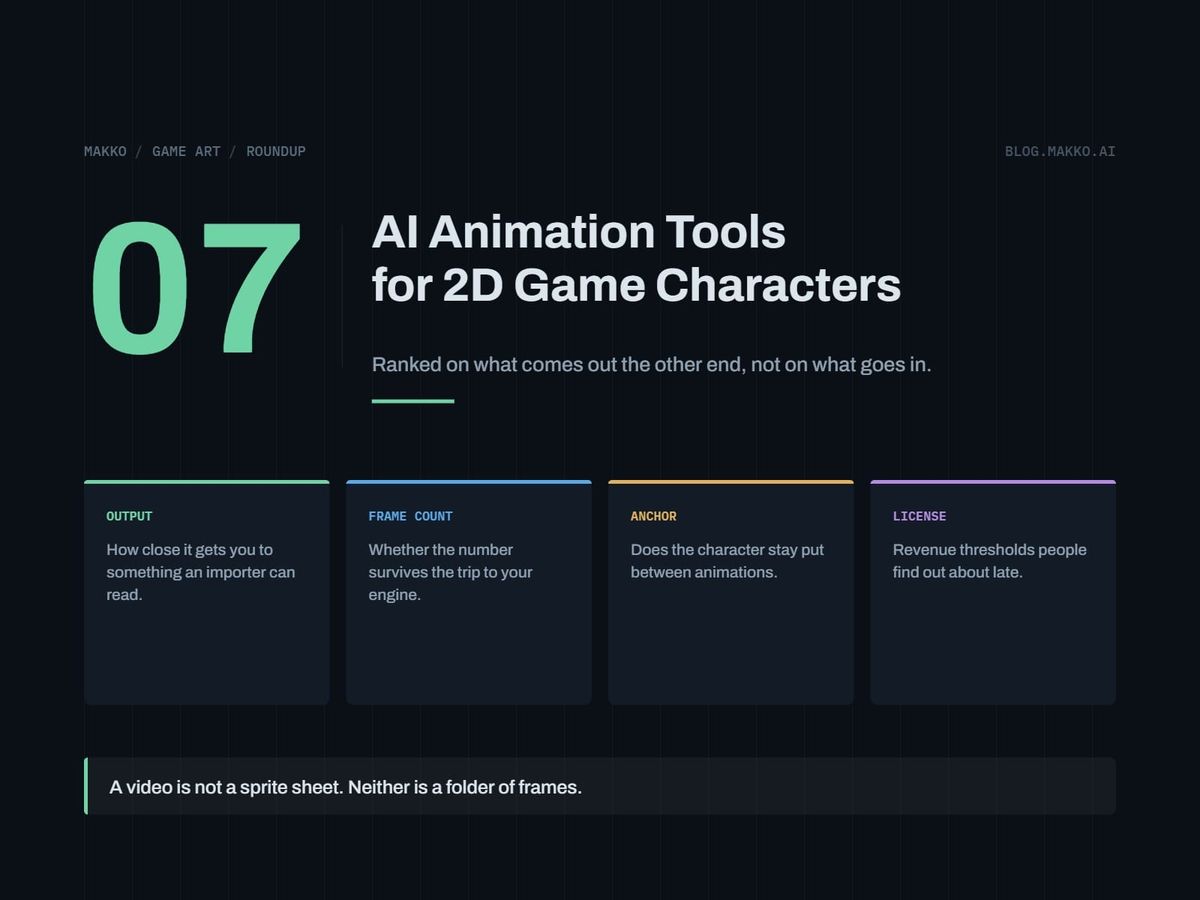
Seven routes to getting a 2D character animated when you can program and cannot draw: AI generation, skeletal animation, hand-drawn frame-by-frame both paid and free, and assembly in your engine from frames you have. Each entry gives what it is built for, what it costs, the license catch, and who should walk away.
Disclosure: this is the blog of Makko, an AI-powered 2D game art studio, and Makko is one of the seven entries, ranked on the same criterion as the rest and leaving a gap like the rest.
That criterion is what comes out the other end. A tool that hands you a video file has not finished the job, and neither has one that hands you thirty loose PNGs. Your engine wants a sheet with a stated frame count, a consistent frame box, and an anchor that does not move between frames, because the anchor keeps the character's feet on the floor. Every route below stops short of that, and the ranking is how far short. The companion piece to this list, game animation for non-animators, covers the vocabulary these tools assume you know. All prices are as of September 2026, read off the vendors' own pages.
The short version. If you want the sheet rather than the frames, Makko generates the animation and bakes the sheet, and it is first here because the criterion is output format. If you are drawing by hand and your game is pixel art, Aseprite is a paid one-time purchase and every frame is a number you chose. If you are rigging a cast and your business earns over $500,000 USD a year, budget the Spine Enterprise license at $2,499 base plus $379 per user annually before planning around the $69 Essential price.
How these were picked
Five criteria, with the first driving the order.
- What comes out. A packed sheet with a known frame count and a stable anchor is finished. A video is not, and nor is a folder of images until something packs it.
- Commercial license. Whether the output can ship in a game you sell, on which tier, at what revenue.
- Cost. Real numbers where the vendor publishes them, the shape of the pricing where they do not.
- Output control. Whether you decide the frame count, the canvas, and where the character sits in it.
- Pipeline fit. The work between the tool's last screen and a playing animation in your engine.
Decide your frame counts first, because an idle at four frames and one at twelve are different jobs at different costs, and how many frames does an animation need gives the working numbers. Then decide your loops, because a walk cycle that stutters on the wrap is a loop point problem rather than an art problem, and animation loop points covers where the seam goes.
1. Makko
Makko publishes this blog, so weigh the placement accordingly. It generates 2D game art around collections, where a collection binds the look, feel and style across a whole asset set rather than per image, and it bakes sprite sheets from generated animations.
Sheet baking is why it sits first on this criterion: the step other generation tools leave to you, turning an animation into a packed sheet, happens inside the tool. Collections matter for a reason specific to animation: a run cycle and an idle for one character have to agree on proportions and palette, and a set-level binding is a mechanism for that rather than a hope. Makko's pricing is not quoted here, so check the site.
The gap it leaves: you are directing generation rather than drawing frames, so you do not get the control a pixel artist has over a single moving pixel. Check any generated sheet against a written sprite sheet spec, as you would one from any source.
Pick it if your problem ends at a sheet your importer can read. Skip it if you need something other than 2D game art, or want to place every pixel yourself.
2. Aseprite
Aseprite is a pixel art and animation editor, and the frame-by-frame route for a pixel art game. You draw frame one, you draw frame two, and the animation is what you decided it would be.
Pricing: a paid one-time purchase, sold on Steam and itch.io, with a purchase including a Steam key. The price is not published on the buy page, so read it at the point of sale. No subscription and no credits.
It ranks second because it demands everything from you. The frame count is a number you typed, the fixed canvas makes the frame box consistent, and the anchor stays where you put it.
The gap it leaves: the drawing. Pixel animation has a real skill floor, and buying the editor gets you no closer to clearing it.
Pick it if your game is pixel art and your animation list is short. Skip it if you are not going to be the person drawing.
3. Pixelorama and Krita
Pixelorama and Krita are the free frame-by-frame route, both free and open source. Krita is painting software with animation support; Pixelorama is a pixel art editor.
Cost is zero and there are no license terms to read, removing the two things that trip people up elsewhere here. On output they behave like Aseprite: total control, zero assistance.
The gap it leaves: you still have to draw, and free software still costs the hours.
Pick it if your budget is zero and you want to find out in an afternoon whether you can draw a four-frame idle. Skip it if you know the answer is no.
4. Spine
Spine from Esoteric Software is the professional skeletal animation standard for 2D. Instead of drawing every frame, you cut a character into parts, rig them to bones, and animate the bones. For many animations, that is the difference between drawing two hundred frames and posing one rig two hundred times.
Pricing at the time of writing: Essential is listed at "$99 $69" and Professional at "$449 $379", each shown as a discounted price against a list price. Both are one-time purchases and include all future updates.
The license catch, and this is the item people find late: businesses with more than $500,000 USD annual revenue require the Enterprise license, at $2,499 base plus $379 per user, billed annually. A three-person studio past half a million is looking at $2,499 plus $1,137 a year, not a one-time $379. Nothing about the $69 Essential price signals that, and one successful game can reach the threshold.
The gap it leaves: skeletal animation is not frame-by-frame animation, so what you have at the end is a rig and its data rather than a row of pre-drawn frames. Check the export options against what your engine imports first.
Pick it if you have many animations per character and have checked the revenue threshold. Skip it if you need one four-frame idle, or your look depends on hand-placed pixels.
5. Animating in Godot
Godot is free and open source under the MIT license, with no royalties, no revenue thresholds and no seat costs, and it supports 2D sprites, tilemaps and animation. This route skips the dedicated animation tool: bring in the frames you have and assemble the animation in the engine.
Measured on output this is a strange entry, because there is nothing to import. Nothing is packed, no importer has to agree with an exporter's settings, and the frame count is set where you can change it while the game runs.
The gap it leaves: a large one. Godot does not make art. This route presupposes frames exist, so it is the back half of a pipeline whose front half is one of the other six. It is here because developers regularly buy software to solve a problem their engine already handles.
Pick it if you already have frames and were about to pay for something to sequence them. Skip it if your problem is that the frames do not exist.
6. Scenario
Scenario is an AI generation platform built around custom model training, so style becomes something you load rather than re-prompt. It sits sixth on output, not on quality: what comes back is images, and turning images into a sheet with a stable anchor is your job.
Pricing: a free tier with 50 daily credits and no credit card. Starter is $15/mo for 1,500 monthly credits, single user, 65+ core models and private generations. Pro is $45/mo for 5,000 monthly credits, a priority queue, unlimited relaxed generations and custom model training. Max is $75/mo for 10,000 monthly credits and up to 25 users. Annual billing is stated as 33% cheaper than monthly.
The license catch: free plan outputs are for personal and evaluation use only, so you can evaluate Scenario for nothing and cannot ship what you make there. All paid plans include a full commercial license, putting the floor for a commercial game at $15/mo, with model training at $45/mo.
The gap it leaves: generation produces frames that are individually convincing and mutually misaligned. Two frames of a walk at different scales read as a limp.
Pick it if you want a trained style to generate against and you have a packing step already. Skip it if you expected a sheet to arrive finished.
7. Leonardo.Ai
Leonardo.Ai is a general image platform with personal model training on paid tiers, and unlimited relaxed video generation on select models at Ultimate. It is last because of that second item: video is the output format furthest from a sprite sheet, and a developer who buys it expecting frames has bought something else.
Pricing: Free is $0/mo with 150 fast tokens per day, one personal collection and public creations. Essential is $12/mo for 8,500 fast tokens a month, private creations, 10 personal models and 2 simultaneous generations. Premium is $30/mo for 25,000 fast tokens and 20 personal models. Ultimate is $60/mo for 60,000 fast tokens and 50 personal models.
The license catch: on the free tier your creations are public, which decides the tier on its own for anyone keeping a project quiet before announcement. Paid subscribers get full ownership of outputs; the free tier grants a non-exclusive royalty-free license.
The gap it leaves: the widest here. Between a clip and an engine-ready animation sit frame extraction, selection, alignment, background removal and packing.
Pick it if you want a broad image tool with cheap personal models and animation is a side need. Skip it if what you need is an eight-frame walk cycle on a transparent background.
Side by side
| Route | What comes out | Entry cost | Commercial license | The gap it leaves |
|---|---|---|---|---|
| Makko | Baked sheets from generated animations | Not stated here | See site | You direct rather than draw |
| Aseprite | Frames you authored | One-time, price not published | No restriction recorded | You have to draw |
| Pixelorama, Krita | Frames you authored | Free, open source | No restriction recorded | You have to draw |
| Spine | A rig and its data | $69 Essential, $379 Professional, one-time | Enterprise over $500,000 USD revenue: $2,499 base plus $379 per user annually | Not frame-by-frame; check exports |
| Godot | The animation, already in the engine | Free, MIT | No royalties, no thresholds | Makes no art |
| Scenario | Images | Free; $15/mo Starter | Paid only; free tier is personal and evaluation use | Alignment and packing are yours |
| Leonardo.Ai | Images; video on Ultimate | Free; $12/mo Essential | Paid: full ownership; free: royalty-free, creations public | Extraction and packing are yours |
How to choose
Run this top to bottom and stop at the first match.
1. Frames already exist?
   Yes -> assemble in Godot. Buy nothing.

2. Drawing them yourself?
   Pixel art -> Aseprite, or Pixelorama for zero cost.
   Painted   -> Krita.
   No        -> continue.

3. Animations per character?
   1 to 4 -> a generator that bakes sheets.
   10+    -> a rig pays for itself. Spine.

4. If Spine: business over $500,000 USD revenue?
   Yes -> Enterprise, $2,499 base plus $379 per user,
          annually. Budget it now, not at launch.
   No  -> Essential $69 or Professional $379, one-time.

5. Generating instead?
   Sheet needed -> a tool that bakes sheets.
   Images fine  -> Scenario from $15/mo; all paid plans
                   carry a full commercial license.
   Free tiers   -> Scenario free is evaluation only,
                   Leonardo free is public.
Frequently asked questions
Can an AI tool generate a sprite sheet I can drop straight into my engine?
It depends on whether the tool's output format is a sheet. Tools that bake sheets hand you the packed file. Image generators hand you images and video features hand you clips, and both leave the packing to you. Check the result against a written spec either way: frame boxes that differ by three pixels cost more in engine code than they saved in art time.
Should I use Spine or draw frames?
Count your animations. An idle and a walk is four to sixteen frames of drawing, and a rig is overhead. Twenty states is where a rig becomes the reason the project ships. Then check the money: Spine Essential is listed at "$99 $69" and Professional at "$449 $379", one-time and including all future updates, and businesses over $500,000 USD annual revenue require the Enterprise license at $2,499 base plus $379 per user annually.
What is the cheapest way to animate a 2D character?
Zero dollars if you are drawing: Pixelorama or Krita, both free and open source, assembled in Godot, which is free under the MIT license with no royalties or thresholds. If you are not drawing, the cheapest paid entry here with a full commercial license is Scenario Starter at $15/mo, and you still supply the packing.
Can I ship a game using the free tiers?
Read each one. Scenario's free plan outputs are for personal and evaluation use only, so they cannot ship. Leonardo's free tier makes creations public and grants a non-exclusive royalty-free license; paid subscribers get full ownership. Pixelorama, Krita and Godot carry no restriction. Revenue thresholds are the other trap: Spine requires the Enterprise license above $500,000 USD annual revenue, and Midjourney requires companies with gross revenue over $1,000,000 USD per year to be on Pro or Mega.
What goes wrong most often?
The anchor moves. Individually good frames, each with the character a few pixels higher or lower in its box, produce a walk that bobs. Fix that at the source, not in engine code.