
Why Your Walk Cycle Hitches, and How to Fix the Loop
A loop has two seams, not one. Symptom to cause to fix, in the order you should check them.
The game runs. The character crosses the screen. And at the same point in every stride she stumbles: a small catch in the walk, once a second, forever.
That catch is a seam, and seams have causes you can find by inspection rather than by feel. A popping loop has a short list of faults, all detectable, almost none requiring a redrawn pixel. Debug it: symptom, cause, test, fix.
Most developers miss that a loop has two seams. The obvious one is the wrap, last frame back to first. The second is the join with a different animation going in and out, and it draws as many complaints while getting blamed on the loop. Fix the wrong one and the hitch survives.
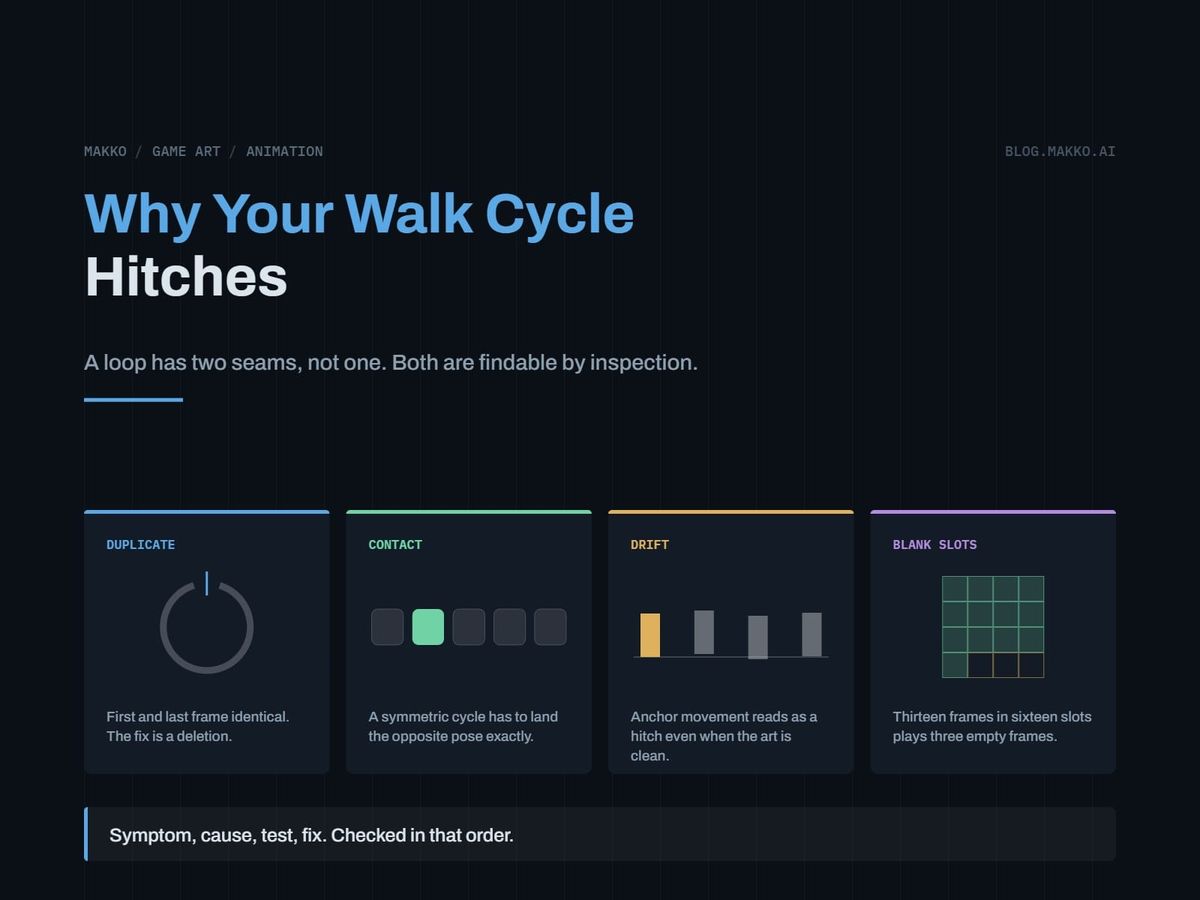
The short version. Most hitches have one of six causes: a duplicated first and last frame, a wrap gap that is too large, a walk whose halves do not match, anchor drift between frames, empty grid slots played as frames, or a loop restarting at frame zero after an interruption. Diagnose by where the catch lands: once per cycle is the wrap, twice per cycle is the half-cycle, only after another animation is the transition. The most common cause is the duplicate, and the fix is a deletion.
A loop has two seams, not one
Think of the cycle as a circle, not a strip. Frame N is adjacent to frame 1 exactly as frame 5 is adjacent to frame 6. The wrap only feels special because it is where the file ends.
The second seam sits outside the file. The character stands idle, the player presses a direction, the walk starts. If idle ends with weight settled on both feet and walk begins mid-stride, that first frame is a teleport.
Players report both as "the walk is broken." Establish which you have first. Stand still, let idle run, then move. A catch only on that first step is the transition. A catch that repeats while walking straight is the loop.
Symptom to cause, in the order to check
Work down this table, ordered by how often each cause is the real fault. The first two tests cost nothing, so run them before opening a drawing tool.
| Symptom | Likely cause | Test | Fix |
|---|---|---|---|
| Brief freeze, once per cycle, same point | First and last frame duplicated | Compare frame 1 and frame N, pixel for pixel | Delete the last frame |
| Visible snap, once per cycle | The two ends are too far apart | Lead-foot travel at the wrap vs other gaps | Add one in-between, at the wrap only |
| A catch twice per cycle, evenly spaced | Halves of a symmetric walk do not match | Count frames per half, contact to contact | Even the halves, usually by removing one |
| Whole sprite shifts for one frame | Anchor or art-box drift inside the cell | Art bottom to cell bottom, every frame | Re-align the outlying frames |
| Character blinks out at the end of the cycle | Empty trailing slots played as frames | Real frames vs rows x columns | State frame count apart from grid size |
| Motion is smooth, rhythm limps | Inconsistent per-frame durations | Read every frame duration, not the default | Set one duration, then re-add holds |
| Catch on the first step, or after an attack | Transition seam, or phase reset | Loop the animation in isolation | Preserve phase, or pick a better entry |
| Right in the sprite editor, wrong in the engine | Import settings | Engine frame list vs editor frame list | Correct the import, not the art |
The duplicate frame, and why the fix is a deletion
This causes more loop complaints than everything else combined, and it starts from a reasonable instinct: the loop returns to where it started, so the last frame should match the first. It should not. If frame N is identical to frame 1, playback holds that pose for two frame durations every cycle. At twelve frames per second that is a 167 millisecond freeze in a cycle that otherwise moves every 83 milliseconds. Every drawing is fine, so nobody suspects the frame list.
The rule: the last frame is the frame immediately before the first, not a copy of it. If frame 1 is the left contact, frame N is the last up-position before it lands. So delete frame N. Developers resist, because deleting sounds like it would make the loop rougher. It does the opposite: it removes an unintended hold. If the wrap still snaps afterward, you have a second fault, now visible instead of buried under a freeze.
That second fault is a wrap where the ends really are too far apart. Measure rather than guess: note how far the leading foot travels between each pair. If every gap is equal except frame N to frame 1, the wrap is missing an in-between. That is the only case where adding a frame is correct.
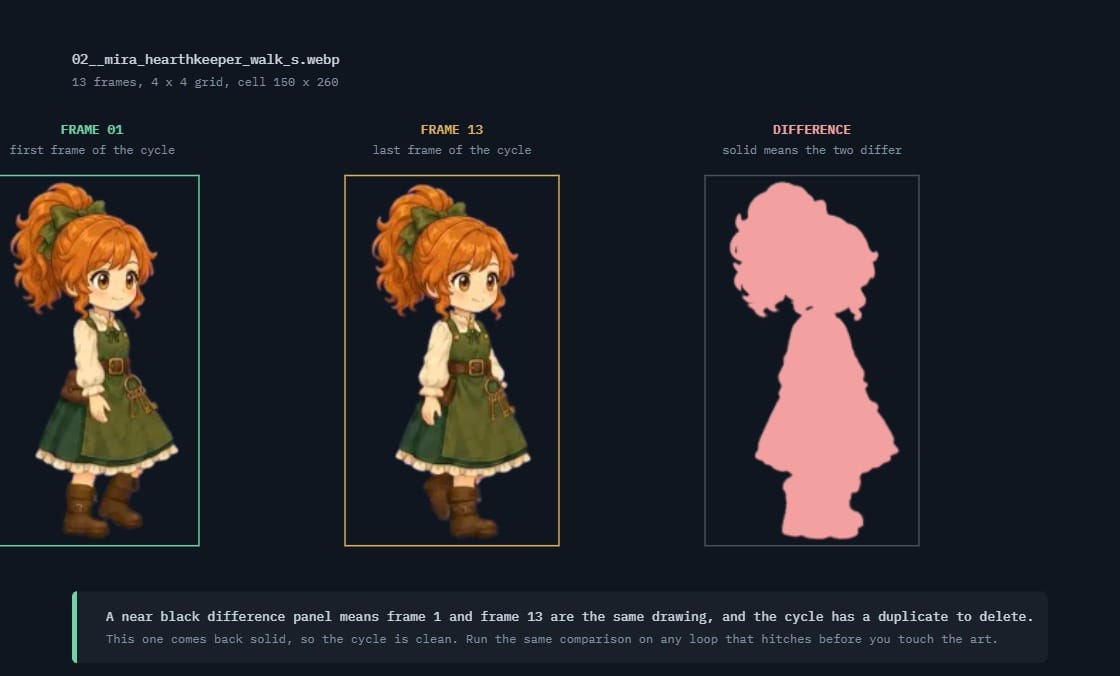 02__mira_hearthkeeper_walk_s.webpframe 1 against frame 13 · 13 frames · cell 150 × 260
Why walk cycles break more often than anything else
A walk is not one loop. It is two half-loops that have to be interchangeable, and that makes it the most fragile animation you own. A two-step cycle runs contact, down, pass, up, then the opposite contact, down, pass, up, back to the start: the second half is the first with the legs swapped. For the circle to close, the frame before the left contact and the frame before the right contact must sit at the same point in the motion, mirrored. Other animations meet themselves once. A walk meets itself twice.
That creates a failure mode nothing else has: an off-by-one frame count. If the cycle was authored as two matching halves and the total is odd, one half carries an extra frame. The wrap looks perfect while the character limps, because the error lands at the midpoint. An odd total is not automatically wrong, since plenty of cycles hold a contact frame deliberately. But if it was built as two mirrored halves and will not divide evenly, start there.
Use the frequency of the catch as your diagnostic. Once per cycle is the wrap. Twice, evenly spaced, is a half-cycle mismatch that no work on frame N will fix. Overlay the two contact poses, mirror one, check that hips, trailing foot and head height agree. Contact is where weight transfers, so a mismatch there is the most visible error you can ship.
Anchor drift is a loop problem, not a rigging problem
A character can be drawn perfectly and still hitch, because the loop includes where each frame sits inside its cell. The engine draws every cell at a fixed screen position. If the art in cell 7 sits four pixels higher than the art in cell 6, the character rises four pixels and drops back on the next frame. The player sees a bob at the feet and calls the loop broken.
The number to measure is the gap from the bottom of the art to the bottom of the cell. Across all six of Mira Hearthkeeper's baked sheets that gap runs between 2 and 7 pixels, and cell height is 260 on every one. Those two facts hold her ground line steady. A drift in that number reads as a hitch even when the animation itself is clean.
Check it as a list, not by eye. Export the per-frame bounding box, subtract the art bottom from the cell height, read the column. One value outside the band names the frame to nudge.
Sub-pixel placement gives the same symptom from another direction. A sprite drawn at a fractional position, scaled by a non-integer factor, or filtered with bilinear smoothing snaps between pixel grids as it moves. That is a render setting, not an art defect. Check your import configuration for filtering, snapping and scale before blaming the frames.
Three blank frames at the end of a grid
A grid has to be a rectangle. An animation does not. Mira's walk sheets are 4 by 4, giving 16 slots, and the walk uses 13 frames. Three slots sit empty. Her idle runs 18 frames in a 5 by 4 grid, leaving two.
If the import derives frame count from the grid, the engine plays all 16 slots and three are transparent. At twelve frames per second the character vanishes for a quarter of a second, every cycle. Nobody reads that as blank frames at speed. They read a stutter in the loop and go looking at the drawings.
The test takes ten seconds: count real frames, multiply rows by columns, compare. If they disagree, frame count has to be stated separately from grid size at every import. That field is the first thing dropped when a sheet arrives undocumented, so put it in the sheet spec beside cell size and frame order.
One tell separates this from everything else. Step frame by frame: if the character disappears, empty slots. If a pose holds, a duplicate.
Anchor drift
Art bottom to cell bottom, every frame
The engine draws every cell at the same screen position, so a frame whose art sits higher lifts the character and drops it back on the next one. Read it as a column of numbers, not by eye.
Blank trailing slots
Real frames against rows times columns
If the import derives frame count from the grid, the engine plays all sixteen slots and three of them are transparent. State frame count separately from grid size at every import.
Uniform timing first, then holds on purpose
Per-frame durations are part of the loop, and inconsistent ones give you a hitch that survives every fix above. Usually one frame picked up a different duration by accident, and the cycle moves correctly while feeling like a limp.
Read the durations as a list, set them all to one value, and confirm the rhythm problem goes. Then add holds back deliberately if the character needs weight. A hold is a hold when you can say which frames carry it and why. Otherwise it is a defect.
The transition seam, and the animation that should not loop
The first fault here is a pose gap. Idle ends settled, walk begins mid-stride, the first step snaps. Fix it by choosing which frame the walk starts on instead of defaulting to frame 1. A contact pose is the best entry, being the closest thing in the cycle to a standing stance. A dedicated transition animation is the thorough fix and is rarely needed.
The second is phase reset. The character walks, an attack interrupts, the attack ends, and the walk resumes from frame 0 regardless of where it stopped. That hitches on every interruption at unpredictable points, so it feels random. Most engines can resume a state at its previous frame. Where yours cannot, store the frame index before the interrupt and restore it after.
Death animations are the documented exception
Everything above assumes the animation loops. Death does not, and applying the matching-ends rule gives you a character who dies and springs back up.
A death runs once and stops on its final frame. Its first and last frames should be as different as possible: the first continues whatever the character was doing, the last is the resting pose the body holds on screen. Do not match them, do not smooth the join, and set the loop flag off explicitly rather than trusting a default. Same for spawns and transformations. Hit reactions are the ambiguous case: a hit plays once and returns to a loop, so its last frame should sit near the entry frame of whatever follows.
How to find the seam by inspection
Watching a loop at full speed tells you something is wrong and never what. Slow it down and narrow what you watch.
- Play at quarter speed. The hitch stays put; you can finally see it.
- Watch one thing at a time. Four passes: feet, hips, head height, silhouette edge.
- Isolate the wrap. Loop a clip of the last three frames plus the first three. Catch present, it is the wrap. Catch gone, look at the midpoint. Then step across that clip by hand, where a duplicate is unmissable.
- Kill the background. Flat mid-gray. Real backgrounds hide vertical drift.
- Onion-skin frame 1 over frame N. Catches both wrap faults in one look.
- Read the three lists. Bottom gap per frame, duration per frame, frames against slots.
Do this in the engine after import, not just the sprite editor. A loop that is clean in the editor and broken in the build is an import problem every time. Then run this checklist before it ships.
# Loop check - [character] / [animation]

## Frames
[ ] Real frames: ___  Slots (r x c): ___
[ ] Count stated in import?           Y / N
[ ] Frame N is NOT a copy of frame 1  Y / N

## Wrap
[ ] Gap N -> 1 matches other gaps     Y / N
[ ] Onion-skinned 1 over N            Y / N

## Half-cycle (walk / run)
[ ] Half A: ___  half B: ___  equal?
[ ] Contacts mirror each other        Y / N

## Alignment
[ ] Cell height, all animations: ___
[ ] Bottom gap: min ___ max ___
[ ] Snap, filter, scale correct       Y / N

## Timing
[ ] Durations uniform, or holds: ___

## Transitions
[ ] Entry frame: ___
[ ] Phase kept across interrupts      Y / N

## One-shots
[ ] Loop flag OFF for death / spawn   Y / N
[ ] Death end frame unmatched to 1    Y / N
Frequently asked questions
Should the first and last frame of a loop be identical?
No. Identical ends hold one pose for two frame durations every cycle, and that hold is the most common loop hitch there is. The last frame should be the pose leading into the first, one step of motion away.
Can I fix a hitch by adding an in-between frame?
Sometimes, and only after ruling out the duplicate. Adding a frame to a loop with duplicated ends moves the doubled pose farther from the wrap without removing the hold, so the hitch survives and costs you a frame.
Does any of this apply to idle animations?
All of it, and idle punishes mistakes hardest because it runs longest. A character stands still through dialogue, menus and every pause to think, so a hitch there is seen far more often than one in an attack. Idle sheets also tend to carry empty trailing slots, since breathing cycles rarely land on a tidy grid multiple.
How do I stop the ground line moving between animations?
Lock cell height across every animation for that character and keep the bottom gap inside a narrow band. Mira's six sheets all use a cell height of 260 with widths from 119 to 221: lateral room changes between a walk and a celebration, the floor does not. Makko bakes that into every sheet in a collection. Aligning by hand, fix height first and let width float.