
Making Your UI Look Like It Belongs in Your Game
Matching is the wrong target. What an interface should share with the world it sits on, and what it has to keep separate.
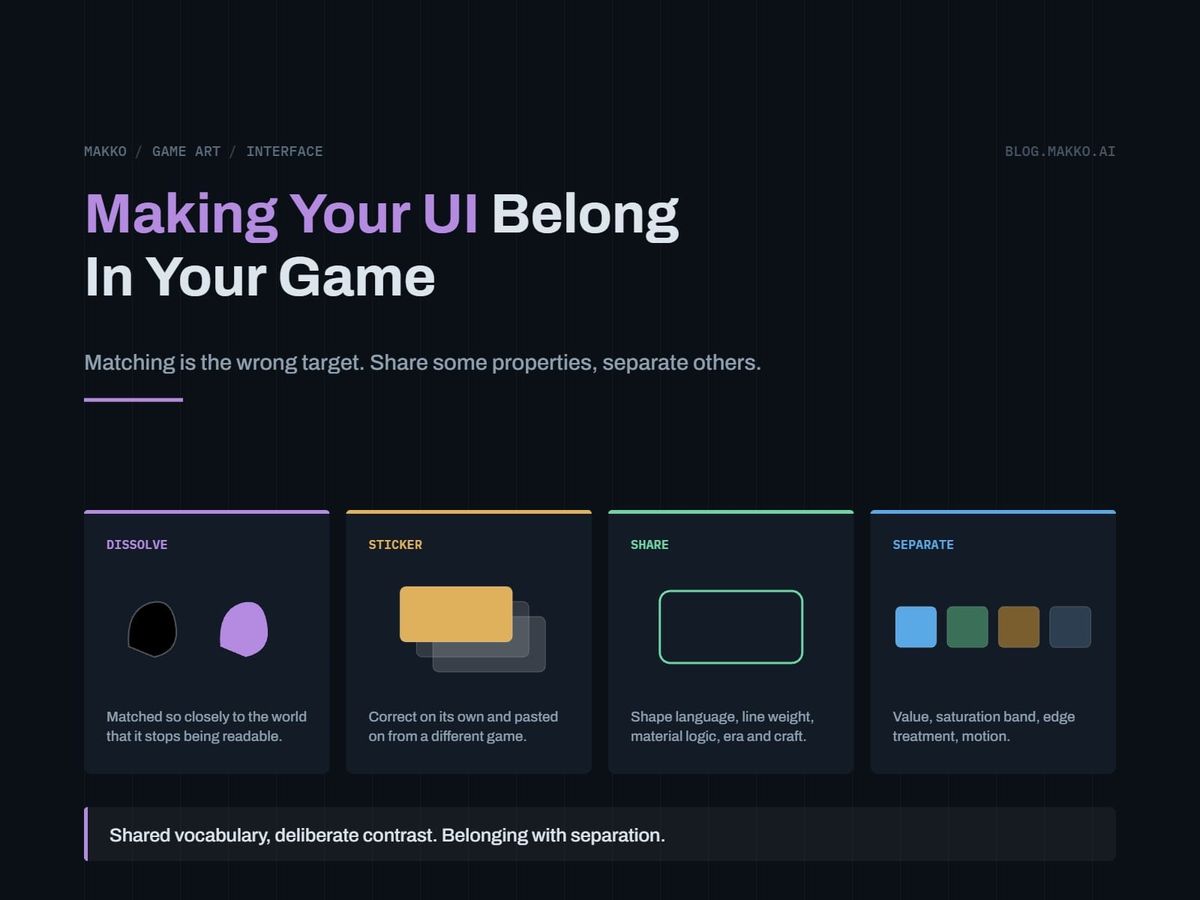
Your game looks fine in motion. Then you take a screenshot for a store page, and the health bar, the ability buttons and the inventory panel look like someone cut them from a different game and pasted them over yours.
The usual diagnosis is that the UI does not match the art, and it sends people the wrong way. They push the interface closer to the world and it starts disappearing into it. They push back and it looks bolted on again. The dial they are turning does not control the thing they want.
Cohesion is not a dial running from "matches" to "contrasts". It is two lists: properties the interface shares with the world, and properties it deliberately does not. This article gives you both lists, the two ways the split goes wrong, and a procedure for finding the broken property in a screenshot you already have.
The short version. A UI belongs to a world through shape language, line weight, material logic, era cues and typography, and separates from it through value, saturation, edge treatment and motion. Share a separating property and the interface dissolves into the scene. Fail to share a belonging property and it looks stuck on top. Run the five-pass diagnostic to find the guilty property, then write the split into your art bible.
Matching is the wrong target
An interface has two jobs that appear to pull against each other: be found instantly by a player whose attention is elsewhere, and look like it came from the same place as everything behind it. They stop fighting once you notice they use different properties. Findability lives in value, saturation, edge crispness and motion. Belonging lives in shape, weight, material and era. Those sets barely overlap. Take the interface to the far end of the findability properties while holding it identical to the world on the belonging ones, and it reads as an object made by the same hands for a different purpose.
That is the target: belonging with separation. Not a compromise between the two, both at full strength on different axes.
The practical consequence is that "make the UI fit the art better" is not an instruction anyone can execute. Naming the property is. Say "the panel corners need the world's chamfer" or "the bar fill has to leave the terrain's value range" and an artist knows what to change.
The two failure modes: dissolve and sticker
Every cohesion problem is one of these two. Name yours first, since the fixes move in opposite directions.
Dissolve is the interface sharing a separating property. The UI sits in the world's value range or its saturation band, so it stops being a layer and becomes scenery. Painterly backgrounds with painterly HUDs land here constantly.
The tell is a timed read. Show the screenshot to someone who has not played, for two seconds, and ask what the player's health is. If they need longer, you have dissolve. Second tell: the UI reads perfectly in a still frame and vanishes when the camera moves, because motion behind an element eats any separation that was marginal to start with.
Sticker is the interface failing to share a belonging property. The shapes, line weights or material do not come from the same system as the world, so the layer reads as applied rather than authored.
The tell is a transplant test. Paste your HUD onto a screenshot of an unrelated game. If it looks no more wrong there than on your own game, your interface belongs to no world in particular. A HUD with real belonging looks obviously stolen when you do that. A sticker HUD looks the same everywhere, because it was never attached to anything.
Most projects have sticker. It is what placeholder art becomes when nobody schedules its replacement, and interface placeholders outlive every other kind because they keep functioning. Swapping placeholders for real art gets planned for characters and tiles, then skipped for panels.
Dissolve
The panel sits in the world's value range, so it stops being a layer and becomes scenery. The tell is a timed read. Two seconds on the screenshot and a non-player still cannot say what the health is.
Belonging with separation
Same chamfer, same stroke weight, a value the terrain never reaches. Both properties at full strength on different axes, rather than a compromise struck between them.
Sticker
Rounded corners and one uniform stroke against a world built from chamfers. Paste it on an unrelated game and it looks no more wrong there than it does at home.
The shared and separate property table
The spine. Read the shared rows to fix sticker, the separate rows to fix dissolve.
| Property | Shared or separate | What it means in practice |
|---|---|---|
| Shape language | Shared | Corner geometry, curve type, whether forms are built from rectangles or organic silhouettes. Chamfers in the architecture means chamfered panels. |
| Line weight | Shared | Not the pixel count. The ratio of outline to enclosed area, and whether weight varies along a stroke. Tapering world outlines cannot sit beside uniform UI strokes. |
| Material logic | Shared | What every surface is made of and what tool made it. Covered below. |
| Era and craft cues | Shared | Riveted metal, carved wood, folded paper, printed circuit, woven cloth. The UI is made of something the world's inhabitants could make. |
| Typography | Shared | Letterforms are shapes and obey the shape language. Covered below. |
| Hue family | Shared, loosely | Pulling UI hues from the world palette stops it looking imported. Pulling saturation from the same place kills it. |
| Value | Separate | UI occupies value ranges the world mostly does not. Strongest separator available, and the first to check. |
| Saturation band | Separate | Same hues, different intensity. Desaturated world, one saturated accent, or the reverse. Never the same band. |
| Edge treatment | Separate | The world can be soft, atmospheric, blurred by depth. UI edges stay resolved. An element as soft as its background is half gone. |
| Detail frequency | Separate | UI carries less detail per unit area than the world. Interface texture competing with world texture makes noise. |
| Motion | Separate | Shorter, snappier, different timing curves. Interface drifting at world speed stops reading as responsive. |
Two rules for using it. A shared property borrowed at half strength still fails, so commit fully. A separate property only has to break in one direction, so break two of them hard rather than nudging four of them slightly.
Material logic decides more than color
If the world is painted, the UI cannot be vector-flat. This breaks more screenshots than every palette decision combined, and the reason is not taste.
Painted surfaces carry evidence of a tool. Value varies inside a single fill, edges show where a stroke started and stopped, and nothing is perfectly uniform because nothing was made by a uniform process. A flat vector panel carries evidence of no tool at all: zero variance in the fill, mathematically identical corners, an edge with no history. The eye reads that gap the way it reads a missing texture, not as a style choice but as an element that failed to finish rendering.
The rule runs both ways. Painted world with flat UI: the panels look unfinished. Pixel world with airbrushed UI: the panels look like a screenshot of another program. Vector world with hand-textured UI: the panels look dirty.
Fixing it does not mean repainting the interface. It means giving the UI the same evidence of the same tool, applied more sparingly. A painted world needs panels with a visible surface, value variation across a large fill, edges that are not perfectly uniform. A pixel world needs panels on the same grid at the same density, with no anti-aliasing the world does not also have. Makko's collections carry that consistency across a whole asset set, interface included, instead of leaving each element to be matched by eye.
Typography is shape language wearing letters
Font choice usually gets made by a programmer, late, from whatever renders cleanly in the engine. Treating it as a text problem rather than an art problem is a leading cause of sticker.
Letterforms have every property in the shared column. Terminals are corners. Stroke modulation is line weight variance. Counters are detail frequency. A geometric sans with circular bowls and uniform strokes is the typographic equivalent of a flat vector panel, and it looks equally foreign on a hand-painted world.
Three checks, in order. Set a word of UI text beside a panel edge at final size and compare stroke weight to border weight: if the letters look like wire, the type belongs to another system. Compare letterform corners to panel corners, since round bowls against chamfered panels is a mismatch readers feel and never name. Then check the face at the smallest size it ships at, which disqualifies most candidates faster than any aesthetic argument.
Pick the typeface at the moment you pick the corner radius. One decision made twice.
The five-pass diagnostic
Run this on one screenshot with the full HUD visible, over your busiest scene. Each pass strips a layer of information so the next can be blamed. Stop at the first failure, fix it, then restart from the top, since fixing value often resolves everything below it.
- Desaturate to grayscale. If the UI is now hard to locate, the problem is value and nothing below matters yet. Color was doing all the separating, and color is the weakest separator you have.
- Blur the grayscale image until all detail is gone. The UI should survive as a distinct mass. If it merges into the background shapes, the problem is detail frequency or edge treatment: the element has no silhouette, only interior decoration.
- Return to full color and crop the UI out. Look at the world alone, then the UI alone at the same scale, comparing corner geometry, stroke weight and curve type. Disagreement is shape language, the most common sticker cause.
- Zoom hard on one panel edge and one world edge in the same image. Ask what tool made each. Two different tools is material logic, the second most common cause and the hardest to see at normal zoom.
- Record five seconds of play and watch only the interface. If elements ease in and out on the same slow curves as world animation, they read as scenery.
The order matters. Value hides shape problems, shape hides material problems, material hides motion problems. Out of order, you repaint panels when the fault was a fill three shades too close to your terrain.
Write the split into your art bible
A survey of publicly released studio art bibles found only one with an interface section at all, so there is no template to copy. Add this block to yours.
# [GAME] - UI cohesion contract v0.1

## SHARED with world art (copy exactly, no half measures)
Shape language:   [corner geometry / curve type]
Line weight:      [outline-to-area ratio, varies or uniform]
Material logic:   [world is _____ , so UI is _____ ]
Era / craft cue:  [what the UI is made of, in fiction]
Typeface:         [family], picked with the corner radius
Hue family:       [from world palette: yes / no]

## SEPARATE from world art (break at least two, hard)
Value:            UI [range]; world [range]
Saturation:       UI is [more / less] saturated, by [degree]
Edge treatment:   UI edges [always resolved / never soft]
Detail frequency: UI carries less detail per area than world
Motion:           UI resolves in [fast]; world moves in [slow]

## Failure check, per milestone
Dissolve test: 2-second health read by a non-player
Sticker test:  paste HUD on an unrelated game screenshot
Verdict:       [passes / dissolve / sticker]

## Deliberate exception
Alien interface: [yes / no]
Whose it is:     [_____]
Its shape language recorded at: [_____]
This belongs beside the palette and shape rules. The difference between an art bible and a style guide puts it in the bible, since it constrains production rather than describing finished output, and the art bible template has the surrounding sections.
When the interface should be alien on purpose
Some games make the interface deliberately foreign and it works. A medieval world with a cold digital readout. A painted village with a system overlay belonging to something inhuman watching it. These are not exceptions, they are the rule applied to a second world. The interface still belongs to something, it just does not belong to what is behind it, and the gap is the point.
There is one condition, and skipping it is the difference between a choice and an accident. The alien interface must have its own complete shape language, and the game must establish whose interface it is. Complete means every element obeys the foreign system with no leakage, not one panel quietly borrowing the world's corner radius because it looked better. Established means a player can say where the overlay comes from, through fiction, a framing device, or relentless consistency in the first ten minutes.
Fail either half and you have sticker with a justification attached. Players do not read intent, they read consistency, and an alien interface inconsistent with itself is indistinguishable from one nobody thought about. The bar is higher, not lower, since it has no world behind it lending credibility. The honest test is whether you can write the second shape language down. If the answer is "it is just kind of sci-fi", that is not a deliberate exception, that is the thing you were hoping to excuse.
Frequently asked questions
My UI is still placeholder. Should I fix cohesion now?
Write the contract now, build the art later. It costs half an hour and stops every screen you add in the meantime from becoming a decision you revisit. What you must not do is ship placeholder interface art assuming you will notice in time. Functioning placeholders go invisible to the team that made them.
Does this apply to pixel art?
More strictly, because pixel art makes material logic impossible to fudge. The UI must sit on the same pixel grid at the same density as the world, with the same anti-aliasing policy and palette discipline. A UI at a finer effective resolution than the world is the most common pixel art sticker, and it happens when the interface is drawn at screen resolution while the world is drawn lower and scaled up.
Can I use a UI kit I downloaded?
Only if you modify it against the shared column. A kit is authored without knowledge of your world, so it arrives carrying a shape language, line weight and material logic from elsewhere, which is the definition of sticker. Keep its structure, spacing, state coverage and layout. Replace the surface treatment.
What if my game already has two art styles?
The UI picks one and commits, and the correct pick is the style the player looks at most, not the style you like best. A game with painted cutscenes and pixel gameplay wants pixel UI, since the HUD spends its whole life over the gameplay layer. Splitting the interface across both gives you sticker twice instead of belonging once.