
7 Ways to Get Game Art Without an Artist, Ranked by Cost and Control
Seven routes, from CC0 libraries to hiring, placed on the two axes that decide the answer. Cheap routes surrender control over style. Expensive ones buy it back.
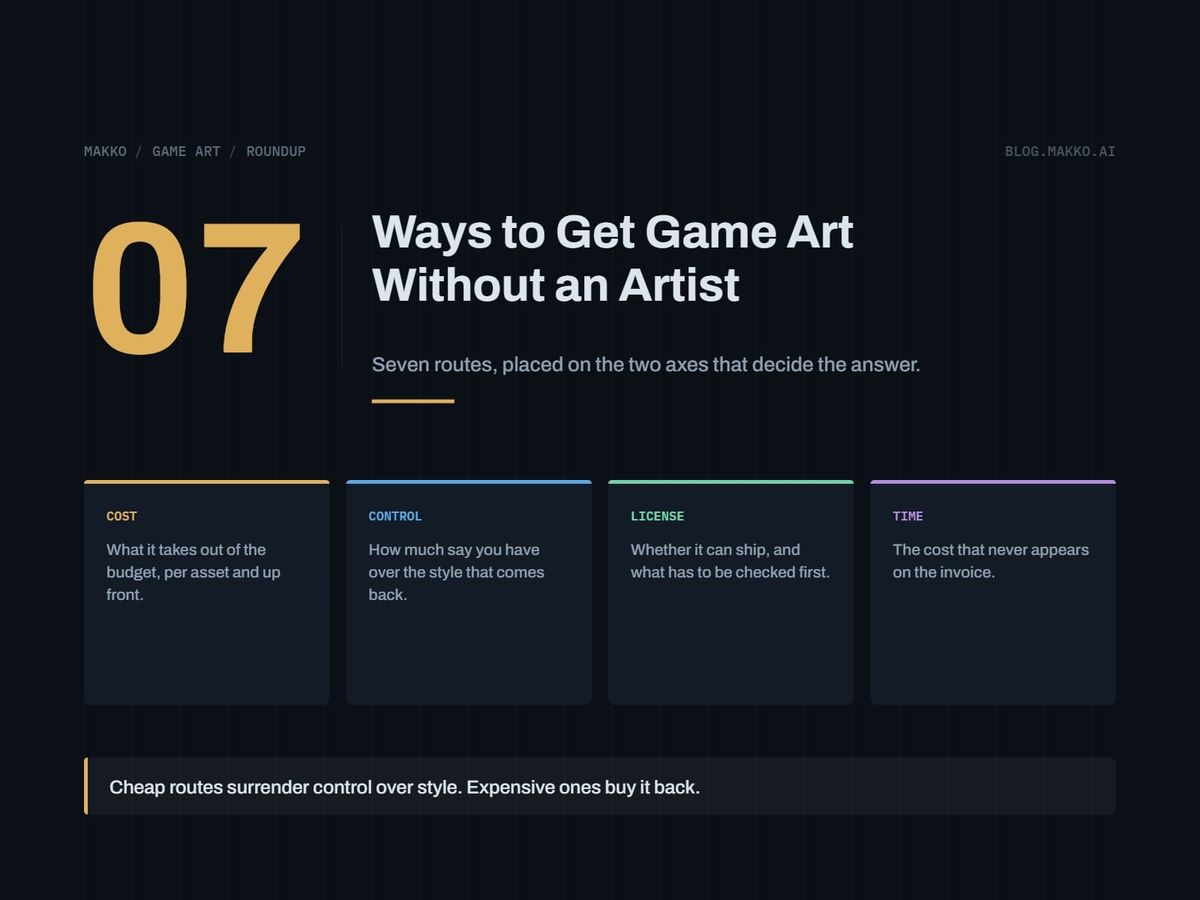
You can ship a game without an artist. The question is which of the seven available routes fits your budget, your schedule, and how much you care whether the finished game looks like one deliberate thing.
This page ranks them on two axes that pull against each other: cost and control. Cheap routes hand you art that already exists, in a style someone else chose. Expensive routes buy that choice back. Read in order and place your project on both.
Disclosure: this is the blog of Makko, an AI-powered 2D game art studio, and Makko is one of the entries below. Prices are as of September 2026, read off each vendor's own page at the time of writing.
The short version. With no money and a month to ship, take route 1: Kenney's CC0 sets are free for commercial use with no attribution. With a style already decided and a long asset list, route 5, AI generation, applies that style across a set for a subscription price, on a paid tier so the commercial license comes with it. If the art is the product, route 6 is the cheapest source of real art direction.
How these were picked
Each route is judged on five things:
- Money cost. One-time, monthly, or per asset.
- Commercial license. Whether you can legally sell the game. Free tiers usually carry a catch.
- Style control. Whether you choose the look or accept it.
- Consistency across a set. Whether asset 80 matches asset 1. This one kills projects and stays invisible until you have enough art to see it.
- Pipeline fit. Whether it drops into your engine or needs re-cutting.
Routes run cheapest to most expensive. Control rises roughly in step.
1. CC0 and public domain libraries
Built for getting something on screen today at zero cost with no legal homework. Kenney is the strongest source, publishing large sets of game assets into the public domain under CC0, plus some paid bundles. CC0 means commercial use with no attribution required.
Cost: nothing. License: the CC0 sets have no catch at all, making this the strongest free route by a distance. The catch sits elsewhere. OpenGameArt is a community library with mixed licenses, so each asset has to be checked individually before you ship. That is the hidden cost of free: reading terms on every file, and the risk of missing one.
Where it breaks down: thousands of other games use the same assets, and players recognize them. You are not getting a look, you are getting a shared one.
Pick this if you are prototyping, jamming, or building a systems game where art only has to be legible. Do not pick this if you plan to market the game on how it looks. Our guide to where to get art for a Godot game covers combining library assets without seams.
2. Buy an asset pack
Built for developers who want a coherent set rather than scattered files, since a paid pack is usually one person's work in one style. itch.io is the main marketplace, where many independent creators sell and give away game assets, and Kenney sells paid bundles.
Cost: small, one-time, per pack. License, and this is the important part: on itch.io, licenses vary per listing and must be checked per asset. There is no marketplace-wide license. Read the listing text and keep a copy with the files. Ten packs means ten license reviews.
Where it breaks down: a pack is complete until you need what it does not contain, and then you are matching someone else's style by hand. Two packs rarely agree on pixel density, outline weight, or palette.
Pick this if your scope is fixed and one author's pack covers it. Do not pick this if your asset list is still growing.
3. Build a deliberate geometric style yourself
Built for programmers who accept that they cannot draw and design within the constraint instead of hiding it. The style is made of shapes you can produce reliably: flat rectangles and circles, single-weight outlines, hard silhouettes, a strict palette. Done with intent it reads as style; done without, as unfinished.
Cost: zero money, high time, most of it in decisions rather than drawing. Krita, Pixelorama, and LibreSprite are free and open source; Piskel is a free browser and desktop pixel editor. Lospec is a free web resource whose palette list removes the hardest decision here. Aseprite is a paid one-time purchase sold through Steam and itch.io, and a purchase includes a Steam key. For levels, Tiled is free and open source, exporting to image, JSON, Lua, GameMaker, Defold, tBIN and more; LDtk is a free 2D level editor.
No license catch at all. You made it.
Where it breaks down: it caps your genre. Geometric abstraction serves puzzle, arcade, roguelike, and strategy games, not a game needing a character the player bonds with. It holds only if every asset obeys the rules. Our programmer art decision tree separates the right call from avoidance.
Pick this if your game is systems-first and you can commit to rules. Do not pick this if it depends on characters or mood.
4. Swap assets or collaborate with another developer
Built for people who have a skill an artist wants. An artist who cannot program and a programmer who cannot draw are a natural trade: a collaboration, a revenue split, or a swap.
Cost: no money, but you pay in labor. A swap costing two weeks of programming time is not free; it is two weeks.
The license catch nobody handles: a handshake is not a license. Write down who owns the art, what you may use it for, and whether the artist may resell it, before files change hands.
Where it breaks down: availability. Your collaborator has their own deadlines and no obligation to yours, so consistency is good but throughput is unpredictable.
Pick this if you know the person and have something to trade. Do not pick this if you are on a fixed deadline.
5. Generate the art with AI
Built for developers who know the style they want and need many assets in it. This is the first route where you choose the look and still pay less than a commission. License terms differ most here, so they come first.
Scenario (scenario.com) has a free tier with 50 free daily credits and no credit card required, but free plan outputs are for personal and evaluation use only, so you cannot ship them. Paid plans are Starter at $15 a month for 1,500 monthly credits, Pro at $45 for 5,000 credits with custom model training, and Max at $75 for 10,000 credits and a workspace of up to 25 users. All paid plans include a full commercial license, and annual billing is stated as 33% cheaper than monthly.
Midjourney (docs.midjourney.com) starts at Basic, $10 a month or $96 a year, for 3.3 hours of fast GPU time with no relax mode, then Standard at $30 with unlimited relax images, Pro at $60, and Mega at $120. Subscribers may use their images in just about any way they want, with one threshold that catches growing studios: companies with gross revenue over $1,000,000 USD per year must be on Pro or Mega.
Leonardo.Ai (leonardo.ai) has a free tier of 150 fast tokens per day where creations are public. Essential is $12 a month with 8,500 fast tokens and private creations, Premium $30, Ultimate $60. Paid subscribers get full ownership of outputs; the free tier is a non-exclusive royalty-free license.
Rosebud AI (rosebud.ai) gates commercial rights to specific plans: they come only with the 10x Dev or Pro plans, which allow selling games and assets made with it, with no commission on earnings. A free plan exists, and a downgraded account gets 20 prompts per week.
Makko (makko.ai), this blog's publisher, does collection-based 2D game art generation: a collection binds the look, feel, and style across a whole asset set, and it bakes sprite sheets from generated animations. That targets consistency rather than one good image.
Where it breaks down: style control is not art direction. A model applies a look; it does not decide whether that look serves your game. You still call silhouette, palette, and readability, and reject output that misses.
Pick this if you have a defined style, a long asset list, and a paid tier. Do not pick this if you plan to ship from a free tier; on Scenario that is prohibited.
6. Commission a freelancer
Built for developers who need a specific thing drawn by someone who can draw it. Art direction enters the list here: a freelancer pushes back on a bad request and notices your enemy silhouettes are indistinguishable before players do.
Cost: quoted per asset, per set, or per day, and the first route whose number scales with your asset list. Budget from the full list.
Two license catches. Commissioning does not automatically transfer copyright, so state in writing that you receive commercial rights and whether they are exclusive. And if the delivery is a rig rather than frames, check the tooling license. Spine (esotericsoftware.com) lists Essential at $99 $69 and Professional at $449 $379, both one-time purchases including all future updates, with Enterprise at $2,499 base plus $379 per user annually. Businesses with more than $500,000 USD annual revenue require the Enterprise license.
Where it breaks down: vague briefs produce expensive rework, because a freelancer delivers what you asked for. Write the style rules down first; our game art bible template exists for this handoff.
Pick this if the art is a differentiator and you have budget. Do not pick this if your asset list changes weekly.
7. Hire an artist
Built for teams, not solo developers. A salaried or long-term artist is the only route giving continuous iteration: change direction in week nine and the set gets revised.
Cost: highest by a wide margin, recurring, and it does not pause when your design does. Tool seats add on top; Spine Enterprise is $2,499 base plus $379 per user annually, and its education tiers are barred from commercial products.
The license position is cleanest here. Work produced under employment is normally yours outright, with no per-asset terms and no revenue threshold.
Where it breaks down: hiring before revenue turns a hobby project into payroll, and an underdirected artist is the most expensive way to make art you will not use.
Pick this if art volume is continuous and funded. Do not pick this if you are one person.
The seven routes side by side
| Route | Cost | License | Style control | Consistency | Pipeline fit |
|---|---|---|---|---|---|
| 1. CC0 libraries | None | CC0 clear; OpenGameArt varies | None | Poor across sets | Drops in |
| 2. Paid asset packs | Small, one-time | Varies per itch.io listing | None | Good inside the pack | Drops in |
| 3. Geometric style | Free tools, your time | Yours outright | Total | Matches your discipline | You control export |
| 4. Swap or collaborate | Your labor | Undefined unless written | Shared | Good, one hand drawing | Negotiated |
| 5. AI generation | $10 to $75 a month paid | Paid grants, free restricts | Style yes, direction no | Depends on the tool | Depends on export |
| 6. Commission a freelancer | Per asset or day | State it in the contract | High, with direction | Strong | Specify in the brief |
| 7. Hire an artist | Highest, recurring | Cleanest | Total | Strongest | Built to your pipeline |
How to choose
Answer these in order and stop at the first yes.
1. Jam entry or prototype?
   YES -> Route 1. Kenney CC0.

2. Systems game, look is secondary?
   YES -> Route 3 if you can hold to style rules,
          else Route 1 or 2.

3. Asset list fixed and under about 30 items?
   YES -> Route 2, license checked.

4. Style decided, 50+ assets to make?
   YES -> Route 5, paid tier. Free tiers cannot ship.

5. Art is a selling point, budget per asset?
   YES -> Route 6. Art bible first.

6. Art volume continuous and funded?
   YES -> Route 7.

7. Otherwise, know an artist who needs code?
   -> Route 4. License in writing first.
Mixing routes is normal: CC0 tiles, generated characters, hand-built UI. The risk is visible seams, so fix the palette and outline rule once and force everything through it.
Frequently asked questions
Can I sell a game that uses Kenney assets?
Yes. Kenney publishes large asset sets into the public domain under CC0, free to use commercially without attribution. Kenney also sells paid bundles, so confirm which category a download falls into.
Do I have to check the license on every itch.io pack?
Yes. itch.io licenses vary per listing, so each pack must be checked on its own; there is no blanket marketplace license. OpenGameArt is the same, with mixed licenses checked asset by asset.
Can I ship a game using a free AI tier?
Not on Scenario, where free plan outputs are for personal and evaluation use only while all paid plans include a full commercial license. Leonardo.Ai's free tier is a non-exclusive royalty-free license and makes creations public; paid subscribers get full ownership. Rosebud AI grants commercial rights only on its 10x Dev or Pro plans. Midjourney requires companies with gross revenue over $1,000,000 USD per year to be on Pro or Mega.
Does my engine add license costs on top of art?
It can. Godot is free and open source under the MIT license: no royalties, revenue thresholds, or seat costs. GDevelop is open source and free, with paid tiers for cloud builds. GameMaker's free tier carries a non-commercial license; Professional is a one-time purchase adding the commercial license. Construct 3 Personal is $129.99 a year or $15.99 a month, restricted to individuals and hobbyists, with no royalties.
Which route keeps a large set consistent?
Routes 6 and 7 are strongest, because a person holds the style in their head. Route 5 aims at the same problem for less; Routes 1 and 2 give consistency only inside one author's set.
What if I change routes later?
Plan for it. Most projects start on route 1 or 3 and move up once the design settles. Keep file naming, frame counts, and pivot points stable and swapping the art underneath is a replacement, not a rebuild.