Game Development with AI: One Pixel Art Character in Two Different Games
Shows how frame normalization and alignment turn generated sprites into consistent, reusable assets for gameplay systems.

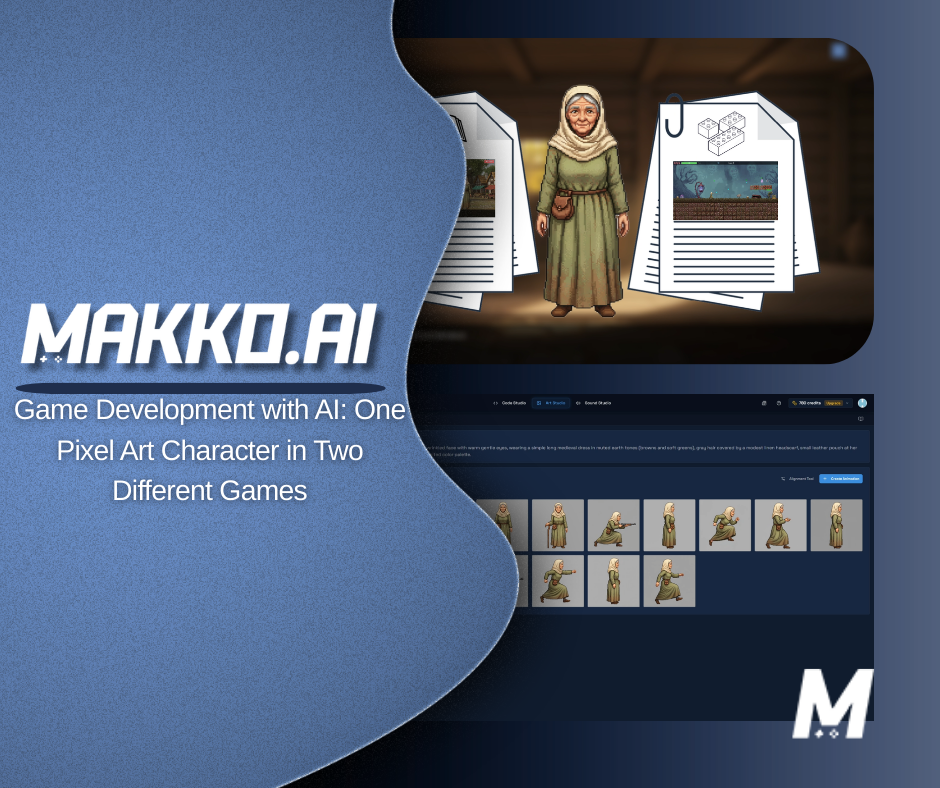
In AI game development, the hard part is rarely creating a character. The hard part is keeping that character consistent across multiple builds once scale, camera framing, and genre requirements change. This pixel art tutorial shows a structured workflow: one character, multiple game genres, and zero file duplication using a manifest system. For the full genre-specific animation breakdown, see one pixel art character powering two games.
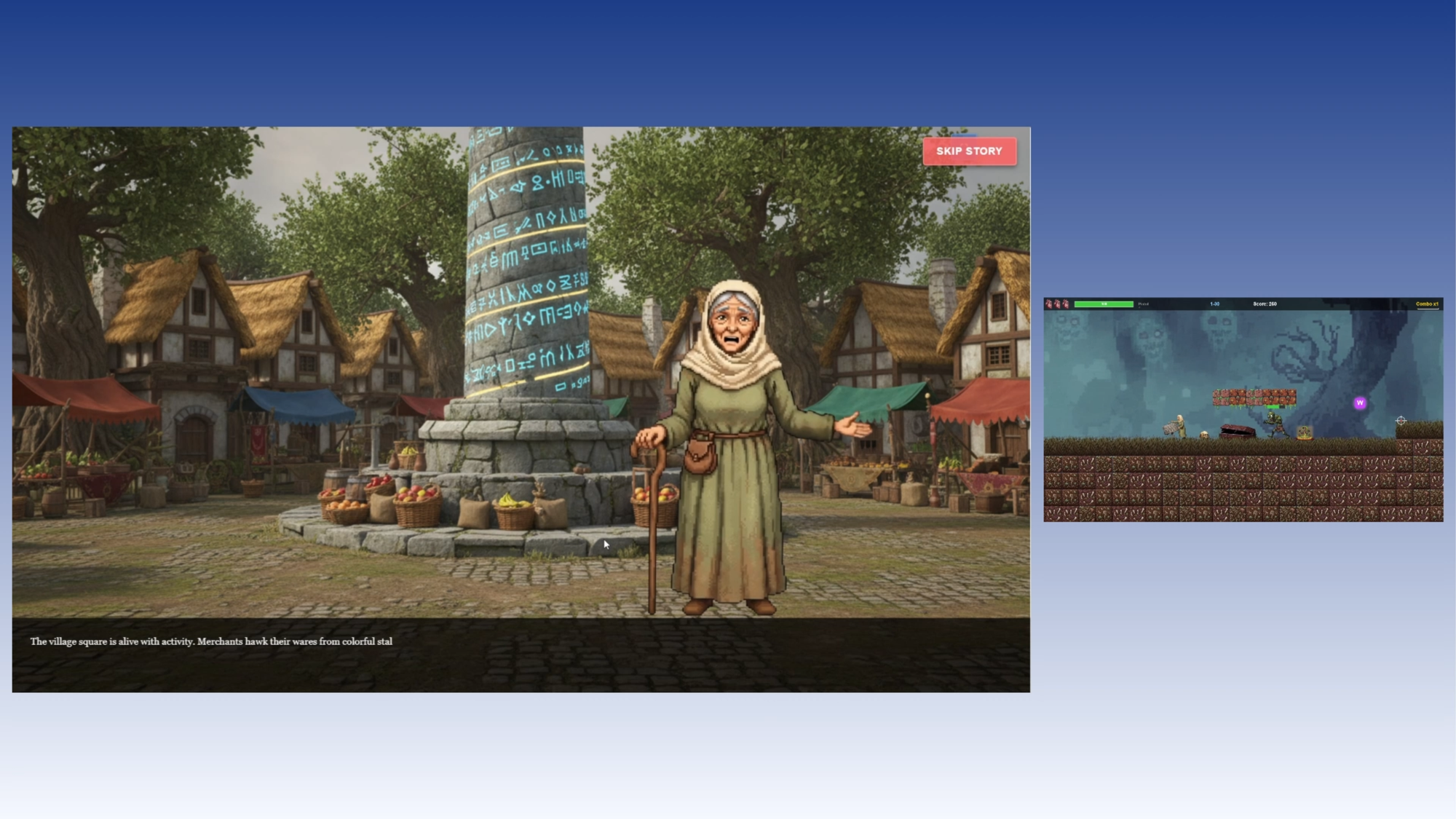
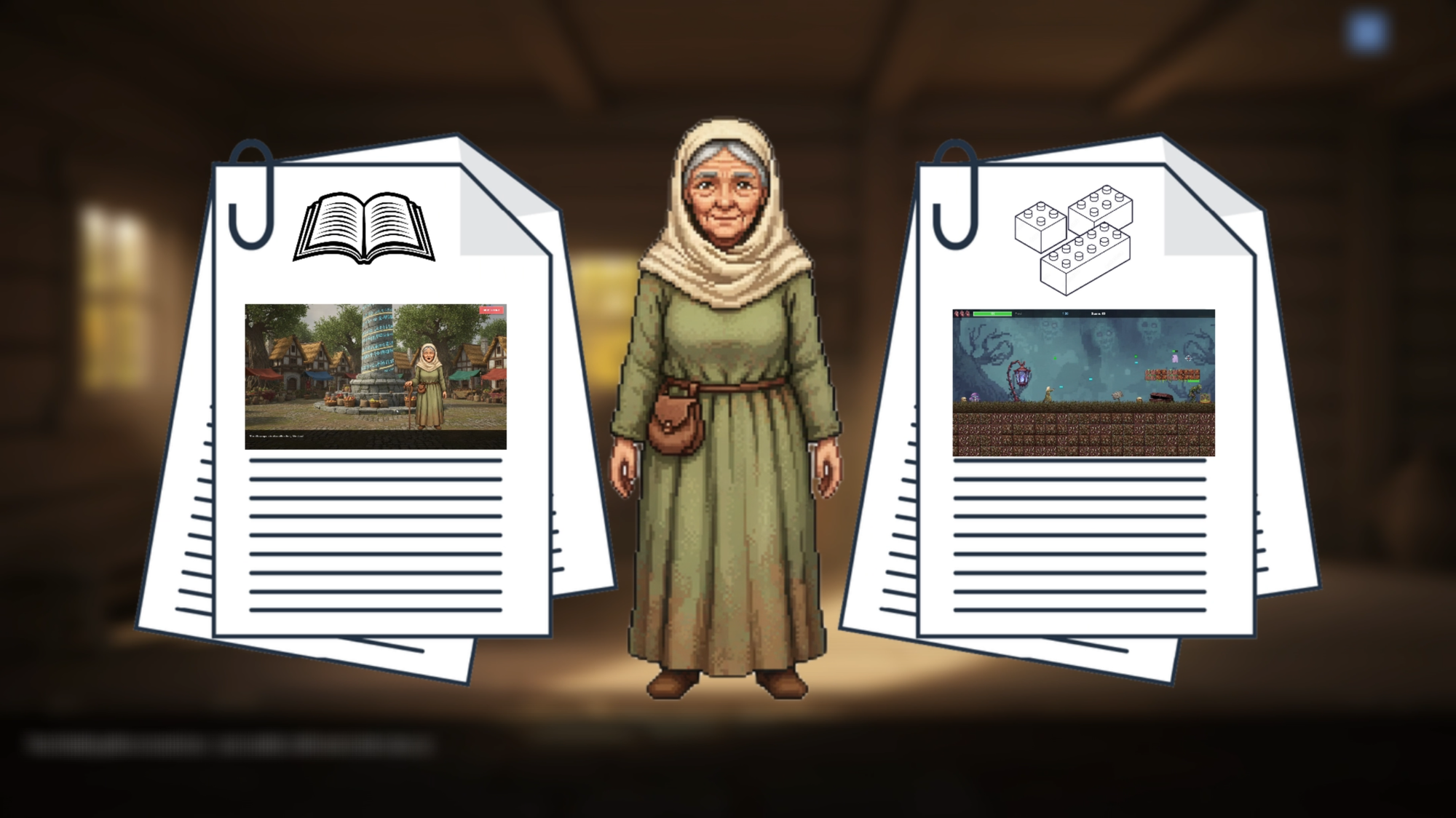
The character is Grandma Elara. The two games are The Whispers of Destiny, a visual novel, and Granny's Night Terror, a horror platformer. Same base character, same sprite sheets, two completely independent manifest configurations.
| Question | Answer |
|---|---|
| What job is this solving? | Reuse one pixel art character across two different games without exporting, resizing, or renaming duplicate sprite sheets. |
| What is being compared? | Manual folder duplication and version chaos versus a manifest-based configuration workflow. |
| What constraints matter? | Time to playable, iteration speed, fewer mistakes, and predictable updates across builds. |
| Where does Makko fit? | Makko keeps one centralized character and lets you define multiple manifests as game-specific profiles using the character manifest workflow. |
The Problem: One Character Becomes Ten Files
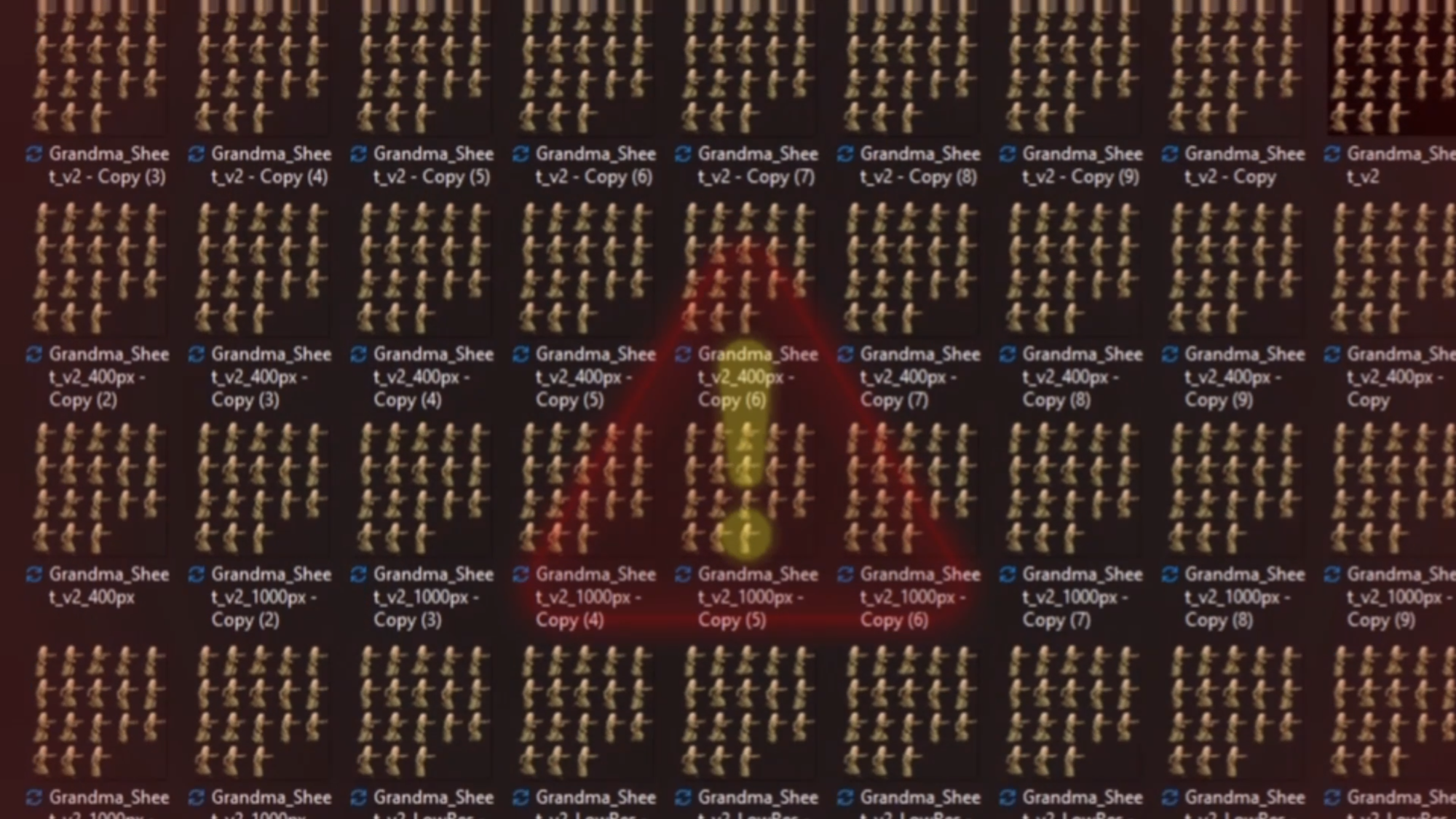
Traditional game dev breaks down right after you finish your animations. You export sprite sheets, resize them for different builds, rename files, and rebuild folder structures until you cannot confidently say which version is correct. What started as one character becomes a pile of duplicates. That duplication tax slows iteration and increases the odds you ship the wrong asset.
If any of these look familiar, a manifest system replaces this chaos with structure:
Grandma_v2
Grandma_VN_Big
Grandma_Jumping_Sheet
Grandma_Final_UseThisOne
The fix is not another folder. The fix is a workflow that separates the base asset from game-specific configuration. That is what manifests do.
Step 1: Centralize the Character as Your Single Source of Truth
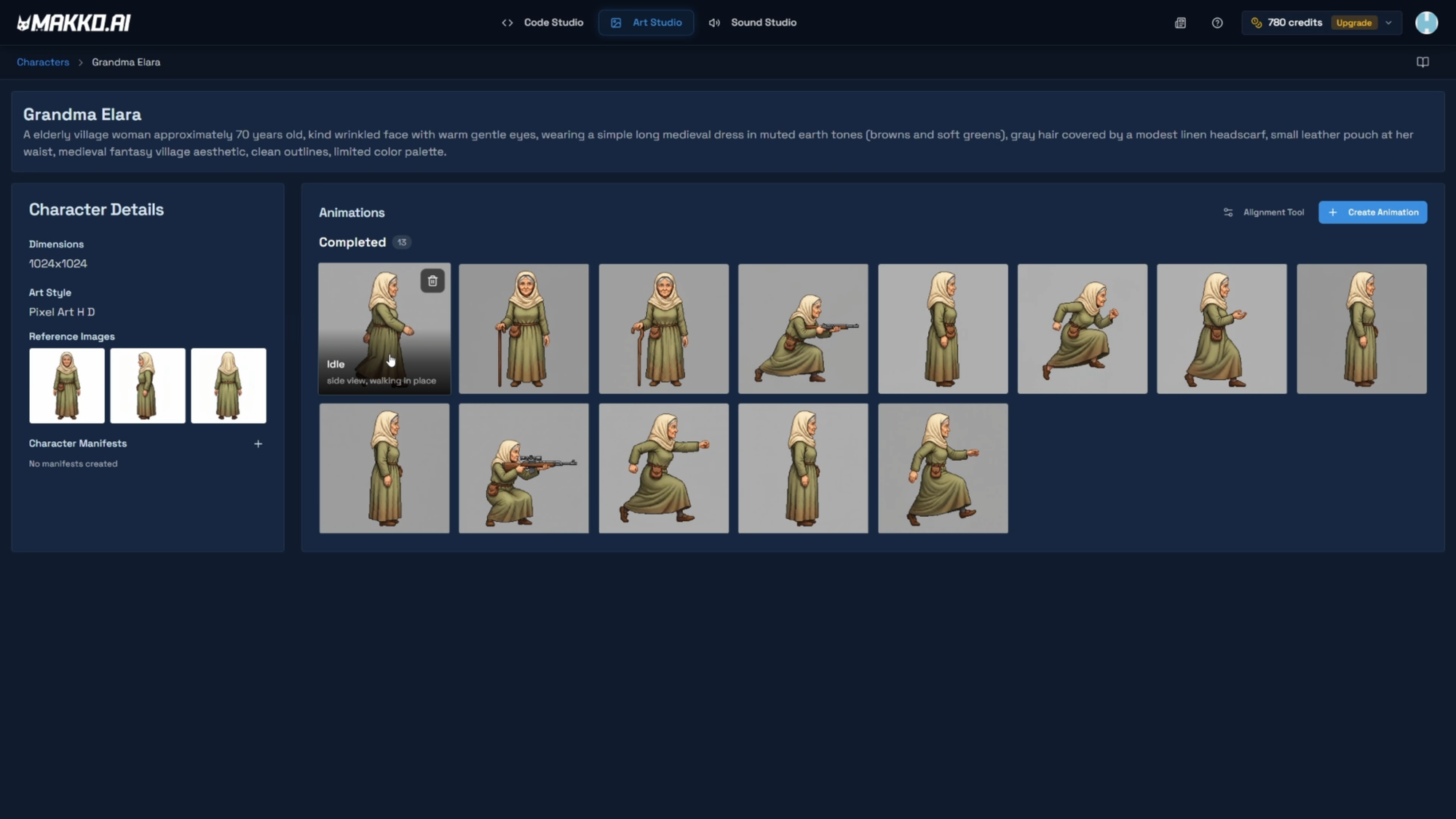
Start by treating your character as one master asset. In Makko, the Character Details page is the single source of truth for Grandma Elara. Every sprite animation, every sprite sheet, and every manifest pulls from this one central entry without creating redundant copies. Reach it by clicking the Animate button on the character card, or via the kebab menu. Building that master asset starts with the AI character generator workflow in Art Studio.
Why this matters for AI game development:
- Faster iteration: updates start from one asset, not five copies.
- Fewer mistakes: you stop shipping the wrong sprite sheet version.
- Cleaner collaboration: teammates find the asset instantly.
- Better time to playable: less busywork before you can test the game loop.
Self check: if you currently keep multiple copies of the same character because each build needs a different scale, you are already paying the duplication tax. The next step removes that tax by turning those differences into configuration.
Step 2: Create Two Character Manifests From One Base Asset
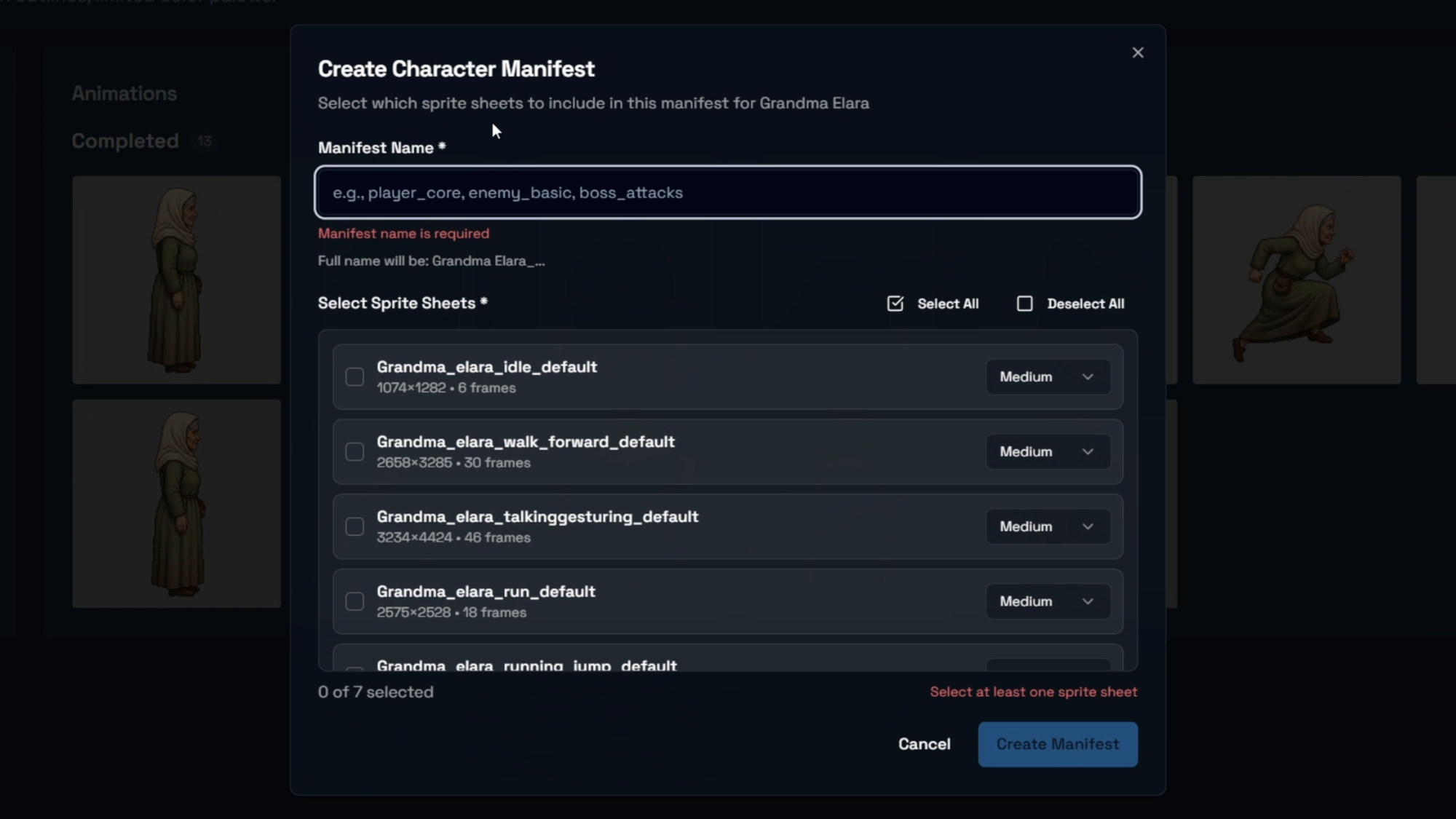
A manifest is not a copy of your sprite sheets. A manifest is a configuration profile applied to the same base character, built inside Makko's Art Studio. This is the mechanism that lets one pixel art game character work across multiple projects without manual duplication. For the full end-to-end setup, reference: How to Add Animated Characters to a Game Using Makko.
Creating a manifest requires a project name, the character name, and selecting which sprite sheets to include. Each manifest is then configured independently via the Alignment Tool. Makko uses the charactername_projectname convention for manifest entries in the project files.
Manifest A: Grandma_WhispersOfDestiny
- Configured for visual novel dialogue framing
- Larger portrait scale and composition
- Animation focus: idle, talk, reaction states
- Anchor placement optimized for narrative scenes
Manifest B: Grandma_GrannysNightTerror
- Configured for platformer gameplay
- Smaller scale for camera readability
- Animation focus: walk, run, jump, hit reaction
- Anchor placement optimized for movement and collision
Naming conventions that save hours later:
- Start with character name: Grandma
- Add game context: WhispersOfDestiny or GrannysNightTerror
- Avoid vague suffixes: Final, New, UseThisOne
- Keep names consistent so manifests stay searchable during iteration
The rule to remember: you are not duplicating assets. You are defining game-specific profiles. One character can serve multiple genres cleanly.
Step 3: Configure Each Manifest and Validate in Its Game
Inside each manifest, the Alignment Tool controls three settings independently: Anchor Point, Scale, and Hitbox. This is where the visual novel and platformer configurations diverge most clearly. These are manifest-specific edits: changes saved within a specific manifest affect only that manifest. Changes made in the Main Alignment Tool affect all manifests for that character globally. Always confirm which context you are editing before saving.
For the visual novel manifest: set a larger portrait scale for dialogue framing. Anchor placement is optimized for narrative positioning. For the platformer manifest: set a smaller scale that fits the camera and tile grid. The anchor point belongs at the bottom center of the character's feet. If set incorrectly, the character floats above the ground or sinks below it. The hitbox should cover the majority body position, not the maximum reach at any single frame.
Once configured, add each manifest to its Code Studio project via the Asset Library using the Add to Project button, then run the Rebuild Button. The character will not appear correctly in the preview until the rebuild is complete. If you build through prompt-based game creation, the manifest functions like a stable contract between your character and the game.
Visual novel validation:
- Portrait scale supports dialogue framing without clipping
- Idle and talk animations play predictably within composition
- Reactions do not break the portrait frame
Platformer validation:
- Sprite scale fits the camera without appearing too large or too small
- Walk, run, and jump cycles remain readable at game scale
- Hit reaction does not break collision readability
The payoff: modify one manifest and only that game changes. The other build remains untouched. You are no longer exporting new sprite sheets or rebuilding folders. You are tuning configuration layers. When scale or positioning feels off in one genre, keep one base character and adjust the manifest profile. This is the discipline that keeps AI game development scalable over time.
Quick Troubleshooting Checklist
When a character looks wrong across genres, the fastest fix is almost always configuration, not duplication. Work through this before exporting anything.
- Scale mismatch: adjust scale in the platformer manifest; keep the visual novel manifest unchanged.
- Anchor position: bottom center for platformers; narrative-optimized for portraits.
- Animation assignment: confirm walk, run, and jump are bound to the platformer manifest only.
- Readability: keep dialogue framing settings scoped to the visual novel manifest.
- Global vs manifest edit: if a change is affecting both games unexpectedly, check whether it was saved in the Main Alignment Tool rather than within the specific manifest.
- Rebuild: if changes are not appearing in the preview, confirm the manifest was re-added via Add to Project and the Rebuild Button was run.
- Organization: if you cannot find the right manifest in seconds, fix naming before continuing.
Next: once your character works cleanly across multiple genres, the next step is customizing sprite animations per game without breaking your workflow.
Frequently Asked Questions
Can one pixel art character be used in multiple Makko games?
Yes. The Makko manifest system is designed specifically for this. A manifest is a configuration profile applied to the same base character, not a copy of the sprite sheets. One character can have multiple manifests: one per game, each with completely independent settings for scale, anchor point, hitbox, and animation selection. The Character Details page is the single source of truth; all manifests pull from it without creating redundant files.
What is the difference between a global edit and a manifest-specific edit?
Modifications made in the Main Alignment Tool affect all manifests for that character globally. Modifications saved within a specific manifest affect only that manifest. This is the most important distinction in multi-game asset pipelines. A global edit belongs to the character at its core level. A manifest-specific edit belongs to one game's configuration. Confusing the two is the most common mistake when working with multiple manifests.
How should the anchor point differ between a platformer and a visual novel?
For a platformer, the anchor point belongs at the bottom center of the character's feet. If set incorrectly, characters float above the ground or sink below it. For a visual novel portrait, anchor placement is optimized for narrative framing rather than ground contact. Scale also differs: a platformer requires a smaller sprite scaled to the camera and tile grid, while a visual novel portrait uses a larger scale for dialogue framing.
What naming convention should character manifests follow?
Use the charactername_projectname convention. For example: Grandma_WhispersOfDestiny for the visual novel and Grandma_GrannysNightTerror for the platformer. Avoid vague suffixes like Final, New, or UseThisOne. Descriptive names tied to the game context prevent confusion when multiple manifests exist for the same character.
For detailed walkthroughs and live feature demos, visit the Makko YouTube channel.