How to Make AI Sprite Animations That Match the Rest of Your Game
Generating one good character is easy. Getting the next fifty to look like they belong is the hard part. Here's the full pipeline, collections, concept art, reference sheets, animation model choice, and sprite sheets.
The hard part of AI game art isn't making one good character. It's making the next fifty look like they belong with it.
Most people hit this workflow the same way. You generate a hero and it's great. You generate an enemy and it's also great, different linework, different palette, different light. Individually fine. Together, they look like assets from two different games.
The fix isn't better prompting. It's deciding your look once, at the top, and having everything inherit it.
What is a collection?
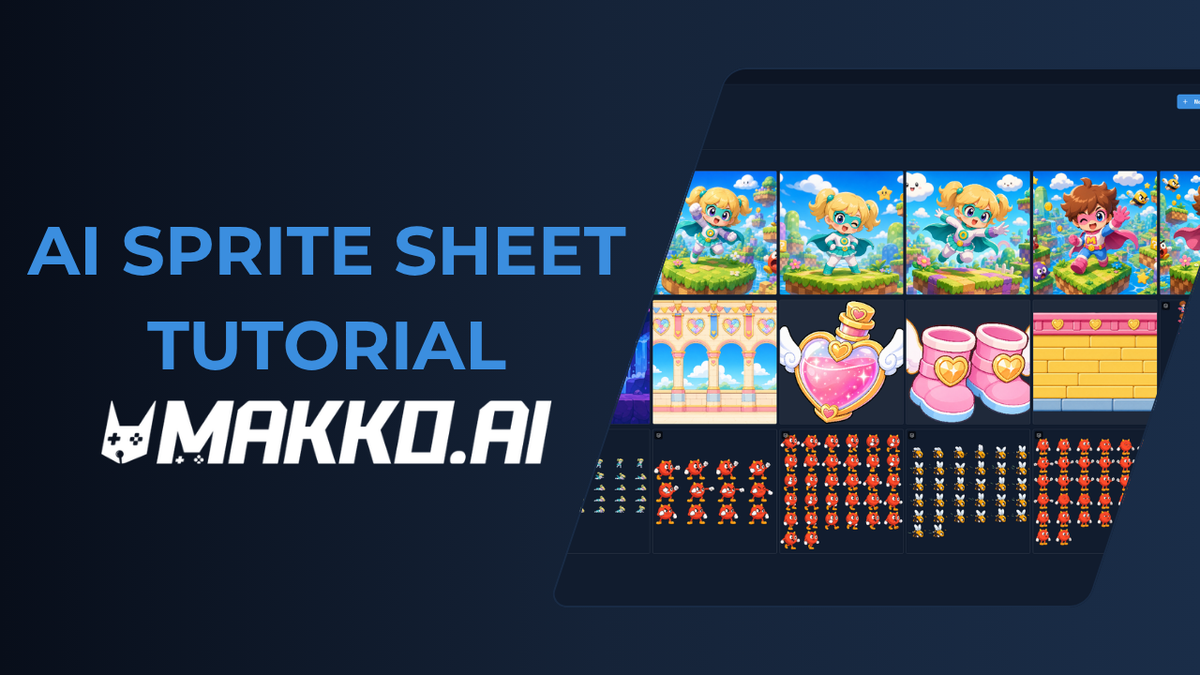
A collection is a series of assets bound by the same look, feel, and style. You set it once, and everything you make inside it inherits that, characters, props, backgrounds, environments.
Collections nest. A game-level collection holds a characters sub-collection, which holds a sub-collection for each individual character. The style flows down through all of it, which is why a character you make in week six still looks like it belongs beside the one you made in week one.
That inheritance is the whole point. Everything below is just the pipeline that runs inside it.
The pipeline, start to finish
1. Create the collection. Name it, set the art style, pixel, anime, vector, painterly, etc. Then nest a sub-collection for characters, and one inside that for the character you're building.
2. Generate concept art. Add references from the collection tab so the model sees what already exists. Be specific in the prompt: silhouette, outfit, materials, color palette.
Watch the credit cost here. High thinking at 2K is expensive. Iterate at medium 1K until you know the pose you want, then spend on the version you'll keep.
3. Generate a reference sheet. Select a concept image and ask for only your character, extracted. You get a clean front, side, and back, the turnaround every animation gets built from. Generate three at a time and keep the best.
4. Animate. Select the reference sheet, this is the single biggest quality lever, because animating from a reference sheet gives the model far more to hold onto than animating from a single image. Then pick from the presets: idle, walk, run, jump, attack, cast, take damage, die.
5. Clean the frames and bake the sprite sheet. Add or remove frames, resample, tighten the loop. Baking gives you uniform frame sizes and consistent spacing.
6. Bring it into your game. Add the character from the asset library, size the animations against each other, and tell the assistant what you want built.
Which AI model should you use for game animation?
This is the decision most people get wrong, and it isn't about which model is better overall. It's about matching the model to the type of motion.
| Handles well | Struggles with | |
|---|---|---|
| Omni Flash | Complex motion. Throws, sword swings, attacks | Character consistency; drifts between generations |
| Veo | Walk, run, jump, idle. Rock solid consistency | Attack and throw animations |
Omni Flash will give you a genuinely better attack animation and then change your character's hair length between takes. Veo will hold the character perfectly and fumble the sword swing.
Neither one is the right answer. Pick per animation. Use Omni for anything complex, accept that you may generate it two or three times to get character and motion right together. Use Veo for the locomotion set and generate once.
Why do my character's animations come out different sizes?
Because each animation is generated independently, and nothing forces them to a common scale. It's the most common gotcha in the whole pipeline and it's invisible until the character is running around in a game, growing and shrinking between states.
The fix: pick the animation that's the size you want, make it the reference, select the others, and match them to it.
Does this work if I can't draw?
Yes, that's most of the point. You can start from a prompt. But you can also upload your own artwork as the concept source, which is worth doing if you have a style you already like. The collection carries it either way.
The short version
Set the collection first. Everything after it stays consistent on its own.
Full walkthrough on video: https://youtu.be/hrABWoumwd0 Try it free: https://go.makko.ai/indie-games-animation-switch-blog