
What Resolution Should a Game Background Be?
Two questions, not one. Authoring resolution is about headroom, shipping resolution is about memory, and the gap between them is measured here.
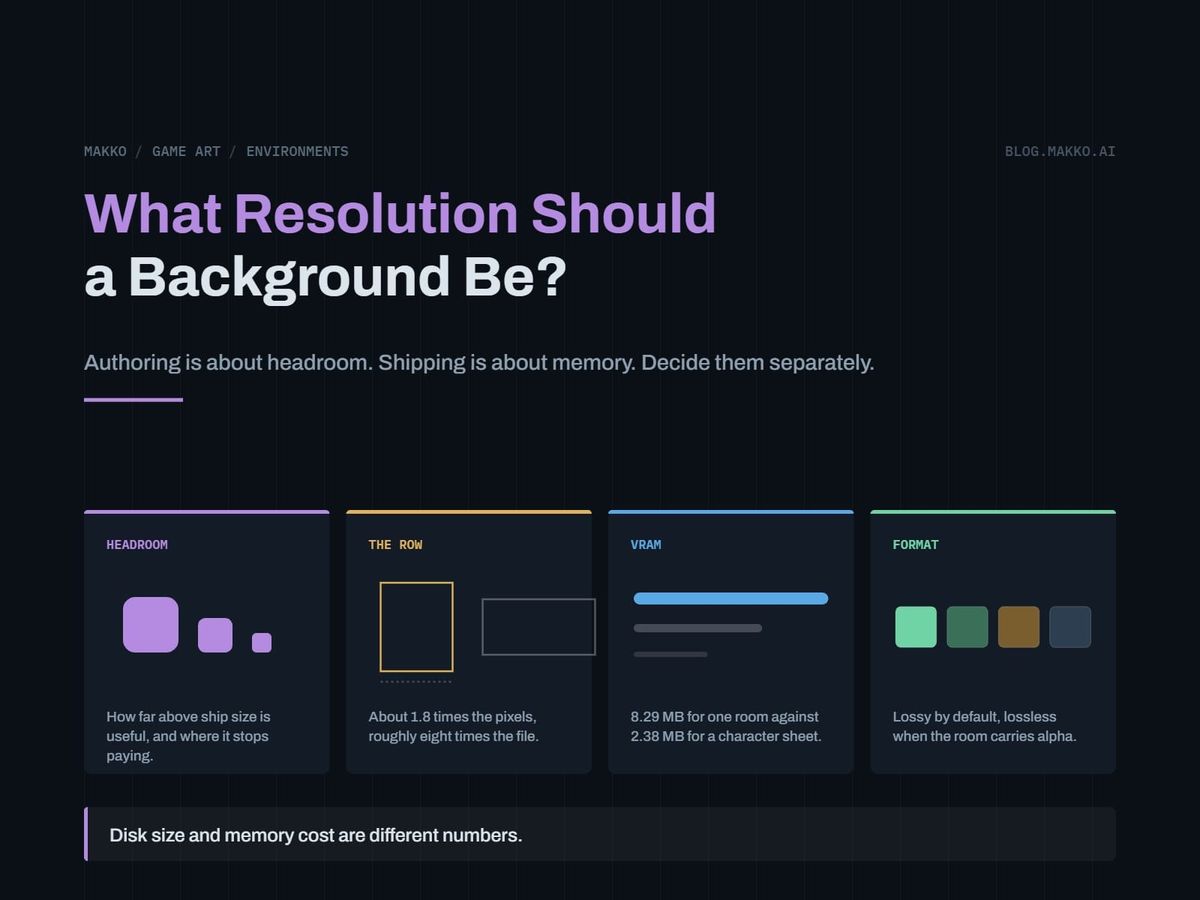
You are in a dialog box with two fields and a cursor blinking in the first one. Width. Height. Behind that box is a texture budget you have not calculated and an artist waiting for a number.
The number does not exist, because you are asking two questions at once and they have different answers. What resolution should the background be authored at? And what resolution should it ship at? Collapse them and you get one of two bad outcomes: soft backgrounds, because you authored at ship size and then needed a crop, or a texture budget eaten by rooms the player walks past in four seconds.
The short version. Authoring resolution is about headroom and costs nothing at runtime, so author above ship size: about 1.3 times the shipping frame, square for anything that tiles. Shipping resolution is about video memory and costs 7.91 MiB per 1920 x 1080 room whatever the file size says, so ship at the size the camera displays. File size and memory cost are different numbers, and only the first moves when you change format.
Authoring resolution is about headroom. Shipping resolution is about memory.
Hold these apart the way you hold source code apart from a build. Authoring resolution is a production decision. It buys the ability to change your mind later: re-crop for a different camera, push in for a cutscene, ship on a denser display in two years. It costs repository space and render time, and nothing in the built game, since the source never enters it.
Shipping resolution is an engineering decision. It sets how much video memory each room occupies while loaded. It has no bearing on how good the art is and total bearing on whether twelve rooms fit at once.
So be generous with one and strict with the other. Authoring high is cheap insurance. Shipping high is a cost paid on every machine that runs the game. Treat them as one number and you end up strict on both, producing soft art, or generous on both, producing a build that thrashes.
How much headroom is useful, and where it stops paying
Headroom is a short list of things you might do later. Once those are covered, extra pixels buy nothing.
- Re-cropping. A room wider than the shipping frame gives you a second angle or a pan for free. Author to the exact frame and every angle is a new commission.
- Zoom. The deepest push is your real authoring requirement, and only in the region the camera reaches, not across the whole image.
- A later platform. Sources at 1.3 times ship cover a modest resolution bump. Nothing covers a four-times bump but repainting.
- Downscale quality. A resampled image is cleaner than one authored at final size.
The measured set authors wide rooms at 2560 x 1440 against a 1920 x 1080 ship target, about 1.3 times linear. Default to that absent a reason to go further.
Authoring above twice ship resolution buys nothing without a named plan for it. Twice linear is four times the pixels and the render time, then the resample throws the difference away. If your answer to "what is the 4K source for" is "just in case", you are paying for an option you will not exercise.
The rule inverts for pixel art. Author at display resolution and scale only by whole-number factors in the engine.
The row that contains the whole article
Measured files from one shipped room set. Read the third column against the second.
| Asset | Resolution | File |
|---|---|---|
| Hallway front background | 1920 x 1080 | 328 KB |
| Fixed bridge background | 1920 x 1080 | 432 KB |
| Mess hall front background | 1920 x 1080 | 468 KB |
| Store capsule panel | 1536 x 1024 | 1,773 KB |
| Hallway, wide source | 2560 x 1440 | 2,705 KB |
| Origin warehouse panel | 2560 x 1440 | 3,818 KB |
| Hallway middle section | 2048 x 2048 | 2,180 KB |
Finished rooms land between 328 and 468 KB. The wide sources run 2.7 to 3.8 MB. The pixel count rises about 1.8 times. The file size rises roughly eight times. The finals are flattened and optimized and the sources are not. Resolution accounts for the 1.8; processing accounts for the other factor of four and a half.
The store capsule row says it sideways: fewer pixels than any finished room, close to four times the file size of the largest, because it skipped that pass. File size tells you how a file was processed, not how big the image is.
Disk size and memory cost are different numbers
A compressed image on disk is compressed. A texture resident on the GPU, in the ordinary case, is not. It is width times height times four bytes, one each for red, green, blue and alpha, whatever the file weighed.
An uncompressed 1920 x 1080 background is 7.91 MiB resident, against 2.38 MiB for a 600 x 1040 character sheet. One room is roughly three and a half character sheets. That room was 328 KB on disk, so its memory cost is twenty-five times its file size, and your compression settings moved none of it.
- Rooms are the memory problem, not the cast. A dozen rooms against a crew of six puts most of your texture budget in places.
- Halving shipping resolution quarters the memory. Memory scales with pixel area, so a 20 percent linear cut is a 36 percent memory cut. It is the only lever that reliably moves the resident number.
- GPU texture compression is separate from file format. Block compression formats stay compressed in memory and cut resident cost by a large factor. Your file format does not. Check what your engine does with backgrounds, since the default is frequently to decompress to full RGBA without saying so. Same settings that govern sprite sheet import per engine.
Budget rooms in resident megabytes, not file sizes. A folder showing 4 MB of backgrounds can be a build holding a hundred megabytes of textures.
Ship at camera size, not at display size
The instinct is to match the display: a 4K monitor means 4K backgrounds. That is wrong more often than right, because a background is usually not the thing carrying detail. The character is. The interface is. The props are. A background is a large, low-frequency surface, and low-frequency surfaces tolerate display above native resolution far better than small high-contrast elements do. A background scaled up 25 percent still reads as a background. An icon scaled up 25 percent reads as broken.
- Fixed camera, 1080p target. Ship 1920 x 1080. That covers most 2D games and is what the measured set ships.
- Camera that zooms. Ship what the deepest zoom requires. Everything wider is a free downscale.
- Camera that scrolls. Your unit is the tile, not the screen.
- Handheld and mobile. Ship below 1080p and test. Pixel density hides softness a desktop monitor exposes.
- High-density desktop. Ship 1080p first, then measure. If the background reads acceptably scaled while characters and interface stay crisp, you saved real memory for softness nobody reports.
Format: lossy by default, lossless when the room carries alpha
Format choice comes down to one question, and it is not about quality. Does the image need transparency?
No alpha, a full-frame opaque room. Use a lossy format at a fixed project-wide quality. Painted backgrounds are what lossy compression handles best: broad gradients, soft edges, few hard lines. Set the quality once and never vary it per asset, since inconsistent compression shows up as a change in surface noise when the player moves between rooms.
Alpha, a framing layer with an empty middle. Common lossy formats either discard alpha or handle it badly, so use a lossless format carrying an alpha channel. That is cheaper than it sounds: the layered room authors top and bottom framing pieces with the middle left empty so the walk band stays clear, and transparent regions compress to almost nothing losslessly. A framing layer 40 percent empty is not 40 percent of a file.
The trap is the one sprite sheet padding sets. Transparent pixels are free on disk and full price in memory. An empty middle costs the same four bytes per pixel resident as painted detail. Crop a mostly empty framing layer to its used bounds rather than shipping a full frame with a hole in it.
Author square, ship wide
The measured set does something that looks like a mistake and is not: hallway middle sections are authored at 2048 x 2048, square, while the assembled room ships at 1920 x 1080, wide.
Square is correct for anything that repeats. A tiling section gets placed horizontally to lengthen the corridor and may get placed vertically, and squareness serves both without a second render. The source has no obligation to match the screen's aspect ratio, because the assembled composition, not the source, is what reaches the screen.
The downscale has rules, and skipping them wastes the source:
- Resample the assembled room, not the pieces. Scaling pieces separately puts sub-pixel differences at every seam.
- One hop. Source straight to ship. Every intermediate size costs detail you do not get back.
- Flatten before you optimize. The eight-times gap between sources and finals is mostly this step.
- Re-audit the play band afterward. Detail that read as quiet at 2560 wide can read as noise at 1920 wide, the same marks now smaller and denser.
- Keep sources out of the build. A shipped source file is the commonest way a download doubles for no visible gain.
The same logic governs characters. Concept art for that cast is authored square at 1024 x 1024, around 500 to 600 KB each, then cut to a canvas with height locked at 560 px and width floating between 295 and 311 px. Author square and generous, ship to the shape the game needs, and check it against how large a sprite sheet can get before it stops fitting.
The resolution spec block
Copy this and fill every field. A blank field is a decision somebody else makes for you, badly.
# [GAME] - Background Resolution Spec v0.1

## SHIP (what enters the build)
room, assembled    : 1920 x 1080
format, no alpha   : lossy, quality fixed project-wide
format, with alpha : lossless, cropped to used bounds
state              : flattened, optimized, sources excluded

## AUTHOR (what the artist works at)
wide room source   : 2560 x 1440  ~1.3x ship, crop + pan headroom
tiling section     : 2048 x 2048  square, repeats both axes
concept / portrait : 1024 x 1024  square, cut down later
ceiling            : 2x ship linear. Above that, name the reason.

## MEMORY BUDGET
resident room, RGBA    : 7.91 MiB at 1920 x 1080
character sheet        : 2.38 MiB at 600 x 1040
rooms resident at once : [n] x 7.91 = [    ] MB
platform texture budget: [    ] MB
GPU block compression  : yes / no

## DOWNSCALE RULES
- resample the ASSEMBLED room, never the pieces
- one hop, source to ship
- flatten before optimizing
- re-audit the play band after resampling
- pixel art: whole-number factors only

## FAIL CONDITIONS
- a source file inside the build
- an asset authored below its ship resolution
- longest edge above the texture limit
The two blocks at the top are the article. The rest is enforcement. Keep it beside your character and interface rules in the art bible.
How to tell your resolution is wrong from inside the running game
You cannot diagnose this in a file browser. Every test below runs in the built game at play size, the only place the answer lives.
Too low shows in motion, not standing still. Pan the camera across a room at full speed and watch high-contrast architecture: panel edges, railings, signage. Shimmer and crawl there means the background is scaled past what it can carry, and a still screenshot will not show it. Check the point of contact too: mushy floor detail under crisp feet means the background is under-resolved.
Too high shows as a number, not an image. Read your engine's texture memory counter with a scene loaded and divide by the rooms resident. If a room costs multiples of 7.91 MiB you are shipping above 1080p, and the question is whether anyone can tell.
The swap test answers that. Downscale a shipping background by a quarter, scale it back up, put it in the build and play. If you cannot pick the degraded room out in motion at play size, you were shipping pixels nobody sees. Run it on three rooms: a busy room and a plain one answer differently.
Load hitches are the last symptom. A hitch on room transition is usually texture upload, and upload scales with resident size, not file size. If rooms hitch while the files are small, resolution is the cause.
Frequently asked questions
What resolution should I ask an artist for?
Give them two numbers. Ship resolution determines composition and how much detail survives. Authoring resolution determines what you can do later. For a 1080p game the pair is 1920 x 1080 shipped and 2560 x 1440 authored, with tiling pieces square at 2048 x 2048. Systems that bake a whole collection at once, as Makko does, apply that pair across every room rather than per asset.
Does a bigger file mean a better looking background?
No. The 2560 x 1440 sources are eight times the file size of the 1920 x 1080 finals while carrying 1.8 times the pixels. The extra size is unflattened layers and a missing optimization pass, not image quality.
How many rooms can I keep loaded at once?
Divide your platform's texture budget by 7.91 MiB per 1080p room, then subtract the cast, the interface, the props and the effects. The result is smaller than expected, and it is why you load rooms per scene and unload them. If GPU block compression is available, that divisor drops sharply.
My background looks soft on a high-density monitor. Do I need 4K art?
Check the characters and interface first. Softness on a dense display is usually reported from the background and caused by everything else, since a painted surface tolerates upscaling and a high-contrast icon does not. If the background genuinely needs it, your 2560 x 1440 sources are a partial answer. Author a higher pass for the three rooms players spend the most time in, not for all of them.
Why does this say MiB and not MB?
Because memory and storage are counted in different bases. A mebibyte, MiB, is 1,048,576 bytes, or two to the twentieth. A megabyte, MB, is 1,000,000 bytes. Memory is physically addressed in powers of two, so every engine profiler reports the binary figure, and the numbers here match what Godot, Unity or Unreal will show you. Storefronts and drive manufacturers use the decimal one instead. At this scale the two differ by about five percent, so the same 1920 by 1080 background is 7.91 MiB and 8.29 MB. Same pixels, two labels. It is the same reason a drive sold as 1 TB shows up as 931 GB.